
Affiliate Disclosure: This article contains affiliate links. If you purchase through a qualifying link, we may earn a commission at no additional cost to you. This MACHENIKE G1 Controller Review is based on published product specifications, available product information, visible customer feedback, comparison research, and practical buying considerations. We have not personally conducted hands-on testing of the MACHENIKE G1 Wireless Gaming Controller.
Quick Verdict: MACHENIKE G1 Controller Review
The MACHENIKE G1 Controller Review covers a multi-platform wireless gamepad designed around Hall Effect joysticks and triggers, 1,000Hz polling in wired and 2.4G modes, adjustable vibration, and three connection options. The controller supports PC, Nintendo Switch, Android, iOS, and other compatible devices according to the available product documentation.
Its biggest attractions are the Hall Effect control system, 2.4G wireless connection, USB-C wired mode, Bluetooth support, and 600mAh battery. The listing also highlights a GuliKit joystick sensor, 512-level sampling resolution, dual-motor vibration, and Keylinker 2.0 customization.
The marketplace listing shown in the supplied video had a 4.9/5 rating from 828 reviews and more than 4,000 sales at the time of recording.
Research-based rating: 4.5/5 ⭐⭐⭐⭐½
The G1 looks particularly interesting for players who want one controller for several platforms without moving directly into a premium-priced enthusiast gamepad. However, the membrane-style D-pad and ABXY controls mean buyers should not expect every component to use premium mechanical switches.
MACHENIKE G1 Controller Review: Specifications
| Feature | MACHENIKE G1 |
|---|---|
| Product type | Wireless gaming controller |
| Model | G1 |
| Brand | MACHENIKE |
| Connectivity | 2.4G, Bluetooth, USB-C |
| Polling rate | Up to 1,000Hz wired/2.4G |
| Bluetooth polling | 125Hz |
| Joysticks | Hall Effect |
| Joystick sensor | GuliKit |
| Triggers | Hall Effect / Hall-Linear |
| Sampling resolution | 512 levels |
| Battery | 600mAh |
| Vibration | Dual motor, adjustable |
| ABXY buttons | Conductive rubber/membrane |
| D-pad | Membrane |
| Turbo | Yes |
| App support | Keylinker 2.0 |
| Platforms | PC, Nintendo Switch, Android, iOS, Steam |
| Wireless range | Up to about 10m |
| USB connection | USB-C |
| RGB joystick lighting | No |
| Colors shown | Black, Pink, White |
The available documentation identifies the G1 as a tri-mode controller with 2.4G, Bluetooth, and USB-C connectivity. It also lists 1,000Hz polling for wired and 2.4G modes and 125Hz for Bluetooth.
What Is the MACHENIKE G1 Controller?
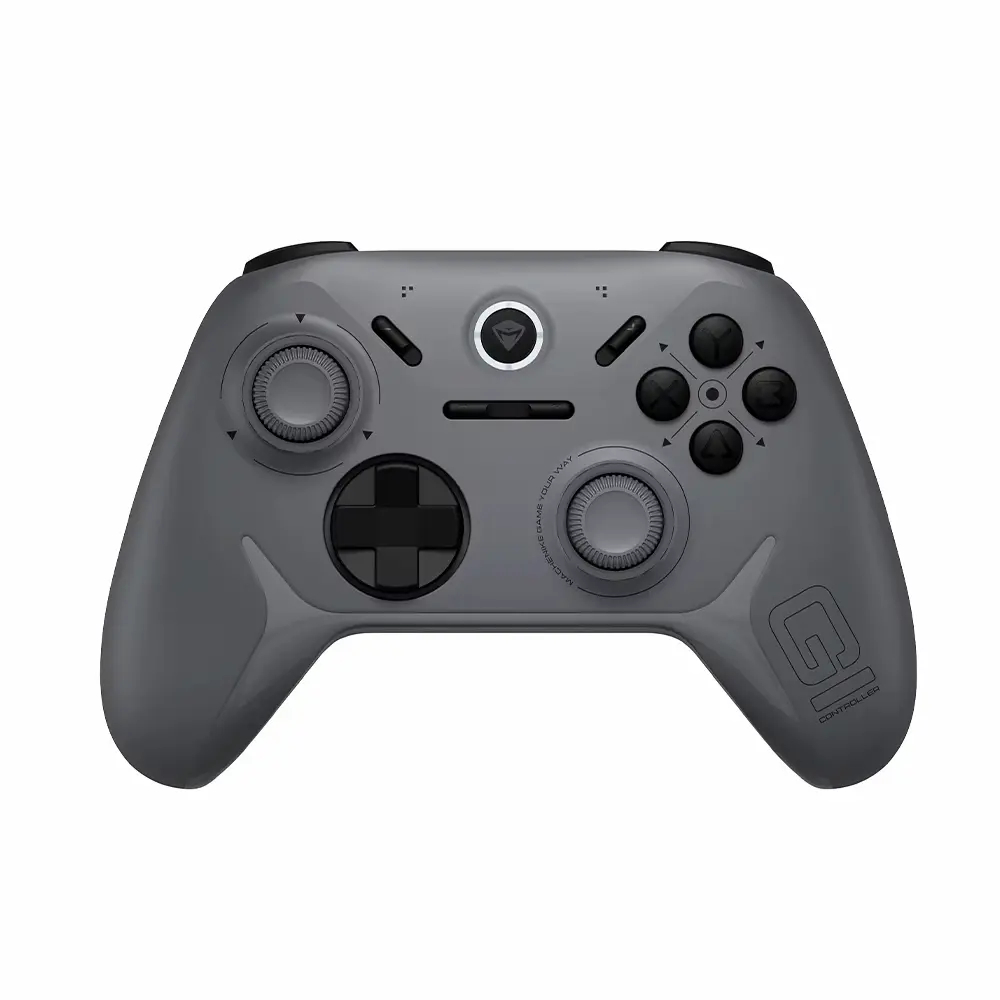
The MACHENIKE G1 is a wireless gamepad aimed at players who use multiple gaming platforms.
Its layout follows the familiar modern console-controller design, with dual analogue sticks, an eight-direction D-pad, ABXY buttons, shoulder buttons, triggers, Home, Start and Back controls. Additional FN and Turbo controls provide access to extra functions.
The controller stands out mainly because of its Hall Effect control hardware and high polling-rate positioning.
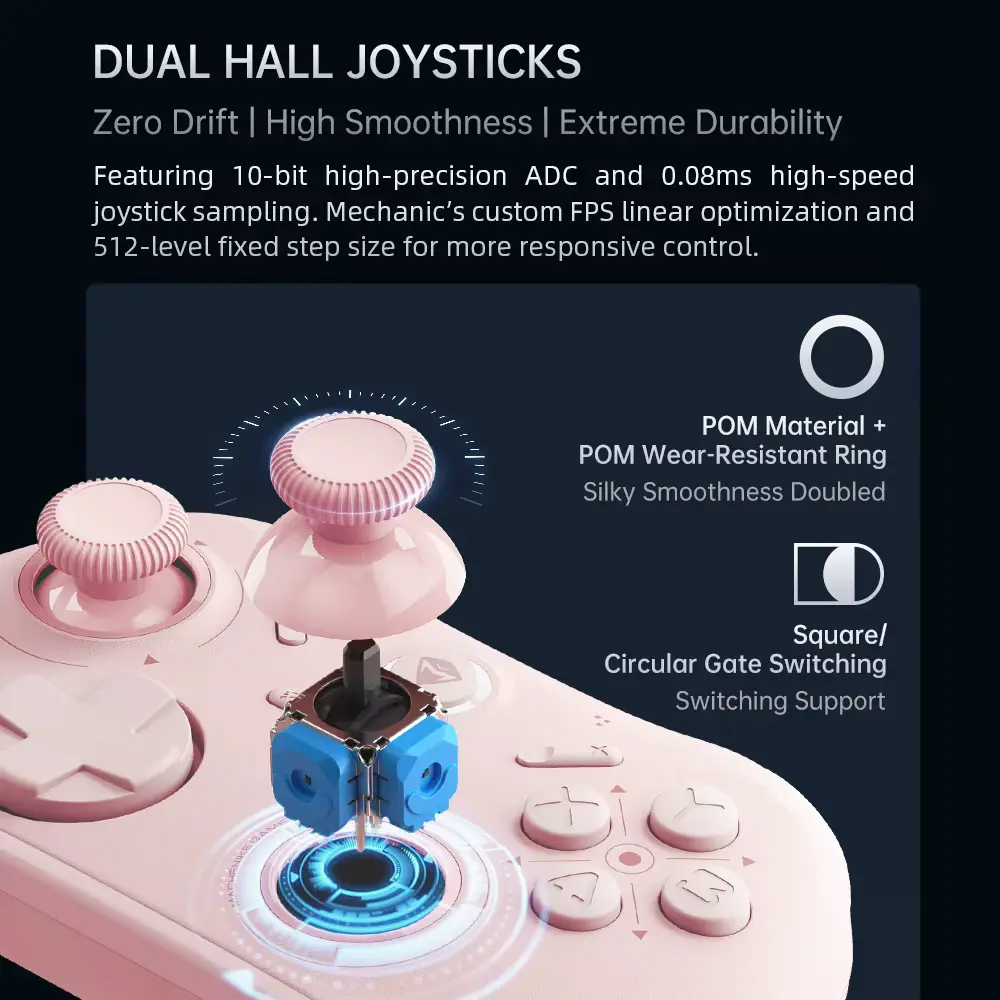
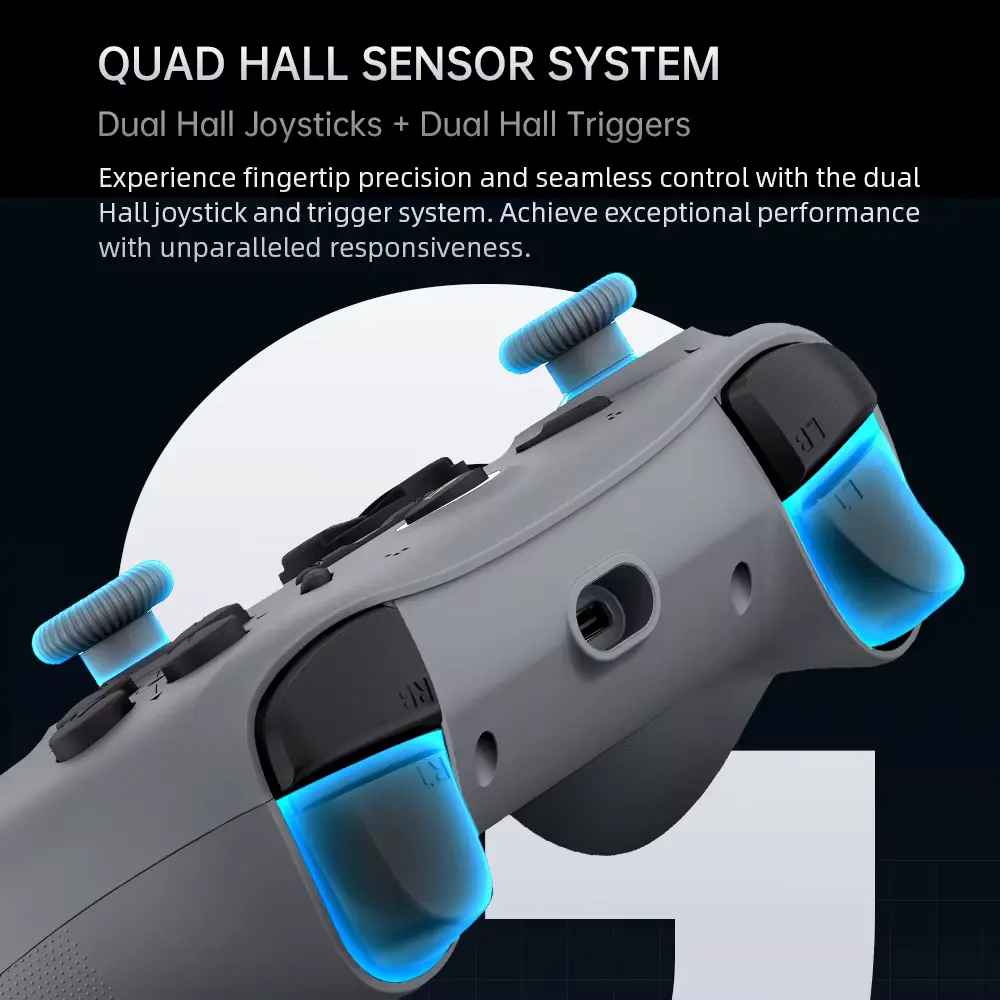
Instead of relying on conventional potentiometer-based analogue sticks, the G1 uses Hall Effect joystick sensing. The listing and documentation also describe Hall-Linear triggers.
This combination targets players who want smooth analogue control and a controller designed for long-term use.
Hall Effect Joysticks
Hall Effect joysticks are one of the most important features in this MACHENIKE G1 Controller Review.
The G1 uses GuliKit Hall Effect joystick sensors according to the product specifications. The manufacturer documentation describes the sticks as wear-resistant and designed for precise input.
Hall Effect sensing measures movement without relying on the same physical contact method used by traditional potentiometer sticks.
That design can reduce the mechanical wear associated with conventional joystick sensing. However, Hall Effect technology does not guarantee that every controller will remain perfect forever. Calibration, firmware, physical damage, debris, and other components can still affect performance.
For buyers specifically concerned about long-term joystick reliability, however, Hall Effect technology is an important feature to consider.
Hall Effect Triggers
The G1 also uses Hall Effect sensing for its triggers.
The documentation identifies the trigger system as Hall-Linear, while the listing promotes the triggers for smoother and more accurate analogue input.
This can be particularly useful in games where trigger travel matters.
Racing games, driving simulators, shooters, and other titles can benefit from analogue trigger control because the player can vary the amount of input instead of simply choosing between pressed and unpressed states.
The exact feel still depends on the controller’s physical trigger design and software support, so buyers should not assume that the G1 will feel identical to every other Hall Effect controller.
1,000Hz Polling Rate
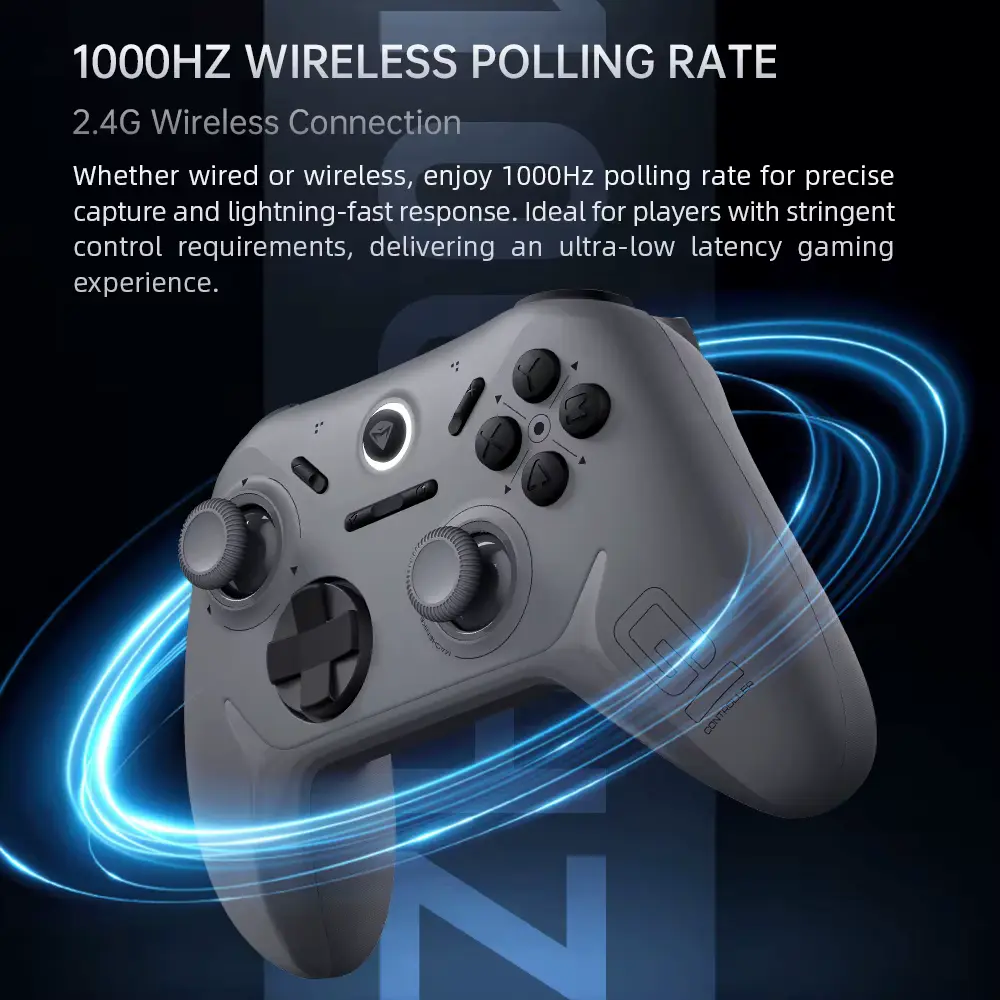
The G1 advertises a 1,000Hz polling rate for wired and 2.4G wireless modes.
In simple terms, a 1,000Hz polling rate means the controller can report its input state up to 1,000 times per second under the supported connection mode.
The important qualification is that this figure applies to wired and 2.4G, according to the available specifications. Bluetooth operates at a lower 125Hz rate.
For competitive PC gaming, players who want the fastest available connection should therefore consider wired or 2.4G instead of Bluetooth.
The 1K figure should also not be interpreted as a guarantee of a particular end-to-end input latency because the complete gaming setup includes the controller, connection, operating system, game engine, display and other factors.
512-Level Sampling Resolution
Another technical feature is the listed 512-level linear sampling resolution.
This relates to how the controller interprets analogue stick movement.
A higher-resolution input system can provide more steps between minimum and maximum stick positions, which can help create more precise analogue control.
That matters more in games where small stick movements have a meaningful effect, such as racing, aiming, camera control, and movement-heavy gameplay.
For ordinary platformers or casual games, most players may notice the overall stick feel more than the numerical sampling specification.
Triple-Mode Connectivity
The G1 offers three connection options:
- 2.4G wireless
- Bluetooth
- USB-C wired
This is one of the controller’s strongest practical features.
2.4G wireless can provide a dedicated low-latency connection through the receiver. Wired USB-C provides a direct connection without depending on wireless battery power. Bluetooth offers convenience for compatible phones, tablets, PCs, and other devices.
This flexibility also makes the controller easier to move between different gaming setups.
For example, you could use 2.4G on a PC, Bluetooth on a mobile device, and USB-C when you want a wired connection.
MACHENIKE G1 for Nintendo Switch
Nintendo Switch compatibility is one of the main reasons to consider the G1.
The available documentation lists support for Nintendo Switch, including the Switch OLED and Switch Lite.
The controller can use Switch mode through the appropriate button combination, and the documentation describes it as appearing as a Pro Controller when using Switch mode.
Nintendo’s own support documentation explains the general Nintendo Switch controller pairing process through the console’s Controllers → Change Grip/Order menu.
Because the MACHENIKE G1 is a third-party controller, exact features can depend on the controller’s firmware and the Switch system. Buyers should also check game-specific compatibility if they rely on special functions.
MACHENIKE G1 for PC Gaming
PC gaming is another major use case.
The G1 can connect via USB-C, 2.4G wireless, or Bluetooth, depending on your setup. The documentation also lists compatibility with Steam and Windows-based gaming.
For competitive games, 2.4G or wired mode makes more sense if you want the controller’s 1,000Hz polling capability.
Bluetooth remains useful when convenience matters more than the highest available polling rate.
The familiar gamepad layout also makes the controller suitable for racing games, action games, platformers, sports titles, third-person games, and many PC games designed around controller input.
If you are building a broader PC gaming setup, you can also compare it with our VXE Dragonfly R1 Review 2026: Is It Worth Buying? for a lightweight gaming mouse option.
MACHENIKE G1 for Mobile Gaming
The G1 supports Android and iOS according to the available documentation.
That gives the controller an advantage over gamepads designed exclusively for consoles and PCs.
Mobile gaming can benefit from physical analogue sticks and buttons, particularly for games that provide controller support.
However, compatibility is not universal. A controller can connect to a phone while a particular game may still require its own controller-support configuration.
For that reason, check the game and operating system compatibility before buying specifically for mobile gaming.
600mAh Battery
The MACHENIKE G1 includes a 600mAh rechargeable battery.
That is a substantial capacity for a controller of this type and should make the gamepad suitable for extended wireless sessions.
The documentation confirms the 600mAh battery but does not provide a single universal gameplay-hours figure that applies to every usage condition.
Battery life can change depending on connection mode, vibration intensity, firmware, usage patterns, and other factors.
The ability to switch to USB-C wired operation is useful when the battery becomes low.
Dual-Motor Vibration
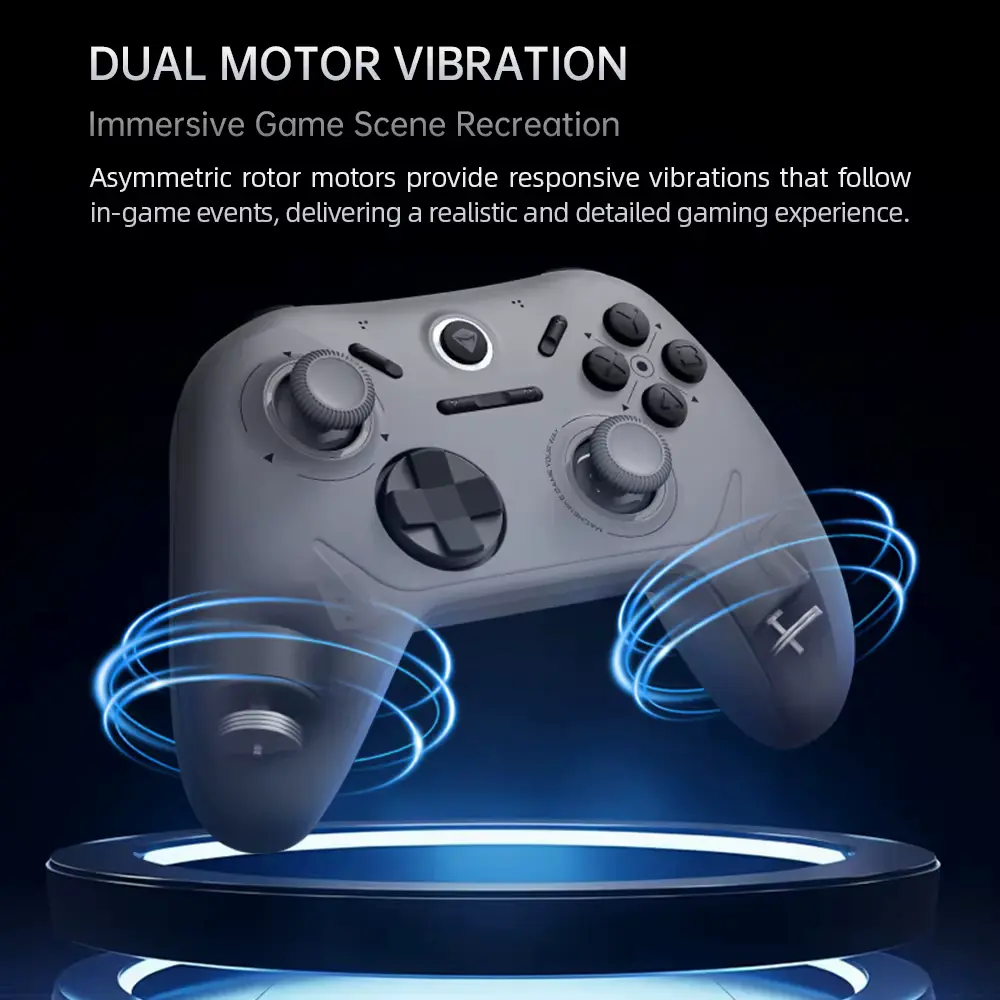
The G1 includes dual vibration motors with adjustable vibration intensity.
The available documentation specifically lists adjustable vibration settings.
Vibration can add feedback during racing games, action titles, shooters, and other supported games.
The ability to adjust the intensity is useful because some players prefer strong feedback while others find high vibration distracting.
The actual strength and feel of vibration can vary between games because the game software controls the feedback signals.
ABXY Buttons and D-Pad
The G1 does not use Hall Effect technology for every control.
The documentation lists the ABXY buttons and D-pad as conductive rubber or membrane-style components. The ABXY buttons are specified with a claimed lifespan of up to one million presses.
This distinction matters.
The analogue sticks and triggers receive the more advanced Hall Effect treatment, while the primary digital controls use a simpler membrane design.
That can be perfectly suitable for many players, but buyers seeking mechanical or microswitch-style button feedback should look at controllers designed specifically around those components.
Customer feedback in the supplied listing was generally positive about the controller’s buttons. One buyer described the buttons as resistant enough to feel substantial while remaining easy to press.
Another customer specifically said the D-pad was disappointing for fighting games.
That is an important consideration for fighting-game players.
D-Pad Performance for Different Games
The D-pad can matter more than expected depending on the games you play.
For platformers, menus, retro games, and casual navigation, a membrane D-pad can work well.
Fighting games can be more demanding because diagonal inputs and rapid directional combinations require a specific level of precision and feel.
One visible customer review specifically said the buyer purchased the controller with fighting games in mind but was disappointed with the D-pad.
That does not mean the D-pad is poor for every player. It means fighting-game enthusiasts should pay particular attention to this component rather than judging the controller only by its Hall Effect sticks.
Keylinker 2.0 App
The G1 supports the Keylinker 2.0 app for configuration.
The documentation describes app-based functions including button settings, vibration adjustments, joystick testing, trigger testing, and other customization options.
This is useful because it allows the controller to offer more configuration than a basic plug-and-play gamepad.
The documentation also notes that the app can connect to the G1 without requiring the controller to pair with the phone through conventional Bluetooth.
Software support can change over time, so buyers should keep the controller firmware and companion app updated when updates are available.
Turbo Function
The G1 includes a Turbo button.
Turbo functionality can automate repeated button presses for compatible use cases. The controller’s manual identifies a dedicated Turbo button in the control layout.
This can be useful in games where repeated inputs are common.
However, Turbo functions are not appropriate for every game or online environment. Some games or competitive settings may restrict automated inputs.
Use the feature according to the rules of the game or platform.
Grip and Ergonomics
The product listing highlights a laser-etched grip designed to improve handling.
The overall controller shape follows the familiar modern gamepad form, with two offset analogue sticks and traditional shoulder controls.
Customer feedback shown in the video was generally positive about comfort and grip.
One buyer described the controller as very comfortable, while another praised the grip and overall feel.
That said, controller comfort remains highly personal. Hand size, finger position, preferred stick placement, and the types of games you play can all change how a controller feels.
Customer Reviews and Buyer Feedback
The AliExpress listing shown in the supplied video displayed 4.9/5 from 828 reviews, with more than 4,000 sold.
The visible feedback was mostly positive.
One customer described the controller as excellent and highly recommended it.
Another buyer praised its appearance, feel, and performance.
A separate customer called it a very nice and comfortable controller.
The product also received positive comments about packaging, delivery, grip, buttons, and overall condition.
However, the reviews were not universally positive.
One buyer said the D-pad did not meet expectations for fighting games. Another mentioned that the shipping box arrived dented even though the controller itself remained in perfect condition.
These comments provide a more balanced view than looking at the star rating alone.
MACHENIKE G1 for Fighting Games
The G1 can handle fighting games, but the D-pad deserves attention.
The Hall Effect sticks are not necessarily the main priority for traditional 2D fighting games because many players rely heavily on the D-pad.
Since one visible customer specifically criticised the D-pad for fighting-game use, buyers who primarily play Street Fighter-style games should consider that feedback carefully.
For general action games, platformers, sports games, and games that rely more heavily on analogue sticks, the G1’s Hall Effect joystick system may be more relevant.
MACHENIKE G1 for Racing Games
Racing games are a natural fit for Hall Effect triggers and analogue sticks.
The triggers can provide variable input rather than a simple on/off command, which can be useful when controlling acceleration and braking.
The Hall Effect joysticks also provide analogue movement for games that use stick steering or camera controls.
The 2.4G and wired 1,000Hz modes can also appeal to PC players who prioritize responsive input.
The controller’s vibration motors add another layer of feedback where supported.
MACHENIKE G1 vs. Lenovo RS119 Pro
The Lenovo RS119 Pro Review 2026: Is It Worth Buying? covers a completely different type of gaming accessory.
The Lenovo RS119 Pro is an open-ear audio product designed for wireless listening, calls, gaming, and travel. The MACHENIKE G1, by contrast, is a physical input device designed to control games.
The two products can therefore complement each other in a gaming setup rather than directly compete.
The Lenovo focuses on audio and wireless listening, while the G1 focuses on control precision, analogue input, vibration, and multi-platform gaming.
If your priority is improving game control, the G1 is the relevant accessory. If your priority is wireless gaming audio, the Lenovo RS119 Pro serves a different purpose.
MACHENIKE G1 vs. MONSTER AC530 Earphones
The MONSTER AC530 Earphones Review 2026: Is It Worth Buying? covers another audio-focused accessory rather than a controller.
The MONSTER AC530 targets open-ear wireless audio, while the MACHENIKE G1 provides physical game controls.
For a broader gaming setup, the two can actually work together.
The controller handles movement, aiming, racing inputs, and buttons, while the open-ear earphones can provide game audio and communication.
This combination may appeal to players who want a compact gaming setup rather than a large traditional headset.
MACHENIKE G1 Controller Review: Pros and Cons
Pros
- Hall Effect joysticks
- GuliKit joystick sensor
- Hall Effect triggers
- Up to 1,000Hz polling in wired and 2.4G modes
- 2.4G wireless connectivity
- Bluetooth connectivity
- USB-C wired connection
- 600mAh rechargeable battery
- Adjustable dual-motor vibration
- 512-level sampling resolution
- Keylinker 2.0 app support
- Turbo function
- Multi-platform compatibility
- Comfortable grip according to buyer feedback
- Available in multiple colors
- Nintendo Switch, PC, Android and iOS support
Cons
- Bluetooth polling drops to 125Hz
- D-pad uses a membrane design
- One visible buyer disliked the D-pad for fighting games
- ABXY buttons are also membrane-style
- Some special features may depend on software or platform support
- No premium mechanical button system
- Exact battery runtime varies by usage
Who Should Consider the MACHENIKE G1?
The G1 may suit you if you:
- Want Hall Effect analogue sticks
- Want Hall Effect triggers
- Play on multiple platforms
- Use Nintendo Switch and PC
- Want 2.4G wireless gaming
- Prefer a USB-C wired option
- Want Bluetooth connectivity for mobile devices
- Care about 1,000Hz polling in wired/2.4G modes
- Want adjustable vibration
- Prefer a traditional ergonomic gamepad layout
- Want app-based configuration
Who Should Consider Something Else?
A different controller may make more sense if you:
- Mainly play competitive fighting games and want a specialized D-pad
- Require mechanical ABXY buttons
- Need PlayStation 5 compatibility
- Want advanced features such as a built-in screen or rear paddles
- Prefer premium trigger mechanisms beyond the G1’s Hall Effect system
- Want a controller with extensive onboard customization without an app
MACHENIKE G1 Controller Review: Buying Guide
Before buying, check these points:
1. Confirm your platform.
The G1 supports PC, Nintendo Switch, Android and iOS according to the available documentation, but specific games can have their own compatibility requirements.
2. Choose the correct connection mode.
Use wired or 2.4G if you want the listed 1,000Hz polling rate. Bluetooth operates at 125Hz according to the specifications.
3. Consider your games.
Racing and action games can benefit from Hall Effect sticks and triggers. Fighting-game players should pay extra attention to the D-pad.
4. Check the included receiver.
The documentation lists a 2.4G receiver as part of the package, but marketplace bundles can vary. Confirm the exact package before ordering.
5. Check the color and variant.
The supplied listing showed black, pink, and white options.
6. Check software support.
If you want Keylinker 2.0 customization, confirm that the current app and firmware support your device.
7. Do not buy based only on the 1K claim.
Polling rate is only one part of overall input performance. Your connection, game, operating system, display, and other hardware also affect the final experience.
Safety and Practical Gaming Use
Gaming controllers are low-voltage consumer electronics, but proper charging and cable use still matter.
Use the supplied or compatible USB-C charging equipment and avoid continuing to use a cable or controller that shows physical damage. Keep the controller away from liquids and excessive heat, particularly during charging.
For wireless gaming, keep the receiver positioned where the controller can maintain a reliable connection and avoid unnecessary wireless interference when possible.
Review Methodology: What We Considered
This MACHENIKE G1 Controller Review evaluates the product using the marketplace listing shown in the supplied video, published specifications, available product documentation, visible customer feedback, platform compatibility information, feature comparisons, and practical gaming considerations.
We did not treat marketplace marketing statements as independently verified laboratory measurements.
Since no hands-on testing was conducted, this review does not claim personal experience with the controller’s actual latency, battery endurance, stick durability, trigger feel, vibration strength, or long-term reliability.
The research-based rating reflects the listed hardware, connection options, platform support, customer feedback, useful gaming features, and limitations.
Final Verdict: Is the MACHENIKE G1 Worth Buying?
The MACHENIKE G1 Controller Review shows a feature-rich multi-platform gamepad built around Hall Effect sticks and triggers rather than a basic conventional controller.
Its strongest specifications include 1,000Hz polling in wired and 2.4G modes, GuliKit Hall Effect joysticks, Hall Effect triggers, 600mAh battery, triple-mode connectivity, adjustable vibration, 512-level sampling, and Keylinker 2.0 support.
The biggest limitation is the control layout’s use of membrane-style ABXY buttons and D-pad. That is not necessarily a problem for general gaming, but the visible customer feedback suggests that serious fighting-game players should pay particular attention to the D-pad.
The 125Hz Bluetooth polling rate is another reason to choose the connection mode according to your priorities. Players who want the advertised 1,000Hz rate should use wired or 2.4G connectivity.
Overall, the G1 presents a versatile controller design for PC, Nintendo Switch, Android, and iOS users who want Hall Effect controls and multiple connection options without moving to a more specialized premium controller.
👉 Check the current MACHENIKE G1 listing, selected variant, included receiver, and platform compatibility before purchase.