
Affiliate Disclosure: This article contains affiliate links. If you purchase through a qualifying link, we may earn a commission at no additional cost to you. This review is based on published product specifications, available product information, visible customer feedback, comparison research, and practical buying considerations. We have not personally conducted hands-on testing of the Lenovo Smart Glasses Review.
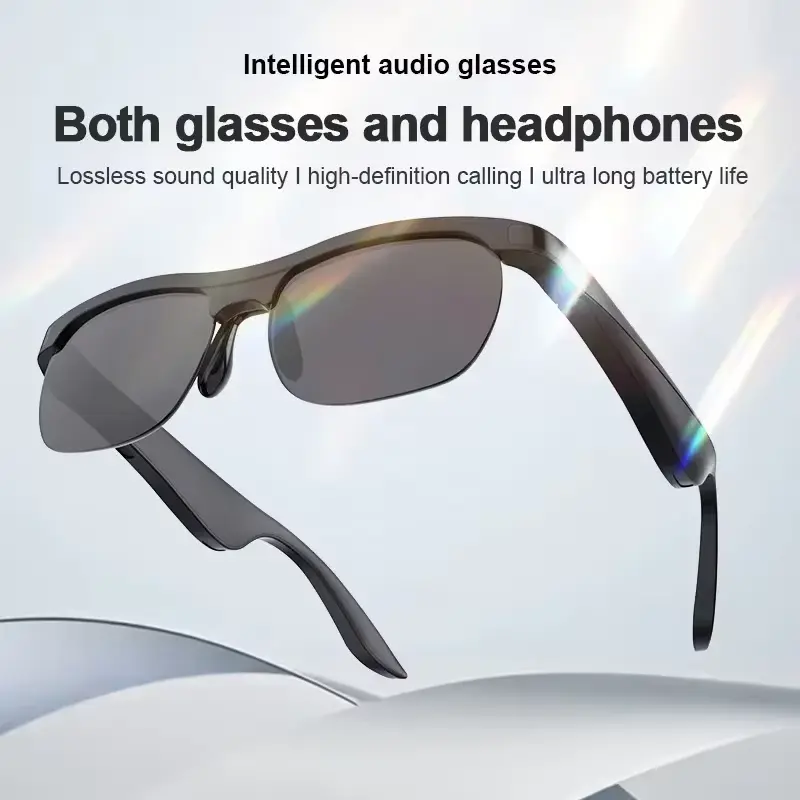
The Lenovo Smart Glasses Review looks at a multifunction wearable that combines camera recording, Bluetooth audio, voice assistance, translation features, touch controls, and smart-display positioning in a glasses-style design.
The supplied AliExpress listing shows the black and transparent variants and advertises an 8K camera, 4K high-definition support, AI-powered voice assistance, dual-display and MR holographic technology, Bluetooth connectivity, 256GB built-in memory, and 6GB RAM. Because several specifications come directly from the marketplace listing, buyers should verify the exact configuration and current specifications before ordering.
This review is based on the supplied product listing, visible specifications, customer feedback, comparison research, and practical buying considerations. We have not personally conducted hands-on testing of the Lenovo Smart Glasses.
Quick Verdict: Are the Lenovo Smart Glasses Review Worth Buying?
The Lenovo Smart Glasses target shoppers who want several wearable functions in one device rather than a conventional pair of Bluetooth glasses.
The listing combines a camera, voice assistant, translation, Bluetooth connectivity, touch control, audio playback, and smart-display claims. That combination could make the glasses interesting for travellers, content creators, commuters, and technology enthusiasts.
The camera is one of the biggest selling points. However, the listing uses 8K camera language while also describing 4K high-definition support, so buyers should confirm the actual recording resolution for the exact variant before purchasing.
The same caution applies to memory and Bluetooth specifications. The supplied listing advertises 256GB built-in memory and Bluetooth 4.2, while individual customer feedback shown in the listing mentions Bluetooth 5.3. That difference makes checking the selected configuration particularly important.
Our Rating: ⭐⭐⭐⭐☆ 4.3/5
The glasses offer an ambitious combination of camera, audio, translation, and AI-oriented features. Their main weakness is specification uncertainty, especially when marketplace descriptions combine multiple smart-glasses features or variants.
Lenovo Smart Glasses Review: Specifications
| Feature | Listing Information |
|---|---|
| Brand | Lenovo |
| Product Type | AI smart camera glasses |
| Camera | 8K listed |
| High-Definition Support | 4K listed |
| Camera Number | Single lens listed |
| Field of View | 120° |
| Projector | 12mm listed |
| Memory | 256GB listed |
| RAM / Memory Capacity | 6GB listed in AI overview |
| Bluetooth | Bluetooth 4.2 listed |
| Display | Dual display listed |
| MR Holographic Display | Yes, according to listing |
| Voice Assistant | Yes |
| AI Translation | Listed |
| Touch Control | Yes |
| Weight | Approximately 0.080kg listed |
| Package Dimensions | Approximately 30 × 20 × 10cm listed |
| GPS | No |
| High-Concern Chemicals | None listed |
| Origin | Mainland China |
| Variants Shown | Black and Transparent |
Important: Marketplace specifications can vary between product variants. Confirm the exact camera, storage, Bluetooth version, display functionality, battery and app compatibility shown for the selected configuration before ordering.
What Are the Lenovo Smart Glasses Review?
The Lenovo Smart Glasses are wearable glasses that combine several electronic functions inside a conventional-looking frame.
Instead of carrying a separate camera, Bluetooth headset and phone for every small task, the concept aims to move some of those functions onto the glasses.
The supplied listing highlights hands-free photography and video recording, voice commands, Bluetooth connectivity, translation and immersive-display features.
That makes the product particularly relevant to people who want wearable technology for travel or content creation.
At the same time, smart glasses depend heavily on software, smartphone compatibility and the exact hardware configuration. Buyers should therefore look beyond the marketing title and check the specifications for the selected version.
Camera and 8K Recording Claims
The camera is arguably the most interesting part of these glasses.
The marketplace listing describes an 8K camera and separately mentions 4K high-definition support. The specification section also identifies the camera as 8K.
However, camera resolution terminology on marketplace listings can sometimes refer to sensor resolution, image processing, or an advertised maximum rather than the actual video recording resolution.
For that reason, this review does not treat the 8K wording as proof that every recording mode produces native 8K video.
The listing’s 4K support provides a more useful reference point, but buyers should still check the current product description for the exact recording modes, frame rates, file formats, and storage requirements.
For casual travel photos, short clips and hands-free content creation, the camera concept could be useful.
For professional video production, however, buyers should compare the actual recording specifications with a dedicated camera or action camera before relying on these glasses as their primary camera.
Hands-Free Photography and Video Recording
One advantage of a camera built into glasses is the first-person perspective.
Instead of holding a smartphone in front of you, you can potentially capture moments from the same viewpoint as your eyes.
This could be useful for:
- Walking tours
- Travel clips
- Food content
- Product demonstrations
- Quick outdoor recordings
- First-person tutorials
- Casual daily memories
The customer feedback shown in the supplied listing supports several of these use cases. One buyer described using the glasses for hands-free cooking content, while another mentioned using them while hiking.
Those comments represent individual customer experiences rather than independently verified performance.
The concept itself is straightforward: wearing the glasses keeps both hands available while the camera captures what you see.
AI Voice Assistant and Touch Controls
The listing also promotes an AI-powered voice assistant.
Voice control can make sense for a wearable device because reaching for a smartphone can interrupt the activity you are performing.
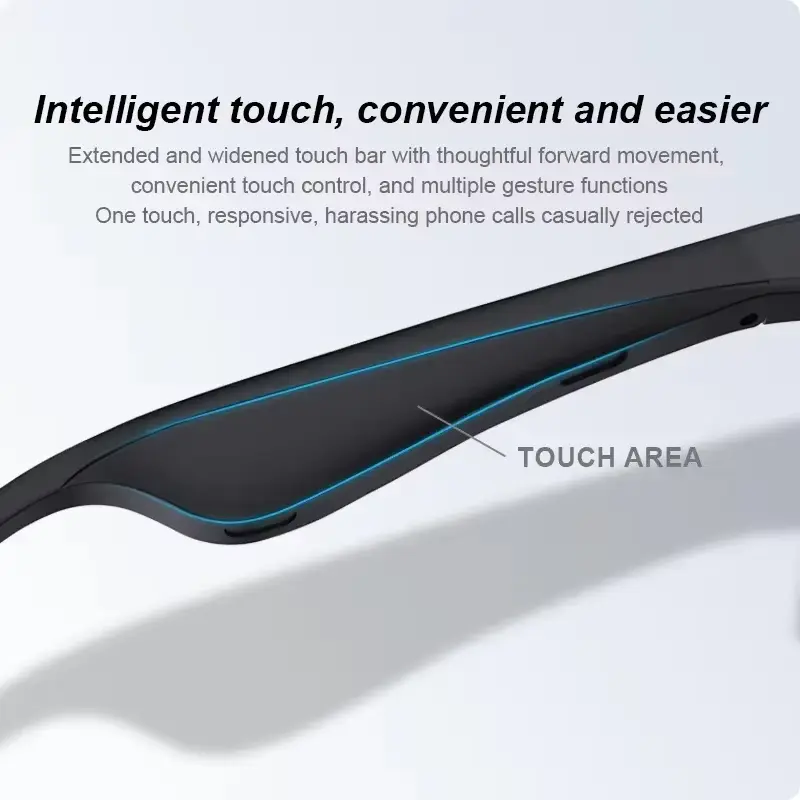
The glasses are advertised as supporting hands-free interaction, while the touch interface provides another way to control functions.
This combination could be useful when taking a photo, starting a recording, controlling music, or interacting with supported assistant functions.
However, AI features often depend on software, internet access, language support, smartphone compatibility, and the companion application.
Therefore, buyers should confirm which AI functions actually work in their country and with their specific Android or iOS device.
AI Translation for Travel
Translation is one of the more interesting features for international travellers.
The supplied customer feedback includes several positive comments about translation. One buyer specifically described using the glasses during a trip to Japan and said the translation feature helped with communication.
Another customer described the glasses as useful for language learning and mentioned support for multiple languages.
These comments make travel one of the most obvious potential use cases for the product.
However, real-time translation should not replace a dependable translation app when accuracy matters. Translation quality can depend on the language pair, internet connection, background noise, speech clarity, software and available language support.
For casual conversations, menus, travel situations and basic communication, the feature could provide useful convenience.
Bluetooth Connectivity and Open-Ear Audio
The listing identifies Bluetooth 4.2 connectivity, while some customer feedback shown in the supplied video mentions Bluetooth 5.3.
Because those specifications do not match, buyers should verify the Bluetooth version for the exact selected variant rather than assuming that every unit uses the same standard.
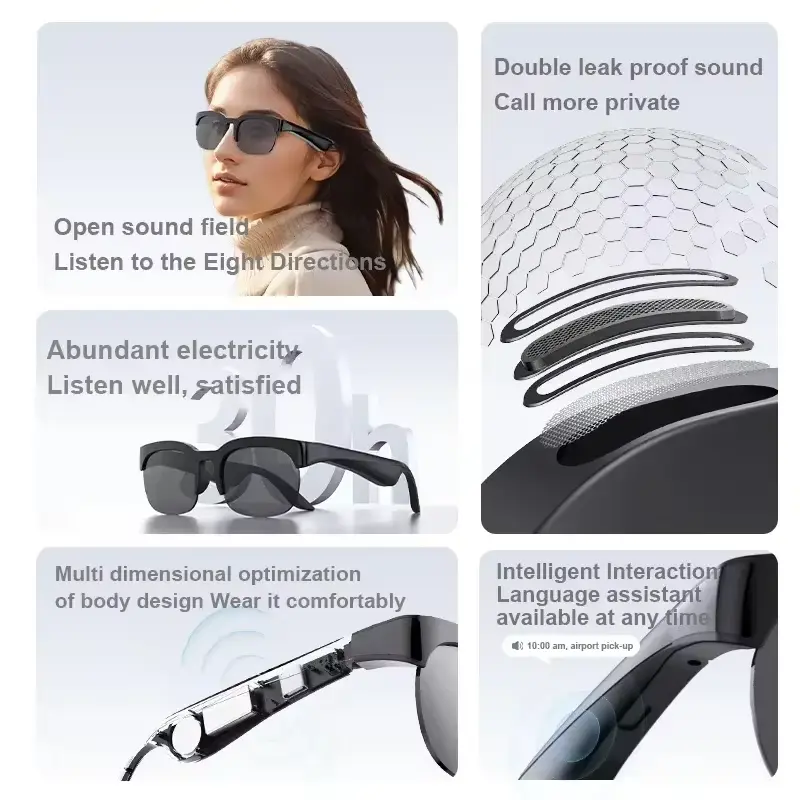
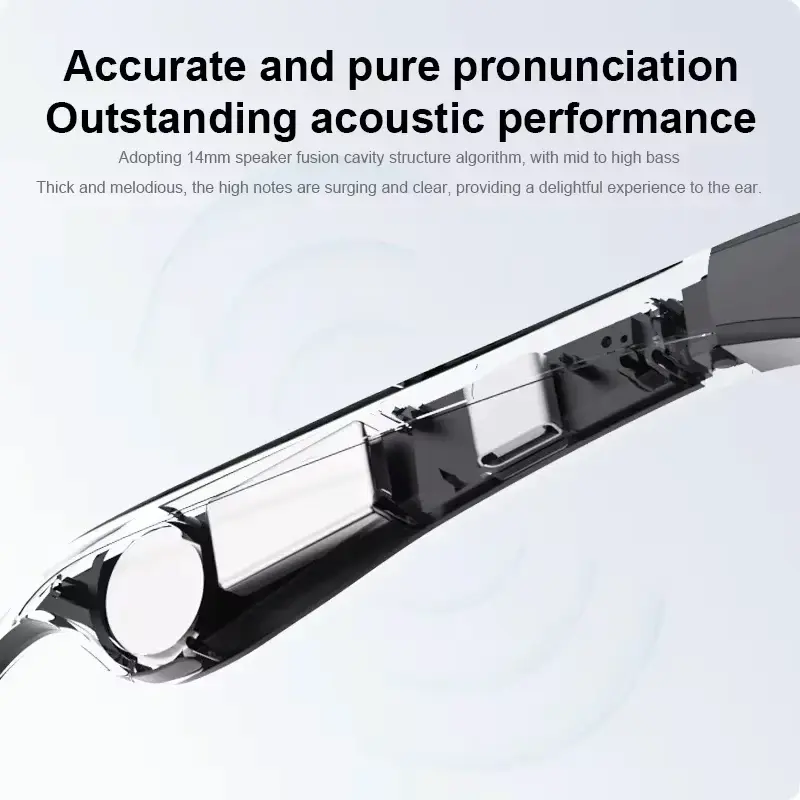
The glasses also use an open-ear style audio concept, allowing users to hear music, calls or assistant responses while remaining aware of surrounding sounds.
That design can make sense for walking, travel and casual outdoor use.
However, hearing environmental sounds does not make high-volume listening safe. The World Health Organization recommends keeping volume and listening duration under control because both factors affect hearing risk.
For this reason, users should follow sensible, safe listening practices when using the glasses for music or calls.
Dual Display and MR Holographic Technology
The listing promotes dual display and MR holographic technology as another major feature.
This is an area where buyers should exercise particular caution.
The product page describes dual displays and MR holographic functionality, but the visible specification information does not provide enough technical detail to establish the exact display experience.
For example, the listing does not clearly explain:
- Display resolution
- Refresh rate
- Brightness
- Field-of-view measurement methodology
- Supported applications
- Whether the display provides a true heads-up interface
- Which functions work independently of a smartphone
Therefore, buyers should not assume that these glasses provide the same experience as dedicated AR or mixed-reality headsets.
The safest interpretation is that the marketplace listing promotes an immersive display feature, but the exact experience depends on the selected hardware and software.
120° Field of View and 12mm Projector
The specification section lists a 120° field of view and a 12mm projector.
Those numbers sound impressive, but technical figures need context.
A field-of-view measurement can refer to different parts of an optical system, and a projector size alone does not describe image quality.
For a buyer, more useful information would include actual display resolution, usable field of view, brightness, focus range, refresh rate and supported content.
Because the supplied listing does not provide enough detail for all of these measurements, the 120° and 12mm figures should remain marketplace specifications rather than treated as proof of a particular visual experience.
256GB Storage and 6GB Memory Claims
The listing’s AI overview advertises 256GB built-in memory and 6GB RAM.
If accurate for the selected version, that would provide substantial space for photos, recordings and software functions.
However, the specification section visible in the supplied video contains abbreviated memory information, and other listings for similar Lenovo-branded smart glasses show different storage configurations.
This makes variant verification especially important.
Before purchasing, check:
- Built-in storage capacity
- Whether storage is internal or expandable
- Available storage after system files
- Maximum video file size
- Transfer method
- Companion-app requirements
- Whether recordings can transfer directly to a smartphone
Do not assume that every listing using the same product family name has identical memory hardware.
Lightweight Wearable Design
The marketplace listing describes the glasses as weighing approximately 0.080kg, or around 80 grams.
A lightweight frame can be important because smart glasses contain additional electronics that ordinary glasses do not need.
The design shown in the supplied listing looks similar to conventional eyewear, which may help the device fit into everyday routines more naturally than a large headset.
The black and transparent options also give buyers some choice in appearance.
Still, comfort depends on frame dimensions, nose-pad design, temple pressure, lens configuration and individual face shape. Those factors cannot be confirmed from marketplace specifications alone.
Lenovo Smart Glasses Review for Travel
Travel is probably one of the strongest potential use cases for these glasses.
A single wearable device can potentially combine:
- Camera recording
- Voice commands
- Bluetooth calls
- Music playback
- Translation
- Hands-free operation
- Touch controls
That combination can reduce the number of times you need to take your phone out while walking around a new destination.
The customer feedback shown in the listing supports this travel positioning. Buyers mentioned hiking, language translation, shopping and everyday conversations.
For international travellers, the translation feature could be particularly interesting.
However, travellers should remember that many AI and translation features may depend on a smartphone, an internet connection or a companion application.
For travellers who also work with 3D printing equipment, the Creality Space Pi Review 2026: Is It Worth Buying? can provide another useful look at compact technology designed for practical use.
Lenovo Smart Glasses Review for Content Creators
Content creators can also find a potential use for camera glasses.
A first-person camera perspective can add variety to short-form videos, cooking demonstrations, walking tours and travel content.
One visible customer specifically described using the glasses for cooking tutorials, while another mentioned hands-free recording during hiking.
The major advantage is convenience rather than replacing a professional camera.
A dedicated camera still provides greater control over lenses, stabilization, audio, exposure, storage and recording formats.
These glasses are better understood as a wearable capture tool for spontaneous content.
Customer Reviews and Buyer Feedback
The supplied AliExpress listing showed 4.7/5 from 274 reviews and 399 sold at the time of capture.
That provides a much larger review sample than many of the smaller listings we examine, although the rating still reflects marketplace customer feedback rather than independent laboratory testing.
Several visible reviews were positive.
One buyer described the glasses as useful for hands-free cooking content and translation.
Another said the glasses worked well for hiking, quick photos and videos, while also appreciating the open-ear audio design.
Another customer praised the packaging and touch panel and said the camera helped capture spontaneous moments.
A further review mentioned using the translation function during a trip to Japan.
Other customers praised the voice assistant, remote-control convenience, Bluetooth connection, and build quality.
These comments suggest that customers value the multifunction concept, but they do not independently confirm every technical specification advertised by the seller.
What Buyers Should Notice About the Listing
There are a few specification details worth checking carefully before ordering.
Camera Resolution
The listing uses 8K language while also describing 4K support. Confirm the exact recording resolution.
Bluetooth Version
The specification section shows Bluetooth 4.2, while one visible customer comment mentions Bluetooth 5.3. Verify the actual version for your selected configuration.
Memory
The AI overview advertises 256GB storage and 6GB memory, but the specification section is abbreviated. Confirm the actual capacity.
Display Features
The listing mentions dual display and MR holographic technology but provides limited technical detail. Confirm what the selected model actually supports.
App Compatibility
Check whether the required companion app works with your Android or iPhone version and whether all AI functions work in your region.
Lenovo Smart Glasses vs. Traditional Bluetooth Glasses
| Feature | Lenovo Smart Glasses | Traditional Bluetooth Glasses |
|---|---|---|
| Camera | Yes, according to listing | Usually no |
| AI Assistant | Listed | Depends on model |
| Translation | Listed | Usually limited |
| Bluetooth Audio | Yes | Yes |
| Hands-Free Calls | Listed | Common |
| Touch Controls | Listed | Common on some models |
| Smart Display | Listed | Usually no |
| First-Person Recording | Yes | Usually no |
| Complexity | Higher | Lower |
| Main Advantage | Multifunction wearable | Simple audio convenience |
The Lenovo model offers more functions, but additional features also introduce more variables such as software, battery life, app support and configuration differences.
Someone who only wants Bluetooth audio may not need the extra complexity.
Lenovo Smart Glasses vs. a Smartphone
A smartphone remains more versatile for photography, navigation, translation and communication.
The main advantage of smart glasses is hands-free access.
For example, holding a phone while walking through a market can be inconvenient. Glasses could allow you to keep both hands free while recording or interacting with audio functions.
The trade-off is that a smartphone has a much larger display, better control over camera settings, mature applications and easier access to files.
Therefore, these glasses should complement a smartphone rather than replace it.
How to Set Up the Lenovo Smart Glasses
The exact setup process can vary according to the selected model and companion software.
A typical setup should involve:
- Fully charge the glasses before initial use.
- Install the required companion application if the listing specifies one.
- Enable Bluetooth on your smartphone.
- Put the glasses into pairing mode.
- Pair them with the phone.
- Grant only the permissions required for the functions you intend to use.
- Test the camera and recording functions.
- Check the translation language settings.
- Test calls and audio playback.
- Confirm where photos and videos save before using the glasses for important recordings.
Because the listing contains several AI and recording functions, buyers should read the supplied manual before relying on the glasses during travel.
Privacy and Responsible Use
Camera glasses require more consideration than ordinary Bluetooth eyewear because they can record people and surroundings.
Always follow local laws and social expectations when recording.
Avoid recording private conversations or sensitive locations without appropriate permission. If the glasses use voice assistants or cloud-based translation, also check what data the companion application collects and how it handles recordings.
This is especially important for travelers because privacy and recording laws can differ between countries.
The camera indicator or other recording notification should not be treated as a substitute for responsible use.
Who Should Consider the Lenovo Smart Glasses Review?
These glasses may interest you if:
- You want hands-free camera recording.
- You travel internationally.
- You are interested in wearable AI technology.
- You want voice-controlled functions.
- You want Bluetooth audio in a glasses-style device.
- You create casual first-person content.
- You want translation features while travelling.
- You enjoy experimenting with new wearable gadgets.
- You want one device combining several functions.
Who Should Skip Them?
You may want a different product if:
- You need professional-quality video.
- You require guaranteed native 8K recording.
- You want a mature AR display platform.
- You need highly accurate professional translation.
- You prefer simple Bluetooth glasses without additional software.
- You need long battery life for continuous recording.
- You require confirmed specifications rather than marketplace claims.
- You are uncomfortable with wearable cameras.
For professional photography, filmmaking, navigation or enterprise AR work, dedicated devices may provide more predictable performance.
Pros and Cons
Pros
- Multifunction smart-glasses concept.
- Camera recording capability listed.
- 4K high-definition support listed.
- AI voice assistant.
- Translation features.
- Bluetooth connectivity.
- Touch controls.
- Open-ear audio concept.
- Hands-free operation.
- 120° field-of-view specification listed.
- Lightweight design according to the listing.
- Useful travel and content-creation applications.
- Strong marketplace review count at the time of capture.
Cons
- Camera resolution claims require careful verification.
- Bluetooth specifications appear inconsistent across the listing.
- Memory specifications require confirmation.
- MR holographic display details are limited.
- AI functions may depend on software and connectivity.
- Translation accuracy can vary.
- Smart glasses cannot replace a full smartphone.
- Privacy considerations are important because of the camera.
- Battery capacity was not clearly established in the supplied listing.
- The product has not been personally tested for this review.
What to Check Before Buying
Before ordering the Lenovo Smart Glasses, check the following:
1. Exact Model
Confirm the exact model number and selected variant.
2. Camera Resolution
Check whether the selected version records at 8K, 4K, or another resolution and confirm the supported frame rates.
3. Storage
Verify the actual internal storage instead of relying only on the AI-generated overview.
4. Bluetooth
Check the Bluetooth version for the selected configuration.
5. AI Features
Confirm which AI functions require an app, internet connection or account.
6. Translation Languages
Check whether your required languages are supported.
7. Smartphone Compatibility
Verify Android and iOS compatibility before ordering.
8. Display
If the display function is important to you, confirm its actual resolution, field of view, brightness and supported applications.
9. Recording Privacy
Understand the recording controls and use the glasses responsibly in public spaces.
Review Methodology: What We Considered
This Lenovo Smart Glasses Review considers the supplied AliExpress listing, visible technical specifications, product claims, customer feedback, available product information, comparison research, and practical buying considerations.
We have not personally conducted hands-on testing.
For that reason, this article does not claim that we personally verified the camera quality, translation accuracy, Bluetooth stability, battery endurance, display performance or AI assistant response time.
Where the marketplace listing makes ambitious technical claims, we have identified them as listing specifications rather than presenting them as independently verified results.
This approach is particularly important for smart glasses because hardware variants and software features can differ between listings that use similar product names.
Final Verdict: Are the Lenovo Smart Glasses Worth Buying?
The Lenovo Smart Glasses present an interesting combination of wearable camera, Bluetooth audio, voice assistance, translation and smart-display features.
Their strongest appeal is convenience.
For travellers, casual content creators and technology enthusiasts, the ability to record first-person footage, listen to audio, interact with voice controls and use translation features without constantly holding a phone could make the concept attractive.
However, buyers should approach the technical specifications carefully.
The supplied listing combines 8K camera, 4K support, 256GB storage, 6GB memory, Bluetooth connectivity and MR holographic display claims, but some specifications require confirmation for the exact configuration.
The difference between the listed Bluetooth 4.2 specification and customer comments mentioning Bluetooth 5.3 is one example of why checking the current variant matters.
The glasses also should not replace a smartphone, professional camera or dedicated AR headset for demanding applications.
Overall Rating: ⭐⭐⭐⭐☆ 4.3/5
If you want a multifunction wearable for travel, hands-free recording, Bluetooth audio and AI-oriented features, the Lenovo Smart Glasses are worth researching. Before purchasing, confirm the exact model, camera resolution, storage, Bluetooth version, app support, translation languages and display capabilities.
👉 Check the current Lenovo Smart Glasses listing and exact configuration before purchase.