
Affiliate Disclosure: This article contains affiliate links. If you purchase through a qualifying link, we may earn a commission at no additional cost to you. This review is based on published product specifications, available product information, visible customer feedback, comparison research, and practical buying considerations. We have not personally conducted hands-on testing of the AKKO TAC75 HE Review.
Quick Verdict: AKKO TAC75 HE Review
The AKKO TAC75 HE Review focuses on a 75% gaming keyboard built around magnetic switches, Rapid Trigger, adjustable actuation, RGB lighting, and a high-speed wired polling rate.
The supplied AliExpress listing presents the TAC75 HE as a compact 75% keyboard with magnetic switches, a claimed 0.005mm Rapid Trigger setting, 8K polling, RGB lighting, PBT keycaps, and USB connectivity. The listing also shows multiple color and themed configurations.
Current official Akko information confirms an 8K wired polling rate, 16K universal scan rate, 128KHz sampling rate, adjustable actuation from 0.1mm to 3.3mm, Rapid Trigger sensitivity from 0.005mm to 2mm, ARGB lighting, and support for Akko Hub customization. Akko also states that the keyboard does not support conventional mechanical switches and uses compatible N-pole magnetic switches instead.
The supplied listing showed a 4.9/5 rating from 1,837 reviews and more than 10,000 sold at the time of the recording. A separate review screen showed 4.9 from 1,827 ratings, with positive feedback around functionality and responsiveness. These figures represent marketplace feedback at the time of capture and can change.
The main attraction is the Hall Effect-style magnetic switch system. It gives this keyboard features such as adjustable actuation and Rapid Trigger that traditional mechanical keyboards generally do not provide.
Our Rating: 4.6/5 ⭐⭐⭐⭐⭐
For PC gamers who want a compact keyboard with advanced magnetic input features, the TAC75 HE offers an interesting combination of specifications. However, buyers should understand that the keyboard is wired-only, and its magnetic switch compatibility differs from conventional mechanical hot-swap keyboards.

AKKO TAC75 HE Review: Specifications
| Feature | Details |
|---|---|
| Brand | AKKO |
| Model | TAC75 HE |
| Keyboard Type | Magnetic / Hall Effect-style gaming keyboard |
| Layout | 75% |
| Key Count | 83 keys according to supplied listing/manual |
| Switch Technology | Magnetic switches |
| Rapid Trigger | Yes |
| Rapid Trigger Range | 0.005mm–2mm |
| Adjustable Actuation | 0.1mm–3.3mm |
| Polling Rate | Up to 8,000Hz wired |
| Universal Scan Rate | 16KHz |
| Sampling Rate | 128KHz |
| Connectivity | Wired USB-C |
| RGB | ARGB / RGB backlighting |
| Keycaps | PBT |
| Keycap Printing | Double-shot |
| Switch Compatibility | Compatible magnetic switches; not conventional mechanical switches |
| Software | Akko Hub / supported Akko software |
| Battery | No battery |
| Wireless | No |
| Layout Type | 75% |
| Origin | Mainland China |
| Hands-On Testing | Not conducted |
The exact switch, color, and themed configuration can vary by listing. Buyers should check the selected variant before ordering.
What Is the AKKO TAC75 HE Review?
The AKKO TAC75 HE is a compact gaming keyboard designed for users who want magnetic-switch functionality without moving to a larger TKL or full-size layout.
Its 75% format keeps the main alphanumeric area, function row, arrow keys, and additional navigation controls while reducing the keyboard’s overall footprint.
That smaller footprint can benefit gamers who need more desk space for a mouse.
The major difference from a conventional mechanical keyboard comes from the magnetic switch system.
Instead of relying on a traditional metal-contact mechanism, Hall Effect keyboards use magnets and sensors to detect key movement. This approach allows manufacturers to offer adjustable actuation and dynamic reset features such as Rapid Trigger.
The TAC75 HE combines this technology with an 8K wired polling rate and software-based customization.
AKKO TAC75 HE Review: Design and 75% Layout
The 75% layout is one of the keyboard’s most practical features.
A traditional full-size keyboard includes a dedicated number pad, which increases width and takes up considerable desk space. A 75% keyboard removes that number pad while retaining more navigation functionality than many smaller 60% designs.
For gaming, this can create additional room for mouse movement.
That can matter in FPS games where players use lower mouse sensitivity and wider arm movements.
The supplied product images show the TAC75 HE in several color configurations, including black and white designs as well as themed versions.
The listing also shows variants such as Black 1–3, White 1–3, Lord of Mysteries 1–2, and Yexiu 1–2. Exact options can vary by seller and stock.
The keyboard also uses PBT keycaps with side-printed legends on the standard official version. Akko describes these keycaps as durable while maintaining a minimalist appearance.
A 75% keyboard does require some adjustment if you normally use a full-size board.
However, for a gaming setup, the compact footprint can provide a useful balance between functionality and desk space.
Magnetic Switches and Hall Effect Technology
The magnetic switches are the central feature of the AKKO TAC75 HE.
Hall Effect-style keyboards detect changes in a magnetic field as the switch moves. This lets the keyboard track key movement more dynamically than a conventional mechanical switch.
That technology enables adjustable actuation.
Instead of having one fixed point where a key registers, the user can configure how far the key needs to travel before the keyboard recognizes the input.
Hall Effect switches can therefore provide more control over key behaviour than standard mechanical switches.
For gaming, this can be particularly useful when you want shallow actuation for quick inputs or a deeper setting to reduce accidental presses.
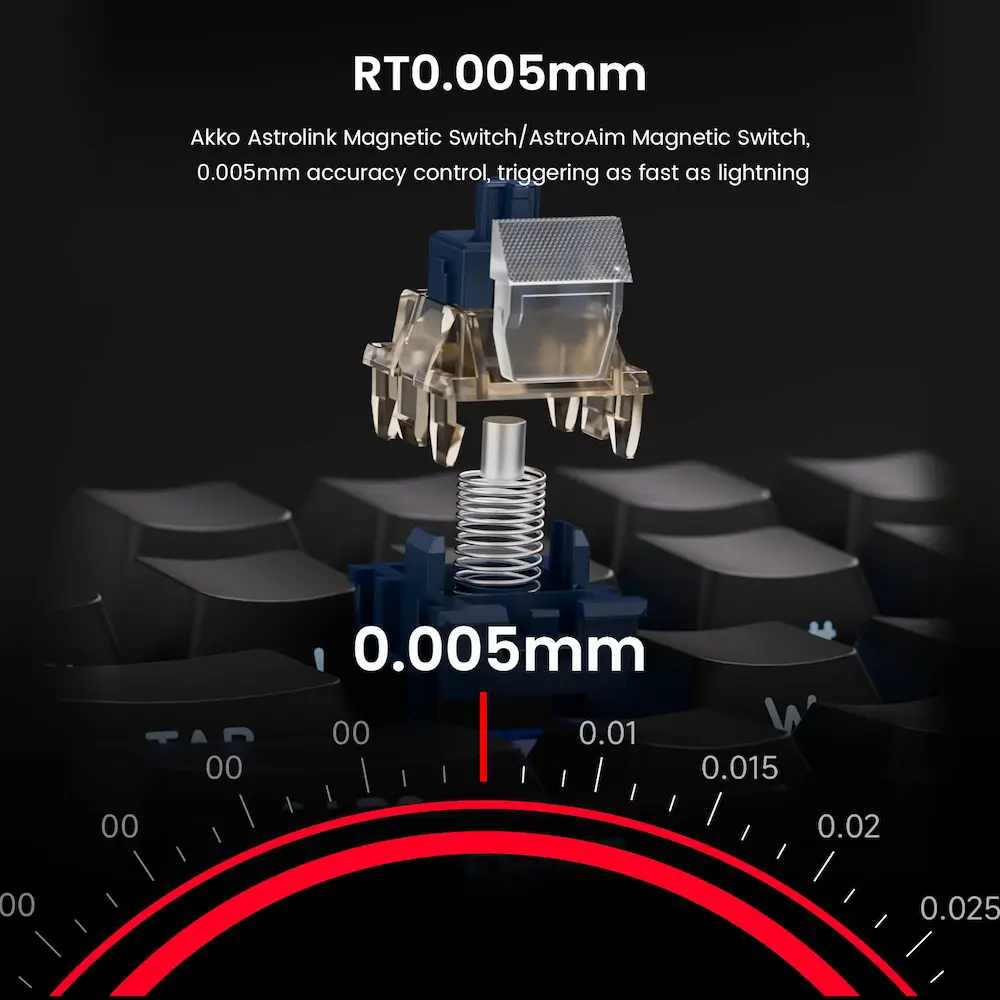
The official TAC75 HE specifications list adjustable actuation from 0.1mm to 3.3mm. Akko also states that Rapid Trigger sensitivity can reach 0.005mm under supported conditions.
However, the 0.005mm figure should not be interpreted as a guarantee of identical real-world precision in every situation. Akko itself notes that achieving that level of precision at the upper portion of key travel depends on the testing environment and switch used.
Rapid Trigger on the TAC75 HE
Rapid Trigger is another major reason to consider this keyboard.
With a traditional mechanical keyboard, the key normally needs to move back toward a fixed reset point before another press registers.
Rapid Trigger changes this behaviour by dynamically detecting key movement.
Akko explains that the TAC75 HE can reset a key after a very small upward movement based on the configured Rapid Trigger sensitivity. That can make repeated inputs feel more immediate in games where quick key releases matter.
This feature can be particularly relevant for competitive FPS gaming.
Movement keys such as W, A, S, and D can benefit from fast reset behaviour when a player repeatedly changes direction.
However, very sensitive settings can also increase accidental inputs.
A player who sets an extremely low actuation or Rapid Trigger value may find that resting a finger lightly on a key can produce an unintended input.
For that reason, the best configuration depends on the game and personal preference.
8K Polling Rate and 128KHz Sampling
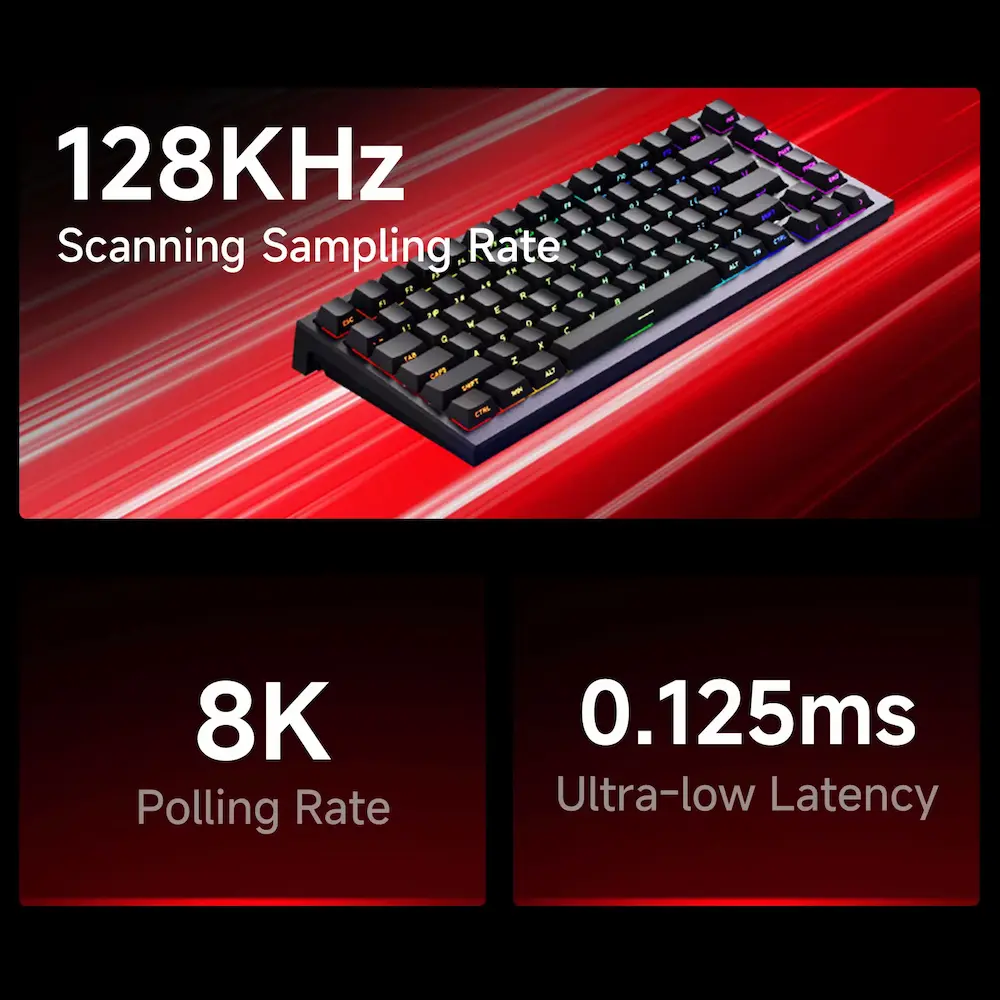
The TAC75 HE advertises an 8,000Hz wired polling rate.
Polling rate describes how frequently a peripheral reports its input state to the computer.
The keyboard also lists a 16K universal scan rate and 128KHz sampling rate. Akko positions these specifications as part of the keyboard’s high-speed input system.
These numbers are attractive to competitive PC gamers.
However, a high polling rate does not automatically guarantee a visibly better gaming experience for every player.
The complete input chain includes the keyboard, USB connection, computer, game engine, display, and other hardware.
RTINGS also notes that modern gaming keyboards already offer very low latency, while features such as Rapid Trigger can matter more in specific gameplay situations than small differences between high-end polling implementations.
Therefore, the TAC75 HE’s 8K specification should be viewed as a useful enthusiast feature rather than a guarantee of dramatically better gameplay.
Wired USB-C Connectivity
Unlike some gaming keyboards that offer Bluetooth or 2.4GHz wireless modes, the TAC75 HE is designed as a wired keyboard.
The supplied listing and current product documentation identify USB connectivity, with USB-C used for the keyboard connection.
This approach has some advantages.
A wired connection means there is no keyboard battery to charge.
It also provides the connection needed for the keyboard’s advertised 8K polling rate.
For a permanent desktop gaming setup, this may not be a major limitation.
However, users who frequently move their keyboard between a desktop, laptop, tablet, or another device may prefer a wireless model.
The lack of wireless connectivity should therefore be considered before purchasing.
RGB Lighting and Gaming Appearance
RGB lighting gives the TAC75 HE a strong gaming-oriented appearance.
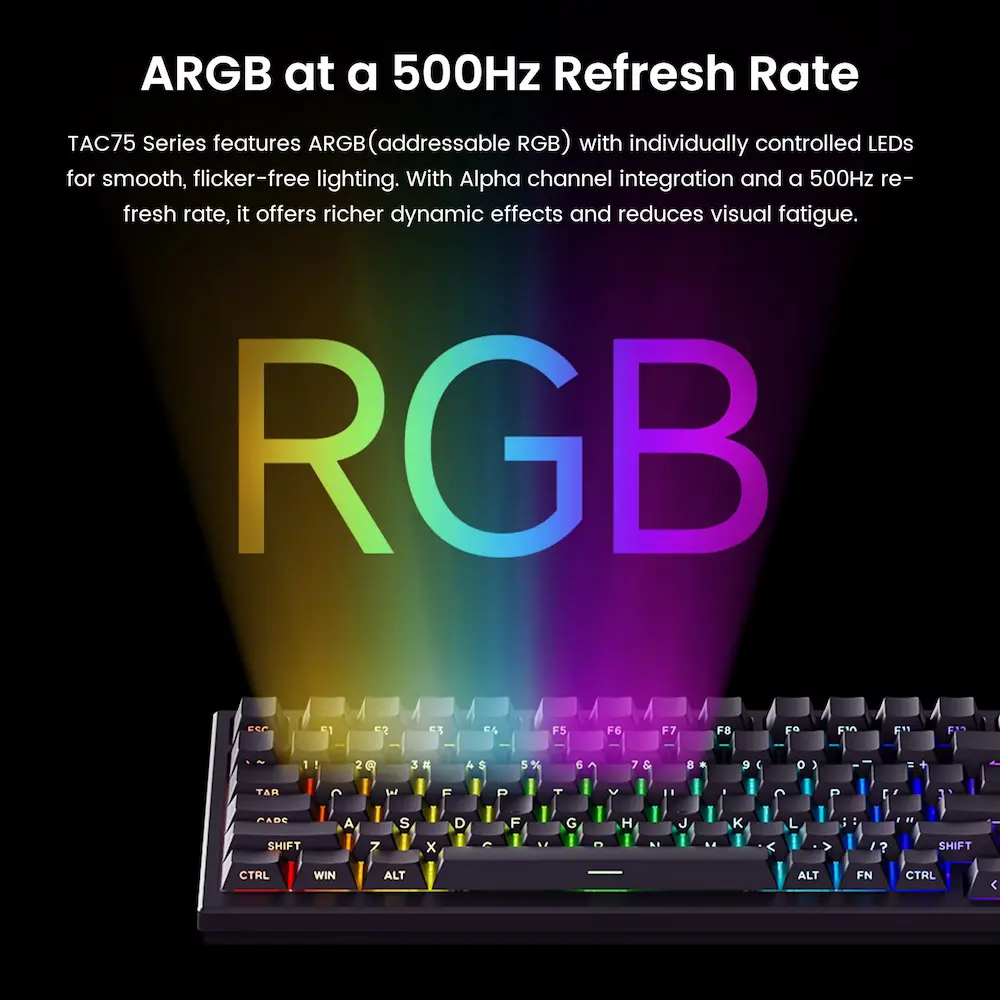
The official product information lists ARGB lighting with south-facing LEDs, while the marketplace listing highlights customizable RGB lighting.
The supplied product images show several lighting effects across the key area.
For gaming setups, the keyboard can match the rest of the desktop accessories.
During night use, adjustable lighting can improve visibility without adding unnecessary brightness.
Those who prefer a clean office appearance can reduce the lighting or switch it off, depending on the available software controls.
The lighting does not directly improve typing or gaming performance, but it can make the keyboard easier to integrate into a themed setup.
PBT Keycaps and Typing Experience
The standard TAC75 HE configuration uses PBT keycaps.
PBT is widely used in enthusiast keyboards because it can provide a durable keycap surface and resist the glossy appearance that can develop with heavy use on some ABS keycaps.
Akko lists Cherry-profile PBT side-printed keycaps on its current product page.
The supplied marketplace information also identifies PBT material and double-shot printing.
These specifications suggest that the keyboard focuses on both gaming appearance and long-term keycap usability.
However, keycap texture and sound remain subjective.
A buyer who prefers tactile or clicky mechanical switches should also remember that magnetic gaming keyboards often use linear-style magnetic switches rather than traditional tactile or clicky mechanisms.
Switch Compatibility and Customization
One important point deserves special attention.
The TAC75 HE is not a conventional mechanical hot-swap keyboard.
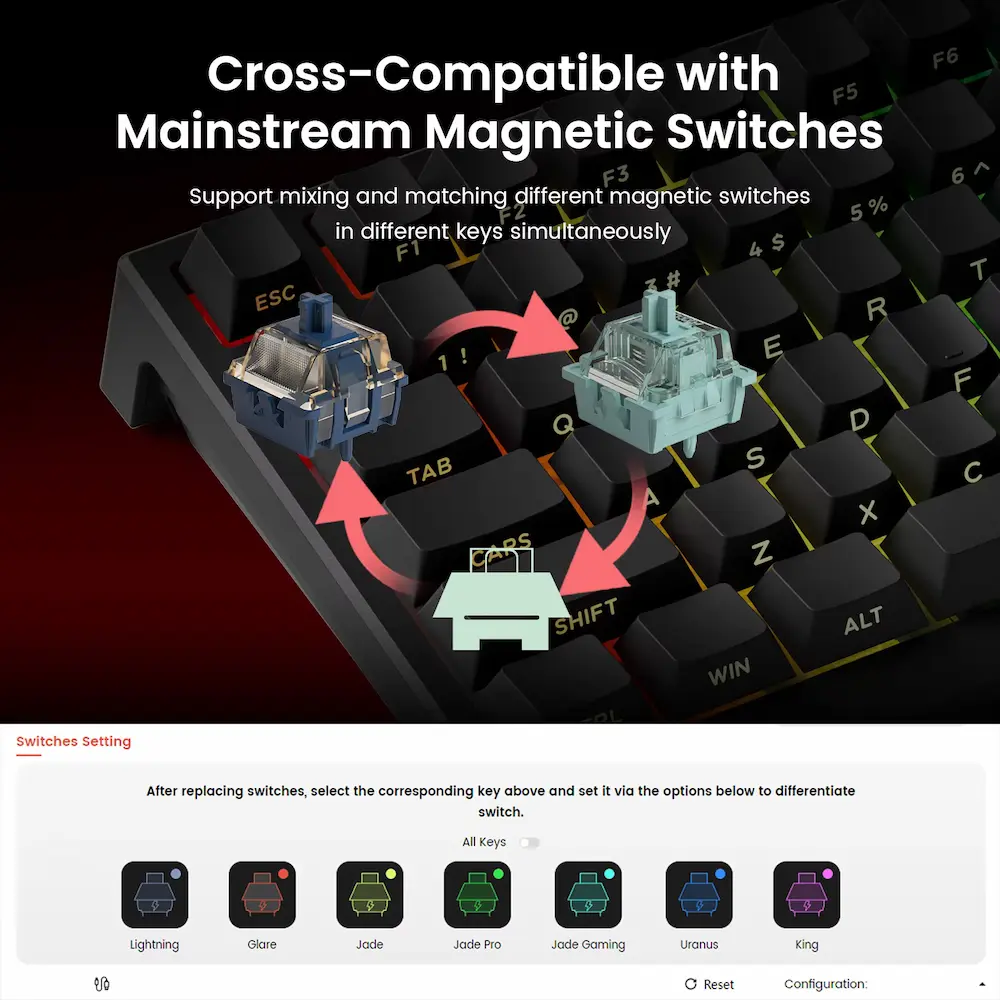
Akko explicitly states that the board does not support standard mechanical switches and instead supports compatible magnetic switches with the appropriate orientation.
The official TAC75 HE information lists compatible magnetic options such as Akko Glare, AstroAim, and Astrolink magnetic switches.
This means buyers should not purchase ordinary MX mechanical switches and assume they will work.
Magnetic switch compatibility depends on the magnet orientation and the sensor design inside the keyboard.
That is an important difference between a normal hot-swap mechanical keyboard and a Hall Effect keyboard.
If you plan to modify the keyboard later, verify switch compatibility before ordering replacement switches.
Akko Software and Customization
The TAC75 HE supports software customization through Akko’s software ecosystem.
Depending on the supported version, users can configure features such as actuation, Rapid Trigger, RGB behaviour, and other keyboard functions.
Akko currently provides a dedicated TAC75 HE web driver and related software resources. Its download centre also notes browser and platform requirements for the web driver.
Software is particularly important with this keyboard because many of its main advantages come from customization.
A conventional mechanical keyboard can often provide a straightforward typing experience without extensive configuration.
The TAC75 HE, by contrast, makes more sense when the user takes time to configure actuation and Rapid Trigger settings.
That extra flexibility can appeal to gaming enthusiasts, but beginners may need some time to understand the available options.
Customer Reviews and Buyer Feedback
The supplied AliExpress listing showed a 4.9/5 rating from 1,837 reviews and more than 10,000 sold at the time of recording.
The review panel separately showed 4.9 from 1,827 ratings, with 87% for item functionality marked as “Fast” and 85% for responsiveness. These marketplace figures can change as additional buyers submit reviews.
Visible customer comments included positive feedback about the keyboard’s overall quality.
One buyer described it as a very good 75% keyboard.
Another customer praised the product and said the delivery was successful, while the review photos showed the illuminated keyboard in use.
The visible feedback suggests that buyers often focus on the keyboard’s appearance, responsiveness, functionality, and overall experience.
However, marketplace ratings represent individual user experiences.
They should not replace independent testing of latency, long-term durability, battery performance, or software behaviour.
The official Akko page currently contains only a small number of direct manufacturer-site reviews, so the larger marketplace sample provides more visible user feedback for this particular listing.
AKKO TAC75 HE vs AULA F87 Pro V2 vs AULA F75 HE
The two requested internal reviews provide useful context because all three keyboards target gaming users, but their layouts and connectivity options differ.
| Feature | AKKO TAC75 HE | AULA F87 Pro V2 | AULA F75 HE |
|---|---|---|---|
| Layout | 75% | TKL / 87-key | 75% |
| Switch Technology | Magnetic / HE | Magnetic / HE | Hall Effect |
| Rapid Trigger | Yes | Yes | Yes |
| Adjustable Actuation | Yes | Yes | Yes |
| 8K Polling | Yes, wired | Yes, depending on mode/version | Yes, wired |
| RGB | Yes | Yes | Yes |
| Connectivity | Wired USB-C | Tri-mode | Tri-mode |
| Wireless | No | Yes | Yes |
| Battery | None | 10,000mAh on standard official version | 4,000mAh |
| Main Advantage | Compact wired HE gaming | TKL + wireless flexibility | Compact + wireless flexibility |
For a larger keyboard with wireless functionality, the AULA F87 Pro V2 Review 2026: Is It Worth Buying? provides another option to consider.
For another compact Hall Effect option, our AULA F75 HE Review 2026: Is It Worth Buying? covers a 75% keyboard with wireless connectivity and a rechargeable battery.
The main difference is not simply the number of features.
The TAC75 HE focuses heavily on wired competitive gaming and high-speed input, while the AULA models provide more flexibility for users who want wireless operation.
AKKO TAC75 HE Review: Pros and Cons
Pros
- 75% compact layout
- Magnetic Hall Effect-style switches
- Adjustable actuation
- Rapid Trigger support
- 8K wired polling rate
- 16K universal scan rate
- 128KHz sampling rate
- 0.005mm Rapid Trigger specification
- ARGB RGB lighting
- PBT keycaps
- Double-shot keycap printing
- USB-C wired connection
- Multiple color and themed variants
- Akko software customization
- Compact footprint for gaming
- Large marketplace review sample
- Suitable for competitive FPS-focused users
Cons
- Wired-only design
- No Bluetooth
- No 2.4GHz wireless
- No built-in battery
- Magnetic switch compatibility requires attention
- Conventional mechanical switches are not supported
- Very sensitive Rapid Trigger settings can cause accidental inputs
- Software configuration may require a learning period
- 8K polling is not automatically useful to every gamer
- Real-world latency and durability were not independently tested
- Exact switch and color options vary by configuration
Who Should Buy the AKKO TAC75 HE?
Competitive PC Gamers
The TAC75 HE makes the most sense for PC gamers who specifically want magnetic-switch features such as Rapid Trigger and adjustable actuation.
FPS Players
Players who frequently perform fast directional changes may find Rapid Trigger useful for movement-focused gameplay.
Compact Desk Setup Owners
The 75% layout saves space compared with a full-size keyboard.
That additional space can be useful for a large mousepad and wider mouse movements.
Keyboard Enthusiasts
Users who enjoy adjusting actuation, Rapid Trigger sensitivity, RGB lighting, and other software settings may appreciate the customization options.
Wired Gaming Setup Owners
If you do not need wireless connectivity, the wired design keeps the keyboard simple and avoids battery management.
Who Should Skip the AKKO TAC75 HE?
You may want another keyboard if you:
- Need Bluetooth connectivity
- Want 2.4GHz wireless
- Frequently move the keyboard between devices
- Prefer a full-size keyboard with a number pad
- Want standard mechanical switch compatibility
- Prefer tactile or clicky switch options
- Do not want to configure keyboard software
- Already own a good mechanical keyboard and do not need Rapid Trigger
- Want a keyboard designed primarily for office use
The TAC75 HE is a gaming-focused product, so its advanced features may not provide much benefit for basic typing and office work.
AKKO TAC75 HE for FPS Gaming
FPS gaming is where the keyboard’s specifications become most relevant.
Rapid Trigger can allow faster repeated key inputs because the keyboard does not need to rely on the same fixed reset point used by conventional mechanical switches.
Adjustable actuation also lets players decide how far a key should travel before registering.
This can be useful for movement keys.
For example, a player might choose a deeper actuation setting for normal typing and a more sensitive configuration for competitive gaming.
The important point is that the keyboard gives the user control over these settings.
It does not automatically make every player faster.
RTINGS notes that Hall Effect keyboards can provide meaningful benefits in specific competitive scenarios, particularly when Rapid Trigger and adjustable actuation affect repeated movement inputs. At the same time, the broader latency difference between modern gaming keyboards can be small in ordinary use.
How to Set Up the AKKO TAC75 HE Review
Setting up the keyboard should be relatively straightforward.
Step 1: Connect the USB-C Cable
Connect the USB-C cable to the keyboard and then connect the other end to the computer.
Step 2: Install or Open Akko Software
Use the appropriate Akko driver or web-based configuration tool for the TAC75 HE.
Step 3: Update Firmware if Required
Check the available firmware information before configuring advanced functions.
Step 4: Configure Actuation
Choose an actuation distance that matches your preferred typing or gaming style.
A very sensitive setting may suit competitive gameplay but can increase accidental inputs.
Step 5: Configure Rapid Trigger
Start with a moderate setting rather than immediately selecting the most sensitive option.
Test your preferred configuration inside the games you normally play.
Step 6: Customize RGB
Adjust the RGB lighting to match your setup or reduce it if you prefer a cleaner appearance.
What to Check Before Buying
Before ordering the TAC75 HE, check these points carefully.
1. Confirm the Keyboard Model
Make sure the listing specifically identifies the TAC75 HE rather than another TAC75 configuration.
2. Check the Exact Switch
Different listings and variants can use different magnetic switches.
Confirm the selected switch before ordering.
3. Remember That It Is Wired
The TAC75 HE does not provide Bluetooth or 2.4GHz wireless connectivity.
4. Check Magnetic Switch Compatibility
Do not assume standard mechanical switches will work.
Confirm compatibility before purchasing replacement magnetic switches.
5. Consider the 75% Layout
If you frequently use a number pad, this compact format may not suit your workflow.
6. Check Software Requirements
If you plan to use Rapid Trigger, adjustable actuation, or advanced RGB features, confirm that your computer and browser support the current Akko configuration software.
7. Verify the Exact Variant
Color, switch, keycap, and themed versions may differ between marketplace listings.
Always check the selected configuration before completing the order.
Review Methodology: What We Considered
This AKKO TAC75 HE Review is based on the supplied AliExpress product-listing video, published product specifications, product images, visible marketplace customer feedback, official Akko information, technical comparison research, and practical buying considerations.
We considered:
- 75% keyboard layout
- Magnetic switch technology
- Hall Effect-style input detection
- Rapid Trigger
- Adjustable actuation
- 8K polling
- 16K scan rate
- 128KHz sampling
- RGB lighting
- PBT keycaps
- USB-C connectivity
- Software customization
- Switch compatibility
- Marketplace feedback
- Competitive gaming applications
- Potential limitations
We have not personally tested the keyboard.
Therefore, we do not claim to have independently measured its latency, polling performance, Rapid Trigger response, switch durability, typing sound, software stability, or long-term reliability.
The 0.005mm Rapid Trigger figure comes from Akko’s published specifications, and Akko itself notes that maximum precision can depend on the testing environment and switch used.
Marketplace reviews represent individual customer experiences and should not be treated as guaranteed results.
Final Verdict: Is the AKKO TAC75 HE Review Worth Buying?
The AKKO TAC75 HE Review is a gaming-focused 75% keyboard that puts magnetic input technology at the centre of its design.
Its biggest strengths are the adjustable actuation, Rapid Trigger, 8K wired polling, 16K scan rate, 128KHz sampling, RGB lighting, PBT keycaps, and compact 75% layout.
The magnetic switch system makes it particularly interesting for competitive PC gamers.
Players who want to experiment with actuation settings and Rapid Trigger can configure the keyboard around different games and personal preferences.
The 75% layout also leaves more room for mouse movement without removing as many keys as a 60% keyboard.
Its biggest limitation is connectivity.
This is a wired-only keyboard, so users who want Bluetooth or 2.4GHz wireless functionality should consider another model.
Switch compatibility also requires more attention than it does with a conventional mechanical keyboard because standard mechanical switches are not supported.
The supplied marketplace listing showed strong customer interest, with a 4.9/5 rating and more than 1,800 ratings at the time of capture. The visible feedback generally highlighted the keyboard’s appearance, functionality, and responsiveness.
Still, those ratings do not replace independent testing.
Final Rating: 4.6/5 ⭐⭐⭐⭐⭐
Our Verdict: The AKKO TAC75 HE is a promising compact gaming keyboard for users who specifically want magnetic switches, Rapid Trigger, adjustable actuation, and high-speed wired input features.
It makes the most sense for PC gamers who value competitive gaming controls and do not need wireless connectivity.
If you want a compact wired keyboard with advanced magnetic input customization, the TAC75 HE deserves consideration. If wireless connectivity is important, compare it with alternatives such as the AULA F75 HE or AULA F87 Pro V2 before making your decision.
Ready to Check the AKKO TAC75 HE?
Before purchasing, check the latest listing, exact switch, color, keycap configuration, seller information, compatibility details, and current availability.
Always verify the selected variant because specifications and available configurations can change between marketplace listings.