PC Gaming Gear

Enhance your PC setup with high-performance gaming peripherals. We review mechanical keyboards, precision mice, and immersive headsets designed for competitive gamers.

Front view of the GameSir G7 HE Controller displayed in black and white colors with Designed for Xbox branding.
Best Global Deals, Gaming & Accessories, PC Gaming Gear

GameSir G7 HE Controller Review: Best Budget Xbox & PC Gamepad 2026

Finding a high-performance gaming controller that offers pro-grade precision without an inflated price tag can be challenging. However, the GameSir G7 HE Controller changes the game entirely with officially licensed Xbox support, anti-drift Hall Effect technology, and tactile micro switch buttons. Specifically designed for competitive gamers across Xbox Series X|S, Xbox One, and Windows PC, this controller offers incredible durability alongside sub-millisecond response times. FLASH ALERT: The AliExpress Limited-Time Deal is currently active! Therefore, prices are slashed down to $51.92 (15% OFF from $61.24) with extra store coupons available. However, stock is strictly limited! Affiliate Disclosure: This post contains authorized affiliate links. If you purchase through these links, we may receive a small commission at no extra cost to you. GameSir G7 HE Controller: Key Specifications Overview Below is the quick hardware specs breakdown for the GameSir G7 HE Controller: Feature / Spec Technical Details Compatibility Xbox Series X|S, Xbox One, Windows 10/11 PC, Steam Joystick Technology Hall Effect Sensors (Anti-Drift, No-Contact Precision) Trigger Type Hall Effect Precision Analog Triggers ABXY Switch Type Micro Switch (5-Million Click Durability) Rumble Motors 4 Motors (2 in grips, 2 in triggers for asymmetric feedback) Audio Connection 3.5mm Headset Jack with Built-in Mic Mute Button Connection Type Wired (Detachable 3m Type-C Cable) Customization GameSir Nexus Software Support Why the GameSir G7 HE Dominates the Budget Controller Market 1. Anti-Drift Hall Effect Joysticks & Triggers The standout feature of the GameSir G7 HE is its non-contact Hall Effect magnetic sensors used in both the thumbsticks and analog triggers. Unlike traditional potentiometers that wear down over time, these sensors ensure ultra-precise, long-lasting performance with zero dead-zone drift. As a result, you enjoy consistent accuracy during intense gameplay sessions. 2. Tactile Micro Switch ABXY Buttons Additionally, GameSir equipped this model with crisp, tactile micro switch ABXY face buttons rated for up to 5 million clicks. Because each button press provides immediate tactile feedback, you get instant response times for fast-paced fighting games and competitive shooters. 3. Immersive Dual-Motor & Trigger Haptics Furthermore, it comes equipped with 4 rumble motors—two inside the ergonomic palm grips and two distinct vibration motors inside the impulse triggers. Consequently, the GameSir G7 HE delivers realistic physical feedback for racing, shooting, and action games. Looking to complete your budget gaming setup with top-tier peripherals? For example, don’t miss our detailed breakdown of the AULA F75 Mechanical Keyboard Review: Best Budget Gear 2026, which pairs perfectly with this controller for a full desktop gaming rig. Pros & Cons of GameSir G7 HE Controller Pros: Cons: Global Customer Reviews Summary Based on verified international buyer feedback on AliExpress (Rated 4.8/5 Stars based on 220+ ratings): Global Shipping & Buyer Protection Information This product is fulfilled directly through AliExpress Choice / Official Store channels: Final Verdict: Is the GameSir G7 HE Worth It? Ultimately, if you are looking for an officially licensed Xbox and PC controller that eliminates stick drift forever, offers lightning-fast micro switch buttons, and includes customizable back keys, then the GameSir G7 HE is an absolute steal.
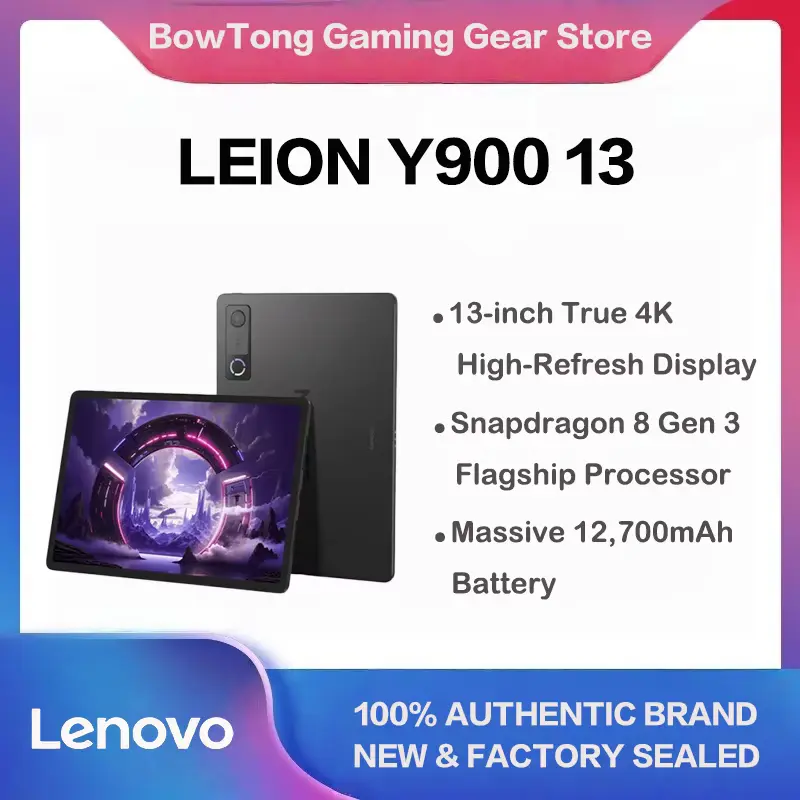
Lenovo Legion Y900 tablet front and back view showing 13-inch 4K high refresh rate display.
Best Global Deals, Gaming & Accessories, PC Gaming Gear

Lenovo Legion Y900 Tablet: Features, Listing Details and Buying Guide

Looking for a large-screen Android tablet for gaming, entertainment, multitasking, or everyday productivity? The Lenovo Legion Y900 tablet offers a 13-inch display, Android 13, and a Snapdragon processor, according to the product listing. Before ordering, explore its key features, customer feedback, pricing options, and important buying considerations. Affiliate Disclosure: This post contains affiliate links. If you purchase through a qualifying link, we may earn a commission at no additional cost to you. Check product specifications, seller information, and current prices before ordering. AliExpress sellers can change prices, configurations, and availability at any time. Check the current listing before placing an order. What Is the Lenovo Legion Y900 Tablet? The Lenovo Legion Y900 tablet targets users who want a large screen for entertainment, browsing, gaming, and everyday productivity. Its 13-inch display offers plenty of viewing space for videos, documents, online learning, and compatible multitasking features. Your experience will depend on the exact hardware configuration, software, app compatibility, and condition of the device. Check the seller’s product details carefully to ensure that the selected model matches your requirements. Lenovo Legion Y900 Tablet: Key Features The product listing highlights a 13-inch display, Android 13, a Snapdragon processor, and dual cameras. Check the exact specifications with the seller before buying, especially if you need the tablet for demanding games or specific applications. 1. Large 13-Inch Display The seller lists a 13-inch display, which can provide a spacious viewing area for videos, documents, web browsing, and online learning. Check the resolution, panel type, brightness, refresh rate, and touch response before ordering because screen size alone does not determine image quality. 2. Android 13 Operating System The listing specifies Android 13. Ask the seller to confirm the installed software version and available features for your chosen variant. If you rely on Google Play, banking apps, streaming services, or particular games, verify their compatibility before purchasing. 3. Snapdragon Processor Listed The seller identifies the processor as part of the Snapdragon family but does not clearly establish the exact chipset model in the available product information. Ask for the precise model before buying the tablet for demanding gaming or intensive multitasking. 4. Dual Cameras The captured listing mentions dual cameras. If you intend to use the tablet for online classes, video calls, or occasional photography, check the front and rear camera specifications. The number of cameras alone does not establish image quality or video-call performance. 5. RAM and Storage Configuration One configuration label reads “13 8G 256G Black,” but the first number remains unclear. Confirm the exact RAM, storage, processor, and model number with the seller. Do not assume that every available variant has the same hardware. Before selecting a variant, check: Do not assume that every variant shown in a listing has identical hardware. What Can You Use This Tablet For? Depending on the verified specifications and software compatibility, a large-screen Android tablet may be useful for several activities. If you are interested in gaming devices, you can also read our AYN TRON handheld console review. For users exploring technology accessories and gaming-related hardware, our AKKO TAC75 HE magnetic keyboard review may also be useful. Lenovo Legion Y900 Tablet Price on AliExpress The product listing shows prices of approximately $697.53 and $785.02 for different options. Treat these figures as indicative prices rather than guaranteed current offers. The seller may change prices, promotions, configurations, and shipping options. Before buying, check the current price of your selected variant, available coupons, shipping charges, potential import duties, taxes, and return terms. Compare the final checkout total with similar tablets before deciding. What Are Buyers Saying About the Lenovo Legion Y900? The AliExpress listing displays a rating of 4.9 out of 5 from 15 ratings and includes a verified-purchases label. Buyers mention performance, delivery speed, pen use, and value for money. Consider the written reviews alongside the rating because a small number of ratings cannot guarantee everyone’s experience. Positive Customer Feedback One buyer praised the tablet’s performance and reported satisfaction when using it with a pen. Other buyers mentioned fast delivery and receiving the product in good condition. Another reviewer considered the tablet a good value for money but also described difficulties during the initial setup. These reviews offer useful insights, but individual results can vary with the selected configuration, seller, and delivery location. Customer Concerns Worth Considering Some buyers also raised concerns worth considering before ordering. Our Assessment of the Buyer Reviews The visible feedback is encouraging in terms of reported performance, delivery, and value, but it also highlights practical concerns about setup, streaming compatibility, and packaging. A 4.9/5 rating from 15 ratings does not guarantee that every customer will have the same experience. Read the latest reviews, inspect customer-uploaded photographs where available, and confirm the precise product configuration before ordering. Pros and Cons of the Lenovo Legion Y900 Listing Potential Advantages Include the advertised 13-inch display, the listed Android operating system, and positive buyer comments about performance and delivery. Potential Drawbacks Include the unconfirmed chipset model, unclear configuration details, a reported Netflix playback limitation, initial setup difficulties, and packaging concerns. The final cost may also increase if shipping or import charges apply. What to Check Before Buying Before placing an order, confirm the exact model number, processor, RAM, storage, display specifications, and connectivity. Check Google Play and app compatibility if you depend on particular services. Read recent reviews for your chosen variant and examine the seller’s warranty, return policy, shipping charges, and potential import costs. Is the Lenovo Legion Y900 Tablet Worth Considering? The Lenovo Legion Y900 tablet may suit buyers who want a large-screen Android device for entertainment, browsing, and compatible games. The advertised display size and positive buyer comments may attract your interest, but verify the exact chipset, memory, storage, streaming compatibility, and product authenticity before spending a substantial amount. Compare the verified specifications and final delivered price with competing tablets in the same budget. Frequently Asked Questions What is the displayed rating for the Lenovo Legion Y900 tablet? The AliExpress listing displays a rating of 4.9

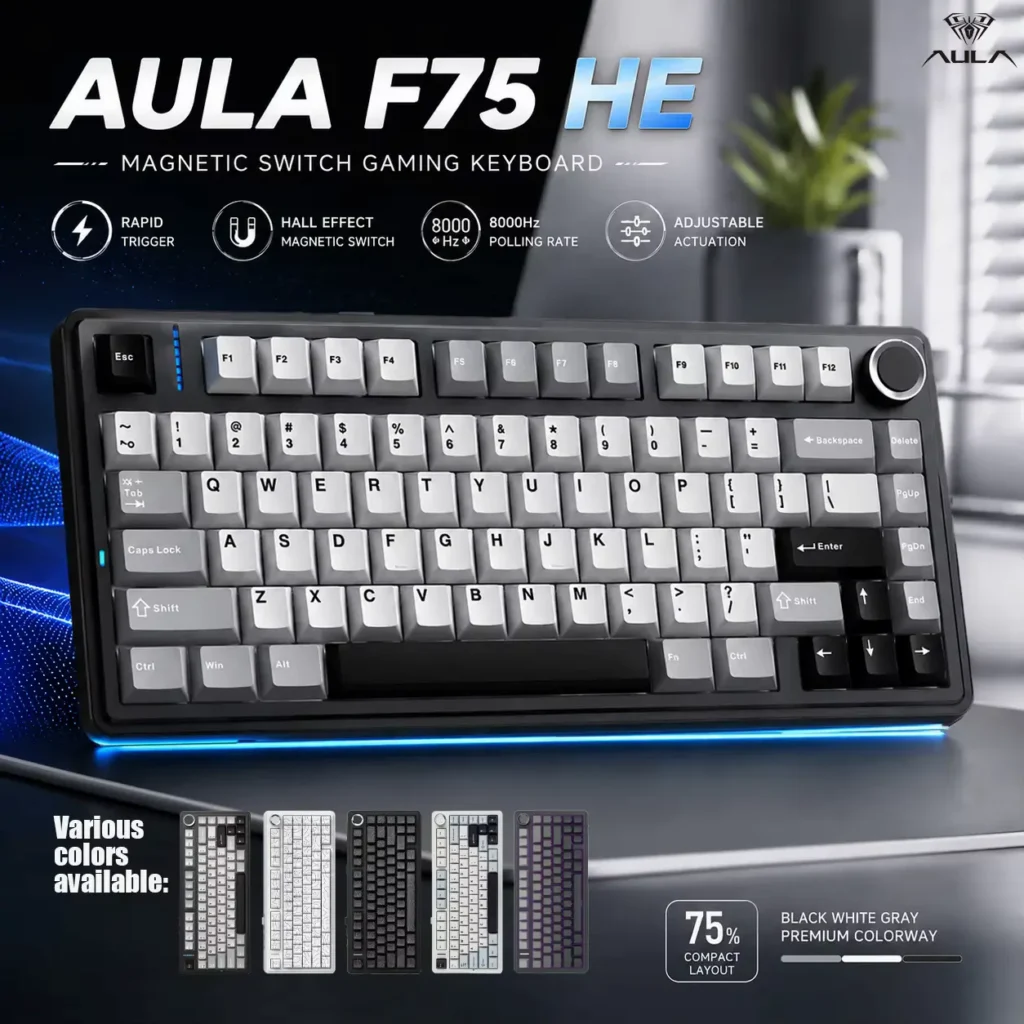
Black, white, and gray 75% magnetic switch gaming keyboard showcasing rapid trigger and 8000Hz polling rate features alongside an AULA F75 HE Review.
Electronics, Gaming & Accessories, PC Gaming Gear

AULA F75 HE Review 2026: Is It Worth Buying?

Affiliate Disclosure: This article contains affiliate links. If you purchase through a qualifying link, we may earn a commission at no additional cost to you. This review is based on published product specifications, available product information, visible customer feedback, comparison research, and practical buying considerations. We have not personally tested the AULA F75 HE Review. Quick Verdict: AULA F75 HE Review The AULA F75 HE Review focuses on a 75% gaming keyboard built around Hall Effect magnetic switches, Rapid Trigger functionality, tri-mode connectivity, RGB lighting, and an advertised 8K polling rate. The supplied AliExpress listing describes the keyboard as an AULA F75 HE 75% Mechanical Keyboard with Hall Effect switches, supporting 2.4GHz wireless, Bluetooth, and wired Type-C connectivity. The listing also highlights an 8K polling rate, 4000mAh battery, hot-swappable design, and gaming-focused features. The official AULA product page confirms the core specifications, including the 75% 80-key layout, Hall Effect magnetic switches, adjustable Rapid Trigger, 2.4GHz/Bluetooth/USB-C connectivity, 8000Hz wired polling, and 4000mAh rechargeable battery. The listing shown in the supplied video had a 4.8/5 rating from 32 ratings and 308 sold at the time of recording. The visible customer feedback is largely positive, with buyers mentioning good build quality, responsive magnetic switches, RGB lighting, and overall value. The main appeal is clearly gaming performance. Hall Effect switches and Rapid Trigger can be especially appealing to competitive PC gamers who want adjustable actuation and fast key response. Our Rating: 4.7/5 AULA F75 HE: Specifications Feature Details Brand AULA Model F75 HE Keyboard Type Hall Effect gaming keyboard Layout 75% Key Count 80 keys according to official AULA specifications Switch Technology Hall Effect magnetic switches Rapid Trigger Yes Actuation Adjustable Polling Rate Up to 8000Hz wired Connectivity 2.4GHz, Bluetooth, USB-C Battery 4000mAh rechargeable RGB Yes Hot-Swappable Yes Knob Multifunction metal knob Compatible Devices Windows, macOS, iOS, Android Origin Mainland China Package Keyboard, USB-C cable, 2.4GHz dongle, keycap/switch puller, manual Hands-On Testing Not conducted The supplied marketplace listing also identifies Bluetooth 5.3, while the current official AULA product page lists Bluetooth 5.0. Because of this difference, buyers should check the exact listing and variant they intend to purchase rather than assuming every marketplace listing uses identical specifications. What Is the AULA F75 HE? The AULA F75 HE is a compact gaming keyboard that combines a 75% layout with Hall Effect magnetic switches. The 75% format keeps many of the important navigation and control keys while reducing the overall footprint compared with a traditional full-size keyboard. This makes it particularly attractive for PC gamers who want more desk space for their mouse. The “HE” in the name refers to Hall Effect technology. Instead of relying entirely on conventional mechanical contact sensing, Hall Effect switches use magnetic sensing to detect key movement. That technology allows features such as adjustable actuation and Rapid Trigger, which are particularly relevant to competitive gaming. The keyboard also supports three connection methods, giving users flexibility with wired, 2.4GHz wireless, and Bluetooth. AULA F75 HE Review: 75% Keyboard Design The 75% layout is one of the keyboard’s most practical features. It provides a smaller footprint while retaining more functionality than many 60% keyboards. For PC gaming, this can help because the reduced width leaves more space for mouse movement. That matters particularly in FPS games where players often use large mouse movements and lower sensitivity. The supplied product images show a compact keyboard with a dedicated rotary control on the upper-right side. The official AULA product page also identifies this as a multifunction metal knob. A compact layout does require some adjustment if you are coming from a full-size keyboard. However, for a gaming-focused setup, the 75% format offers a useful balance between compactness and functionality. Hall Effect Magnetic Switches The Hall Effect switches are arguably the most important feature in the AULA F75 HE Review. Hall Effect switches use magnetic sensing to detect key movement. This lets the keyboard measure key travel without relying on the same physical contact mechanism used by traditional mechanical switches. The main benefit for gamers is adjustable actuation and Rapid Trigger. Instead of a fixed activation point, adjustable actuation lets users configure how far a key must travel before registering. That can be useful in competitive games where fast movement and rapid inputs matter. The official AULA specifications specifically identify Hall Effect magnetic switches with adjustable actuation. However, because we have not personally tested the keyboard, we cannot independently confirm the real-world accuracy, latency, or consistency of its magnetic sensing. AULA F75 HE Review: Rapid Trigger Rapid Trigger is another feature that makes the F75 HE more gaming-focused than a conventional mechanical keyboard. With a traditional mechanical switch, a key generally has a fixed actuation and reset point. Rapid Trigger technology instead lets the keyboard dynamically register a key’s release and subsequent movement. For competitive games, this can potentially make repeated movement inputs feel more responsive. This feature is especially useful in games where quick directional changes matter. FPS players, for example, may appreciate the ability to configure movement keys around their preferred actuation behavior. The official AULA page lists Rapid Trigger with adjustable actuation and SOCD functionality. Still, software configuration is important. A feature such as Rapid Trigger only becomes useful when the user sets it appropriately for their game and personal preferences. 8K Polling Rate for Gaming The keyboard is advertised with an 8000Hz wired polling rate. In simple terms, polling rate describes how often a connected device reports its input state to the computer. An 8000Hz polling rate is much higher than the polling rates found on many conventional keyboards. For competitive gaming, a high polling rate can be attractive because it reduces the interval between input reports. However, an 8K specification should not be interpreted as a guarantee that every player will notice a dramatic difference. The overall gaming experience also depends on the PC, game engine, software configuration, USB connection, display refresh rate, and other hardware. The official AULA specifications confirm 8000Hz polling for wired operation. For buyers focused on

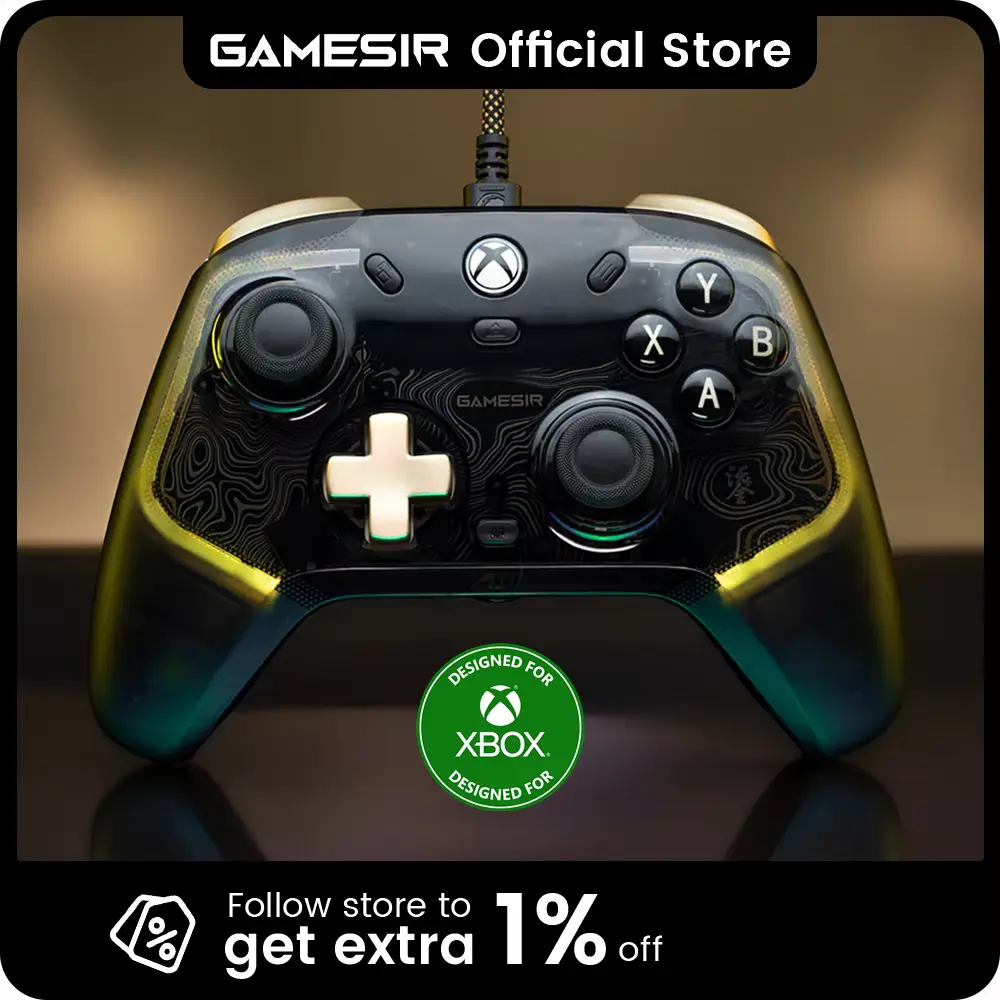
Front view of the transparent gold-accented controller highlighted in a GameSir Kaleid Flux Review.
Electronics, Gaming & Accessories, PC Gaming Gear

GameSir Kaleid Flux Review 2026: Is It Worth Buying?

Affiliate Disclosure: This article contains affiliate links. If you purchase through a qualifying link, we may earn a commission at no additional cost to you. This GameSir Kaleid Flux Review is based on published product specifications, available product information, product images, visible customer feedback, comparison research, and practical buying considerations. We have not personally conducted hands-on testing of this controller. Quick Verdict: GameSir Kaleid Flux Review The GameSir Kaleid Flux Review looks at a wired gaming controller designed for Xbox and PC users who want features such as Hall Effect joysticks, RGB lighting, vibration feedback, software customisation, and a 3.5mm audio connection. The supplied listing describes the controller as compatible with Xbox Series X, Xbox Series S, Xbox One, and PC. It uses a wired connection rather than Bluetooth, which can appeal to gamers who prefer a direct connection without wireless pairing or controller battery management. Key Features at a Glance The main highlights include Hall Effect joysticks, RGB lighting, four-channel vibration, GameSir Nexus software, a 3.5mm audio jack, microphone mute functionality, and Xbox/PC compatibility. The Hall Effect joystick technology is particularly interesting because it uses magnetic sensing rather than the traditional contact-based mechanism used in many conventional analogue sticks. The listing promotes this feature as helping with precision and reducing traditional stick-drift concerns. What We Like The controller combines several gaming-focused features in one wired gamepad. RGB lighting adds a distinctive appearance, while the software provides customisation options. The four-channel vibration system and trigger feedback can also add more tactile feedback in supported games. The wired connection can be useful for gamers who prefer a direct connection and do not want to recharge a wireless controller. What to Consider The main limitation is the wired design. Players who prefer sitting farther away from their Xbox or gaming PC may find a wireless controller more convenient. We also have not personally tested the controller, so we cannot independently verify long-term joystick durability, input latency, vibration performance, audio quality, or button lifespan. Our Verdict Overall, the GameSir Kaleid Flux is an interesting choice for Xbox and PC gamers who want Hall Effect joysticks, RGB lighting, vibration feedback, and software customisation in a wired controller. Our Rating: 4.7/5 ⭐⭐⭐⭐⭐ GameSir Kaleid Flux Review: Xbox Controller Specifications Feature Details Product Type Wired Gaming Controller Model GameSir Kaleid Flux Controller Type Xbox Gamepad Connection Wired Joysticks Hall Effect Lighting RGB Vibration 4-channel vibration Audio 3.5mm audio jack Software GameSir Nexus Microphone Built-in mic mute function Compatibility Xbox Series X, Xbox Series S, Xbox One, PC D-Pad Tactile D-Pad Bumpers MEMBRANE ABXY and bumpers listed Main Use Gaming Visible Rating 4.8/5 Visible Ratings 133 Visible Sales 500+ sold Specifications are based on the supplied product listing. Features and compatibility should be confirmed for the exact version selected before ordering. GameSir Kaleid Flux Review: Design and Build The GameSir Kaleid Flux has a conventional Xbox-style controller layout with two analogue sticks, a directional pad, face buttons, triggers, bumpers, and additional controls. The supplied product images show a dark translucent-style design with RGB lighting around the analogue stick areas. This gives the controller a more distinctive appearance than a plain traditional gamepad. The controller also comes with a wired cable, making it different from wireless Xbox controllers. A wired design means users do not have to worry about charging an internal controller battery during a gaming session. The trade-off is that the controller remains physically connected to the gaming device. For desk-based PC gaming or console gaming where the player sits relatively close to the system, this may not be a major limitation. The listing also highlights the controller’s grip and overall build quality, while several customer reviews describe the controller positively in terms of feel and appearance. Since we have not personally handled or tested the controller, we cannot independently rate its long-term physical durability. Hall Effect Joysticks for Precision Control The Hall Effect joysticks are one of the biggest selling points of the GameSir Kaleid Flux. Traditional analogue sticks generally rely on physical components that can experience wear over time. Hall Effect technology uses magnetic sensing to detect joystick movement. The supplied listing specifically markets these joysticks as offering precise control and reduced susceptibility to traditional stick-drift problems. That makes the feature particularly interesting for gamers who spend a lot of time playing games that require accurate analogue movement. However, it is important not to interpret the manufacturer’s “drift-free” marketing as a guarantee that drift can never occur. Any physical controller can experience problems over time due to wear, contamination, damage, calibration issues, or other factors. Because we have not performed long-term testing, we cannot guarantee how the joysticks will perform after months or years of use. Nevertheless, Hall Effect sensing is a meaningful hardware feature and one of the main reasons this controller stands out from simpler wired gamepads. RGB Lighting and Gaming Appearance The GameSir Kaleid Flux also focuses heavily on appearance. The supplied listing shows RGB lighting around the joystick areas, creating a noticeable illuminated effect when the controller is connected. According to the listing, users can customise the lighting through GameSir Nexus software. RGB lighting does not directly improve gameplay, but it can make the controller more visually appealing, especially for gaming setups with other illuminated accessories. The lighting can also help distinguish the controller from more basic designs. For gamers who prioritise aesthetics, this is a useful extra feature. For buyers who do not care about RGB effects, however, the lighting should be viewed as an optional visual feature rather than a reason to purchase the controller on its own. Four-Channel Vibration Feedback Another major feature is the controller’s four-channel vibration system. The listing describes four vibration motors, with one located in each grip and trigger. The purpose of multiple vibration motors is to provide different types of tactile feedback depending on what is happening in the game. For example, supported games may use vibration to communicate impacts, vehicle movement, weapon effects, or other gameplay events. This can make

ATK VXE Dragonfly V3 wireless gaming and office mouse in purple color.
Electronics, Gaming & Accessories, PC Gaming Gear

ATK VXE Dragonfly V3 Review 2026: Is It Worth Buying?

Finding a high-performance gaming mouse that delivers pro-level accuracy without breaking the bank can be challenging. Fortunately, the ATK VXE Dragonfly V3 generates massive buzz among casual gamers and competitive esports enthusiasts alike. If you want to expand your gaming setup, you can also explore our detailed guide on the Xbox Controller review for multi-platform gaming. Consequently, in this hands-on review, we evaluate its build quality, sensor precision, battery endurance, and real value. Affiliate Disclosure: This post contains affiliate links. If you purchase through these links, we may earn a small commission at no additional cost to you. Quick Verdict: The ATK VXE Dragonfly V3 offers top-tier wireless tracking, sub-50g lightweight agility, and solid battery life at an entry-level price point. Technical Specifications of ATK VXE Dragonfly V3 Feature Details / Specification Optical Sensor PAW3395SE High-Precision Optical Sensor Weight 49g (Ultra-Lightweight Design) Connectivity Tri-Mode (2.4GHz Wireless, Bluetooth, USB-C Wired) Polling Rate Up to 1000Hz (1ms Rapid Response Time) Battery Life 300mAh (Up to 20 Hours on a Quick Charge) Main Switches Tactile Micro-Switches (Crisp Mechanical Feedback) Charging Interface Rapid Type-C What Comes Inside the Box? When you unbox this peripheral, the manufacturer provides all essential accessories needed for immediate plug-and-play operation. Additionally, the packaging stays compact and eco-friendly, ensuring zero wasted plastic during transit. Shape, Ergonomics, and Grip Style Compatibility Ergonomics play a vital role when choosing a daily primary pointer. Therefore, understanding how this shell feels in hand is crucial before making a purchasing decision. 1. Claw Grip Gamers with medium-sized hands will find the slight rear hump ideal for claw grip support. Consequently, you maintain full control during fast horizontal sweeps in first-person shooter games. 2. Fingertip Grip Because the total mass stays well under 50 grams, fingertip users enjoy effortless micro-adjustments. For instance, you can aim precisely without straining your wrist joints over extended hours. 3. Palm Grip However, if you possess large hands and prefer a full palm rest, the overall frame might feel somewhat compact. In that scenario, dedicated ergonomic shells might offer better comfort. Real-World Gaming Performance & Sensor Test During extended 4-hour testing sessions in fast-paced competitive titles like Valorant and CS2, the sensor performed exceptionally well. As a result, we experienced zero tracking latency or jitter during intense matches. Tracking Precision & Click Response Software Customisation & Web-App Companion Managing DPI stages, macro bindings, and polling rates requires intuitive software integration. Luckily, this model supports a lightweight web-driven configuration interface. ATK VXE Dragonfly V3 vs. Competitors To give you a clearer picture, here is how this gaming mouse compares against other popular budget wireless mice: Model Weight Sensor Connection Value Score ATK VXE Dragonfly V3 49g PAW3395SE 2.4G / BT / Wired 9.5 / 10 Razer Viper Mini (Wired) 61g PAW3359 Wired Only 8.0 / 10 Logitech G305 Lightspeed 99g HERO Sensor 2.4G Only 8.2 / 10 Key Variants & Pricing Breakdown This gaming device comes in multiple finishes and specification tiers to match different setups: ATK VXE Dragonfly V3 Pros and Cons Pros Cons Buyer’s Guide: Who Should Buy ATK VXE Dragonfly V3? Who Is The ATK VXE Dragonfly V3 For? Meanwhile, for skincare and self-care routine essentials between long gaming sessions, feel free to check out our review of the Centella Travel Kit. Final Verdict: Is ATK VXE Dragonfly V3 Worth Buying? In conclusion, the ATK VXE Dragonfly V3 strikes the perfect balance between competitive gaming performance, structural integrity, and affordability. So if you want to upgrade your setup without paying flagship prices, this mouse is one of the best value investments you can make right now.

bonacell wireless gamepad review showing multi-platform compatibility for Xbox One, Series X S, and PC.
Console Gear, Gaming & Accessories, PC Gaming Gear

Bonacell Wireless Gamepad Review 2026: Is It Worth Buying?

Finding an affordable controller that offers premium features without stick drift is a tough task for modern gamers. Consequently, the market often forces players to choose between expensive first-party controllers and cheap knockoffs that break within weeks. In this detailed Bonacell wireless gamepad review, we explore whether this budget controller genuinely solves these latency and durability problems. Affiliate Disclosure: This review contains affiliate links. If you purchase through these links, we may earn a small commission at no additional cost to you. We only recommend products tested for quality and performance. Quick Verdict & Summary Technical Specifications of the Bonacell Wireless Gamepad Review Feature Specification Brand / Manufacturer Bonacell Connectivity 2.4G Wireless Interface & USB Receiver Joystick Technology Hall Effect Anti-Drift Joysticks Triggers Hall-Linear Trigger Buttons Motion Control Six-Axis Gyroscope Function Special Functions Turbo Function & Dual Vibration Platform Compatibility Xbox Series X/S, Xbox One, Xbox One S/X, PC Windows, Steam Weight & Dimensions 350g | 16 x 12 x 8 cm Certifications CE Certified International Safety Standards Unboxing and Package Contents of Bonacell Wireless Controller Unboxing the controller reveals a neatly packaged set of essential accessories designed to get you gaming immediately without buying extra dongles or cables. Every item in the box feels secure and well-protected during transit. Design, Ergonomics, and Build Quality in Our Bonacell Wireless Gamepad Review To begin with, the Bonacell controller features a classic asymmetric layout reminiscent of standard Xbox gamepads, allowing smooth transitions for console veterans. In addition, the textured back grips provide a firm hold during intense competitive sessions, effectively reducing slip caused by hand sweat. As a result, the overall plastic shell feels sturdy and resists flex even under firm pressure during gameplay tests. Additionally, gamers who upgrade their setups often complement their gaming gear with other modern gadgets. For instance, high-tech vehicle setups rely on seamless wireless features, as seen in our breakdown of the Smart Car Security Camera: Acceo B53P Review, proving how wireless technology simplifies daily routines. Hall Effect Joysticks and Linear Triggers Performance Most importantly, a key strength highlighted in our Bonacell wireless gamepad review is the inclusion of Hall Effect magnetic sensors in the thumbsticks. Traditional potentiometers wear down over time and cause unwanted drift; however, Hall Effect technology relies on magnetic fields to detect movement. Therefore, this design ensures zero stick drift and pinpoint micro-accuracy in competitive shooters and racing games. Similarly, the Hall-Linear triggers deliver smooth acceleration response in racing titles like Forza Horizon. Consequently, you can exert precise throttle control rather than experiencing an all-or-nothing button press, which gives you an edge over entry-level membrane controllers. Wireless 2.4G Connectivity and Battery Performance Furthermore, the 2.4G wireless adapter establishes a stable connection with Xbox Series X/S, Xbox One, and PC Windows platforms without noticeable input lag. Simply plug the USB receiver into your console or PC, turn on the gamepad, and it pairs instantly without needing additional driver installations. As a result, the internal rechargeable battery yields extended playtime on a single charge, saving money on disposable batteries over time. Likewise, maintaining a smooth gaming setup requires consistent care, much like maintaining personal care routines. For example, if you prioritise long-term durability in everyday routines, check our guide on the Youngcome Skincare Set Review for effective daily maintenance practices. Bonacell Wireless Gamepad Review: Comparison with Competitors To evaluate performance fairly, we compared the Bonacell wireless gamepad against standard budget options and premium first-party controllers. Feature Bonacell Gamepad Generic Budget Gamepad Official Xbox Controller Joystick Sensor Hall Effect (No Drift) Standard Analog (Prone to Drift) Standard Analog Six-Axis Gyro Yes No No Wireless Type 2.4G Dedicated Receiver Bluetooth / Wired Only Xbox Wireless / Bluetooth Turbo Function Yes No No Built-in Battery Yes (Rechargeable) Varies No (Requires AA Batteries) Available Colour Variants of This Wireless Gamepad Bonacell offers multiple distinct colour patterns to match different desk setups and personal aesthetics. Each variant maintains the same textured grip and button layout: Pros and Cons of Bonacell Wireless Controller Every gaming peripheral brings distinct advantages along with minor limitations. Here is a clear breakdown of what makes this controller stand out and where it falls short. Pros Cons Buyer’s Guide: Is This Wireless Gamepad Right for You? This controller serves as an ideal solution for several gamer profiles: Final Verdict of Our Bonacell Wireless Gamepad Review Our thorough Bonacell wireless gamepad review proves that high-precision control no longer requires buying overpriced controllers. The combination of Hall Effect sticks, 2.4G wireless stability, built-in battery, and broad platform compatibility makes this gamepad one of the best value choices for 2026.

A vibrant floral wallpaper displayed on the screen next to the included HDMI and USB connection cables for our 7 Inch Monitor Review.
Electronics, Gaming & Accessories, PC Gaming Gear

7-Inch Raspberry Pi Display Review 2026: Is It Worth Buying?

Finding a reliable mini monitor for custom electronic projects, hardware tracking, or compact PC setups can be challenging. Many budget screens suffer from severe colour distortion, input latency, or confusing driver setups. Therefore, choosing the right display requires careful evaluation of technical capabilities. This comprehensive 7 Inch Monitor Review examines screen clarity, board variations, touch responsiveness, and overall value to help you make an informed decision. Affiliate Disclosure: This post contains affiliate links. If you click through and make a purchase, we may earn a small commission at no extra cost to you. Consequently, we only recommend products we genuinely test and trust. 📋Quick Verdict & Star Rating Technical Specifications of the 7-Inch Display Specification Feature Technical Details Screen Dimensions 7 Inches (Diagonal Display) Native Resolution 1024 x 600 Pixels Panel Technology TN Panel / IPS Wide-Angle Panel Touch Interface 5-Point Capacitive Touchscreen (Select Models) Signal Input Standard HDMI Interface Power Supply Micro USB (5V Input) Board Compatibility Raspberry Pi 4, 3, 2, B, B+, A+, Windows 7/8/10 Driver Requirement Driver-Free (Plug and Play Operation) Unboxing and Box Contents When you unpack the delivery box, you receive all essential hardware items required to mount and power the display immediately. Furthermore, the manufacturer packs the delicate circuit board in anti-static protective wrapping. 7-Inch Monitor Review: Performance and Feature Testing Screen Clarity and Resolution Standards This compact monitor offers a sharp 1024 X 600 native resolution that keeps small system text crisp. During practical desktop tests, monitoring dashboards, system code, and hardware temperature gauges remained fully readable. Consequently, users do not need to rely on awkward system scaling settings. In addition, if you are planning a complete workspace overhaul alongside daily accessories like a Silicone Apple Watch Band Review: Is It Worth Buying?, adding a dedicated mini monitor keeps primary displays clean during complex tasks. Touchscreen Performance on the Mini HDMI Monitor The capacitive touchscreen configuration delivers smooth multi-touch control through a single USB cable connection. When you plug the HDMI cable for video and the USB cable into a PC running Windows 10 or a Raspberry Pi, the system detects touch inputs instantly. As a result, tap gestures, scrolling actions, and virtual key inputs register without delay. Moreover, gamers and system builders who customise high-performance rigs with gear like a Lightweight RGB Gaming Mouse Review: Is It Worth Buying? can easily place this compact monitor inside a computer chassis as a dedicated live telemetry dashboard. In-Depth Analysis in This 7-Inch Monitor Review To provide a complete 7 Inch Monitor Review, we thoroughly evaluated both the TN and IPS panel variants across various lighting environments. However, performance differs significantly depending on the panel type you select. The IPS variant offers wide 178-degree viewing angles, which preserve colour accuracy even when viewed from extreme side angles. On the other hand, the TN panel option provides a budget-friendly alternative for direct front-facing setups, although side viewing angles display slight contrast shifts. Furthermore, the rear circuit board features pre-drilled mounting holes that match standard Raspberry Pi board layouts. Because of this smart mechanical layout, you can attach single-board computers directly onto the back PCB. As a result, you get a clean, compact unit for retro gaming rigs or portable test stations. Model Variants Breakdown for the 7-Inch Monitor This display series includes seven unique hardware configurations designed for different budget levels and installation requirements: Comparison with Market Competitors Feature Metric 7 Inch Pi Display Generic 5-Inch Screen Standard 10.1-Inch Portable Screen Native Resolution 1024 x 600 Pixels 800 x 480 Pixels 1920 x 1080 Pixels Installation Method Driver-Free HDMI Setup Manual Driver Configuration Driver-Free Type-C / HDMI Form Factor Open Frame PCB Board Open Frame PCB Board Fully Enclosed Enclosure Primary Use Case DIY Projects & Sensor Panels Compact Retro Handhelds Desktop Secondary Monitor Pros and Cons of the 7-Inch Monitor Review Pros Cons Buyer’s Guide: Who Needs This Raspberry Pi Display? This mini monitor suits specific technical applications: Final Summary of Our 7-Inch Monitor Review To conclude this 7 Inch Monitor Review, this mini display provides exceptional utility, versatile model choices, and reliable HDMI operation. Whether you choose the budget TN non-touch model or the feature-packed IPS touchscreen variant, it remains an outstanding choice for DIY electronics and PC hardware tracking in 2026.

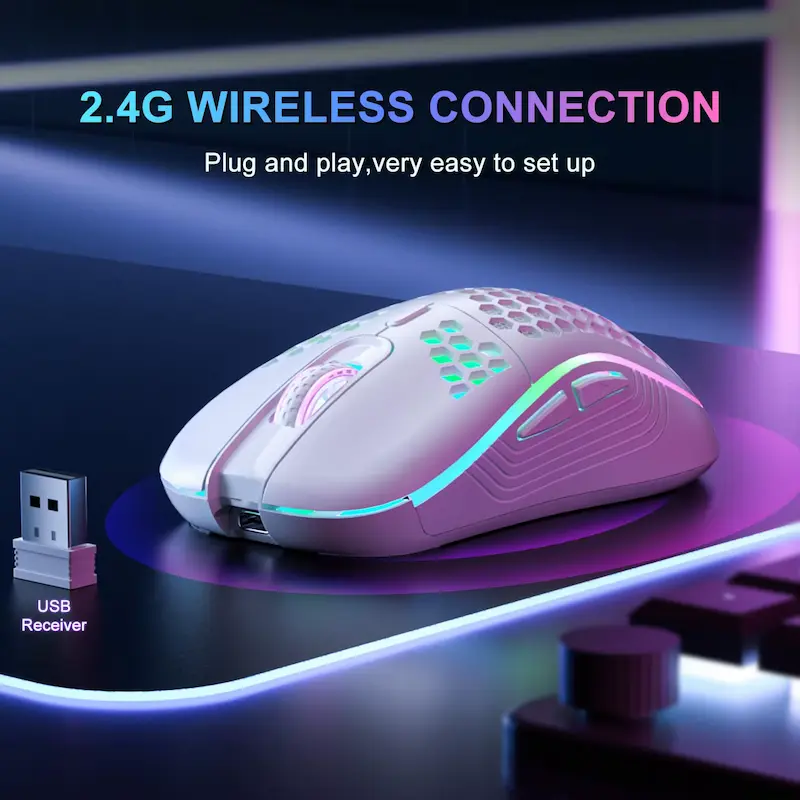
Side view of a 2.4G wireless mouse with active RGB lighting on a mouse pad.
Gaming & Accessories, PC Gaming Gear

Honeycomb Wireless Gaming Mouse Review 2026: Is It Worth Buying?

Finding a reliable budget peripheral in today’s crowded computer accessories market can be a challenging task for many PC users. Welcome to our in-depth wireless gaming mouse review, where we examine an ultra-lightweight honeycomb model designed to offer high comfort, responsive tracking, and modern USB Type-C rechargeable convenience without high financial costs. Gamers and office workers frequently face issues with wrist fatigue, sweaty palms, and messy cables during long desk sessions. This practical evaluation covers every critical feature, real-world usability test, construction quality factor, and long-term performance dynamic to help you determine if this device meets your exact setup demands. Affiliate Disclosure: This post contains affiliate links. If you purchase through these links, we may earn a small commission at no additional cost to you. We only review items based on specs, practical features, and user feedback to help you make informed buying decisions. Quick Verdict Summary Summary Verdict: Overall, this computer accessory delivers an outstanding combination of 2.4GHz wireless stability, comfortable airflow ergonomics, and vibrant customizable illumination. As a result, it effectively addresses common desktop fatigue while providing solid precision for casual gaming and daily productivity tasks. Technical Specifications Feature Specification Details Connectivity 2.4GHz Wireless (via USB Nano Receiver) Sensor DPI Levels 3-Speed Adjustable DPI (Up to 1600 DPI) Button Count 6 Programmable / Functional Buttons Charging Port USB Type-C Fast Rechargeable Design Style Ergonomic Honeycomb Mesh (Right-Handed) Lighting Multi-Color Dynamic RGB Backlit Dimensions & Weight 15 x 10 x 5 cm; 0.150 kg (150g total package) Battery Type Built-in Rechargeable Lithium Battery Wireless Gaming Mouse Unboxing & Package Contents Unboxing this peripheral reveals a clean, straightforward set of essentials designed to get your desktop operational immediately without extra setup hassle. Specifically, inside the protective retail box, you receive: Detailed Wireless Gaming Mouse Review and Performance Testing 1. Ergonomic Mesh Design Evaluated in This Wireless Gaming Mouse Review The primary design highlight observed during our hands-on testing is the open honeycomb shell structure. In contrast to traditional solid plastic enclosures that trap heat and accumulate moisture during extended computer sessions, this ventilated mesh design promotes constant airflow around your palm. Because of this airflow, your hand stays dry and comfortable throughout long work or gaming hours. Furthermore, in terms of physical handling, the overall lightweight construction significantly reduces wrist strain during rapid cursor movements. Additionally, the outer contour is specifically shaped for right-handed users, providing balanced support for both palm and claw grip styles. Meanwhile, the textured side panels offer extra stability, ensuring your thumb and outer fingers maintain a secure hold during fast desktop navigation. As a result, the integrated RGB lighting strip projects ambient colour effects onto your mousepad, creating an engaging visual environment for night setups. 2. Wireless Peripheral Tracking and Battery Life Insights A reliable connection is essential for any modern desktop pointer. Therefore, this device utilises a low-latency 2.4GHz wireless signal provided by a compact USB nano receiver. During our continuous testing across various surface materials, the connection maintained strong stability up to a distance of 10 meters without noticeable dropouts or cursor jittering. Moreover, plug-and-play capability ensures instant compatibility with major operating systems without demanding driver configuration. In addition, power efficiency is another major strength highlighted in this wireless gaming mouse review. The transition from traditional disposable AA or AAA batteries to an internal lithium battery powered via a modern USB Type-C port offers major practical benefits. For instance, you can easily recharge the internal battery using standard phone chargers or spare computer ports. Subsequently, an intelligent automatic power-saving sleep mode activates after brief periods of inactivity, conserving battery health when you step away from your desk. 3. Rechargeable Gaming Mouse Sensor Accuracy and Controls Underneath the honeycomb chassis lies an optical sensor equipped with a 3-speed adjustable DPI selector button located behind the scroll wheel. Consequently, users can cycle through sensitivity presets up to 1600 DPI to match their current task, whether that requires slow, precise photo editing or rapid cursor movements across dual monitors. The primary left and right click switches deliver crisp tactile feedback with a solid actuation point. The integrated 6-button layout includes dedicated side navigation buttons that streamline web browsing by allowing quick forward and backward movement through browser tabs. While extreme competitive esports players might require ultra-high DPI limits, this sensor configuration is perfectly tuned for general gaming, office software, and multimedia navigation. If you are building an efficient off-grid work setup, pairing this peripheral alongside portable energy equipment evaluated in our EcoFlow River Portable Power Review: Is It Worth Buying? ensures your laptop station remains fully functional during power outages. Comparison Table: Honeycomb Mouse vs Competitors Feature / Model Honeycomb Wireless Mouse Standard Wireless Mouse Basic Wired RGB Mouse Connection Type 2.4GHz Wireless 2.4GHz Wireless Wired USB Rechargeability USB Type-C AA / AAA Batteries Direct USB Power Body Design Ventilated Honeycomb Solid Shell Plastic Heavy Solid Plastic Max DPI 1600 DPI (3 Speeds) 1000 DPI Fixed 1200 DPI Lighting Dynamic RGB Backlit None / Single LED Basic Static RGB Ergonomic Airflow Excellent Limited Low Wireless Gaming Mouse Available Colour Variants To match different office themes and gaming setup styles, this model comes in two clean visual finishes: Pros and Cons Analysis Pros: Cons: Buyer’s Guide: Who Should Buy This Wireless Gaming Mouse? Selecting the right desktop peripheral depends heavily on your daily computing routines and comfort requirements. This product is ideal for: Maintaining physical comfort during long screen sessions requires attention to overall personal care and desk ergonomics. Just as choosing lightweight accessories protects your wrists, adopting regular self-care routines with natural solutions like our featured Best 100ml Hair Care Essential Oil Review: Is It Worth Buying? promotes personal wellness throughout demanding work weeks. Final Verdict & Recommendation To wrap up this wireless gaming mouse review, the honeycomb wireless peripheral offers an impressive combination of lightweight ergonomics, stable wireless tracking, modern Type-C charging, and attractive RGB backlighting. It effectively addresses common pain points such as hand sweat, wrist strain, and battery replacements. While pro-level esports

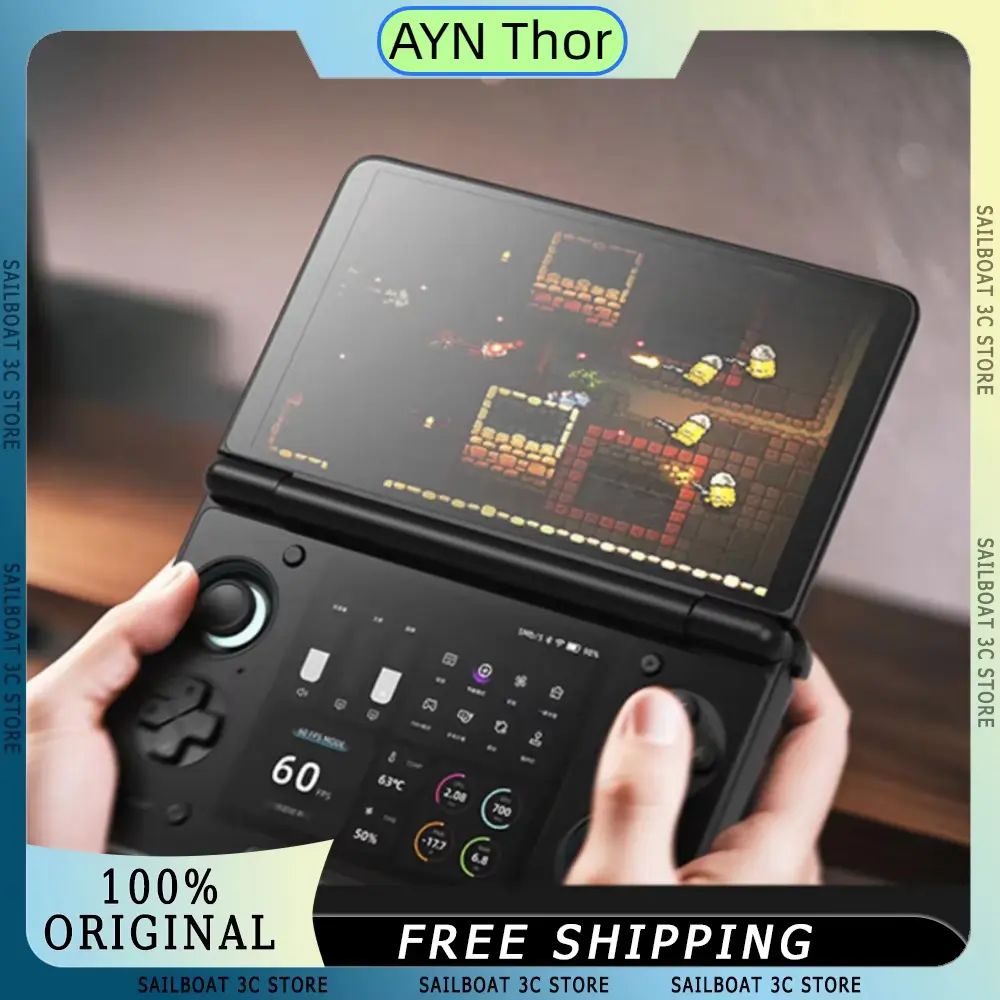
AYN Thor Dual Screen handheld gaming device playing a game with live stats on lower display.
Electronics, Gaming & Accessories, PC Gaming Gear

AYN Thor Dual Screen Review 2026: Is It Worth Buying?

Affiliate Disclosure: This AYN Thor Dual Screen review contains affiliate links. If you purchase through a qualifying link, we may earn a commission at no additional cost to you. This review is based on published product specifications, available product information, customer feedback, comparison research, and practical buying considerations. We have not personally conducted hands-on testing of the AYN Thor Dual Screen. Quick Verdict: Is the AYN Thor Dual Screen Worth Buying? The AYN Thor Dual Screen is a premium-looking flip handheld game console built around a dual-screen design, Snapdragon 8 Gen 2 platform, Hall Effect joysticks, a 6,000mAh battery, USB-C charging, HDMI output, and high-memory configurations. What makes it particularly interesting is its two-screen flip design. Instead of following the traditional single-display handheld layout, the AYN Thor uses two 6-inch OLED displays, giving the device a distinctive form factor for gaming and multitasking. Based on the available product information, the AYN Thor looks most interesting for enthusiasts who specifically want a dual-screen Android-style handheld rather than a conventional gaming device. However, its relatively high price and limited customer-review sample mean buyers should carefully check the exact configuration before ordering. AYN Thor Dual Screen Specifications Feature Details Product Type Flip Handheld Game Console Main Display Dual OLED screens Display Size 6 inches Resolution 1080 × 1920 per listed screen Refresh Rate 120Hz Processor Qualcomm Snapdragon 8 Gen 2 RAM Up to 16GB in the shown configuration Storage Up to 1TB in the shown configuration Battery 6000mAh Charging / Port USB Type-C Controls Hall Effect joysticks Video Output HDMI Body Metal construction Design Dual-screen flip Languages Supports multiple languages Form Factor Portable handheld The listing specifically presents the AYN Thor as a 6-inch dual OLED 120Hz handheld powered by a Snapdragon 8 Gen 2 processor. The displayed configurations include combinations such as 12GB/256GB and 16GB/1TB, so buyers should select their exact memory and storage option carefully before purchasing. AYN Thor Dual Screen Design and Build The most obvious feature of the AYN Thor is its unusual flip-style dual-screen design. The console opens similarly to a traditional clamshell handheld, but instead of having a single screen on the upper half and controls below it, the device uses a display on each side. This gives the AYN Thor a distinctive appearance compared with standard handheld gaming consoles. The product listing also describes the body as having a metal construction, which gives it a more premium positioning than many inexpensive plastic handhelds. However, because we have not physically handled the device, we cannot independently confirm aspects such as: Those are areas where hands-on testing would be necessary. From the product information alone, however, the combination of a metal body and flip mechanism gives the AYN Thor a clearly different design philosophy from conventional handheld consoles. Dual 6-Inch OLED Displays The dual-display setup is arguably the main reason someone would choose the AYN Thor. The listing describes two 6-inch OLED displays, with the visible specifications showing 1080 × 1920 resolution and a 120Hz refresh rate. OLED technology can provide strong contrast and vibrant-looking visuals, while the 120Hz specification gives the displays a higher refresh-rate capability than many standard handheld screens. The biggest advantage here is not simply the resolution. It is the ability to have two screens available within one portable device. Depending on software support and the way applications use the displays, this could make the console interesting for gaming setups that benefit from additional screen space. However, buyers should remember that hardware capability does not automatically mean every game or application will make full use of both screens. Software compatibility and application support remain important considerations. AYN Thor Dual Screen Performance Hardware The AYN Thor is positioned as a high-performance handheld rather than an entry-level emulator. Snapdragon 8 Gen 2 Processor The product listing identifies the Snapdragon 8 Gen 2 as the processor platform. This is a substantially more capable mobile chipset than the processors found in many budget handheld gaming devices. The listing itself highlights the processor as suitable for demanding games and multitasking. However, since we have not personally benchmarked the device, we will not claim specific frame rates, thermal performance or battery endurance during particular games. The hardware specifications indicate a powerful platform, but actual gaming performance can depend on: So, the Snapdragon 8 Gen 2 specification is a strong point, but it should not be confused with our own benchmark result. 16GB RAM and Up to 1TB Storage One of the configurations visible in the listing is 16GB RAM with 1TB storage. That is a generous amount of memory and storage for a handheld device. Large storage capacity can be particularly useful for people who maintain a substantial game library or install multiple applications. The listing also shows a 12GB/256GB configuration, meaning buyers should pay close attention to the selected variant rather than assuming every listed price applies to the same hardware. This is especially important because the price changes considerably between configurations. Hall Effect Joysticks The AYN Thor also uses Hall Effect joysticks, according to the listing. Hall Effect control systems use magnetic sensing rather than traditional physical contact for primary position measurement. The listing markets this as a durability and precision feature. For a gaming handheld, joystick quality is important because analogue controls are used constantly in many games. However, because we have not personally used the joysticks, we cannot confirm their actual resistance, dead-zone behaviour, sensitivity or long-term durability. The hardware specification itself is still a notable feature for buyers comparing handheld consoles. 6000mAh Battery and USB-C Charging The AYN Thor is listed with a 6000mAh battery and USB Type-C charging. A 6000mAh capacity gives the console a substantial battery spec on paper, especially given its dual-display design. However, battery capacity alone cannot tell us exactly how long the console will last. Actual battery life will depend on: Therefore, we would not claim a specific number of gaming hours without independent testing. The USB-C interface is nevertheless convenient because it is widely used across modern electronics.

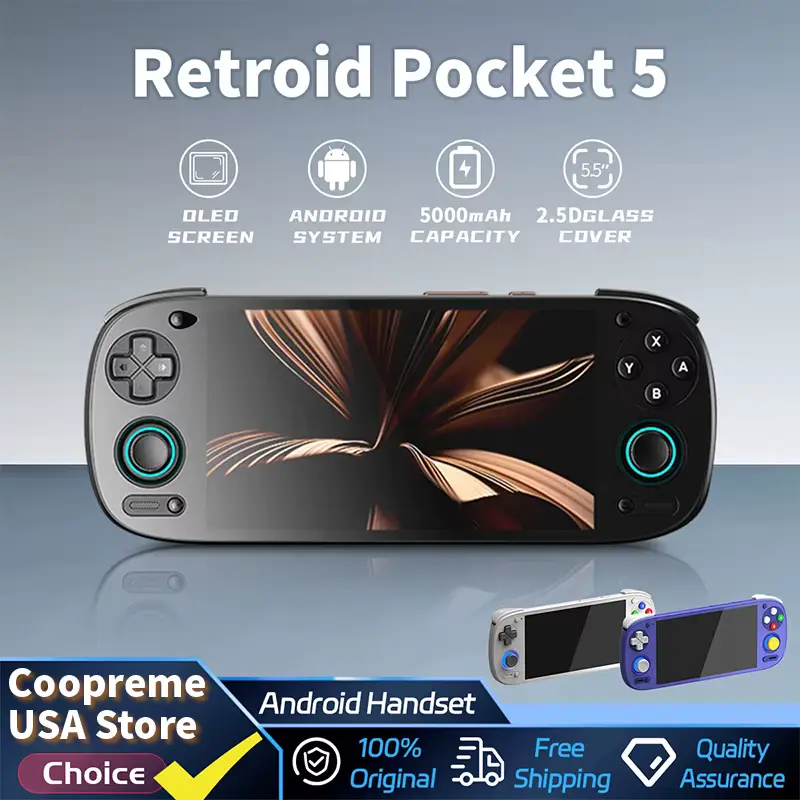
Retroid Pocket 5 Review highlighting the Android handset with a 5.5 inch OLED screen and 5000mAh battery.
Electronics, Gaming & Accessories, PC Gaming Gear

Retroid Pocket 5 Handheld Review 2026: Is It Worth Buying?

Affiliate Disclosure: This article contains affiliate links. If you purchase through a qualifying link, we may earn a commission at no additional cost to you. This Retroid Pocket 5 Handheld review is based on published product specifications, available product information, visible customer feedback, comparison research, and practical buying considerations. We have not personally conducted hands-on testing of the Retroid Pocket 5 Handheld. Quick Verdict: Is the Retroid Pocket 5 Handheld Worth Buying? The Retroid Pocket 5 Handheld is an Android-based portable gaming console built around a 5.5-inch AMOLED display, active cooling, a 5000mAh battery, Hall-effect sticks, analogue triggers, and a Qualcomm Snapdragon 865-class platform with Adreno 650 graphics. Retroid lists the device with 8GB or 12GB LPDDR4x RAM depending on the version, 128GB UFS 3.1 storage, a TF card slot, Android 13, Wi-Fi 6, Bluetooth 5.1, and a 1080p 60Hz AMOLED screen. The AliExpress listing shown in the supplied video has a 4.8-star rating from 71 ratings, with more than 700 units sold at the time of recording. The visible customer feedback is also generally positive, particularly around delivery speed, packaging, ease of setup and overall satisfaction. Several customers mention using the handheld for demanding games, including PS2 and GameCube-related titles, while another customer specifically mentions cloud gaming. However, these are individual user experiences, not results from our own testing. The Retroid Pocket 5 is therefore an interesting choice for buyers who want a relatively compact Android gaming device with a high-quality AMOLED screen and enough hardware to handle a broad range of gaming use cases. Its main limitation is that buyers should not expect every demanding game or emulator to perform perfectly without configuration. Actual performance can vary depending on the game, emulator, settings and software version. Retroid Pocket 5 Handheld Specifications Feature Details Product Type Android Handheld Gaming Console Display 5.5-inch AMOLED Resolution 1080p Refresh Rate 60Hz Processor Qualcomm Snapdragon 865-class platform GPU Adreno 650 RAM 8GB / 12GB LPDDR4x depending on version Storage 128GB UFS 3.1 Expandable Storage TF Card Slot Operating System Android 13 Battery 5000mAh Cooling Active Cooling Analog Controls 3D Hall Sticks Triggers Analog L2/R2 Wireless Wi-Fi 6 Bluetooth Bluetooth 5.1 Software Support Official OTA updates These specifications are based on the official Retroid specifications and the product listing shown in the supplied video. Retroid Pocket 5 Handheld Design and Build The Retroid Pocket 5 has a compact horizontal handheld design that follows the familiar layout used by modern portable gaming consoles. The controls are positioned around the display, with analogue sticks, a directional pad, face buttons and shoulder controls. The product listing shown in the video displays several colour options, including: The different colours give buyers flexibility in choosing the handheld’s appearance. The device also has a relatively clean front-facing design, with the 5.5-inch display taking up most of the central area. Because we have not physically handled the console, we cannot independently confirm its long-term build quality, button durability or how comfortable it feels during extended gaming sessions. However, the hardware configuration suggests that Retroid designed the Pocket 5 for users who want more performance than a basic retro handheld while still keeping the device portable. 5.5-Inch AMOLED Display One of the biggest attractions of the Retroid Pocket 5 is its 5.5-inch AMOLED display. The official specifications list a 1080p resolution at 60Hz. AMOLED technology can provide strong contrast and deep blacks, which can be especially useful for games with dark environments. The 1080p resolution also gives the handheld a sharp display for its relatively compact size. For retro games, the high-resolution panel can make game artwork and menus look cleaner, while Android games can benefit from the additional screen detail. The 60Hz refresh rate is not aimed at competing with high-refresh gaming phones, but it is a sensible specification for a portable gaming device focused on a mixture of emulation and Android gaming. Snapdragon 865-Class Performance The Retroid Pocket 5 uses a Qualcomm Snapdragon 865-class platform with an Adreno 650 GPU. Retroid’s official specification lists the CPU configuration as one A77 core at 2.8GHz, three A77 cores at 2.4GHz and four A55 cores at 1.8GHz. This hardware gives the Pocket 5 considerably more processing capability than entry-level retro handhelds. That is important because Android gaming and modern emulation can require significantly more processing power than simple classic-console emulation. The GPU also plays an important role when running more demanding 3D games. However, hardware specifications alone cannot guarantee a specific frame rate for every game. Performance can depend on: For this reason, we do not claim a specific frame rate across the entire game library. Active Cooling System The Retroid Pocket 5 includes active cooling, which is particularly useful for a handheld with relatively powerful mobile hardware. Active cooling can help manage heat during longer or more demanding workloads. This becomes more relevant when the device is used for demanding Android games, emulation or other performance-intensive tasks. Retroid specifically lists active cooling as part of the Pocket 5’s specifications. However, we have not personally measured temperatures or fan noise, so we cannot claim how effectively the cooling system performs during extended gaming sessions. 5000mAh Battery The Pocket 5 features a 5000mAh battery according to the official specifications. A battery of this size is useful for a portable gaming device because gaming workloads can consume considerably more power than basic Android tasks. Actual battery life will vary depending on what the device is doing. For example, battery consumption can change based on: Therefore, we would not promise a fixed number of gaming hours. The 5000mAh capacity is best viewed as a solid hardware specification, while actual endurance depends on usage. Hall-Effect Analogue Sticks and Analogue Triggers The Pocket 5 includes 3D Hall sticks and analogue L2/R2 controls. Hall-effect technology uses magnetic sensing rather than traditional contact-based sensing. For gaming, Hall-effect sticks can be attractive because they are designed to reduce the type of physical wear associated with conventional joystick mechanisms. The analogue triggers are also useful for games that require variable trigger

Scroll to Top