Electronics

Welcome to our Electronics hub! Here, we bring you the latest and most practical smart gadgets from AliExpress. From motion sensor lighting to tech accessories, we review products that combine innovation with affordability to upgrade your modern lifestyle.

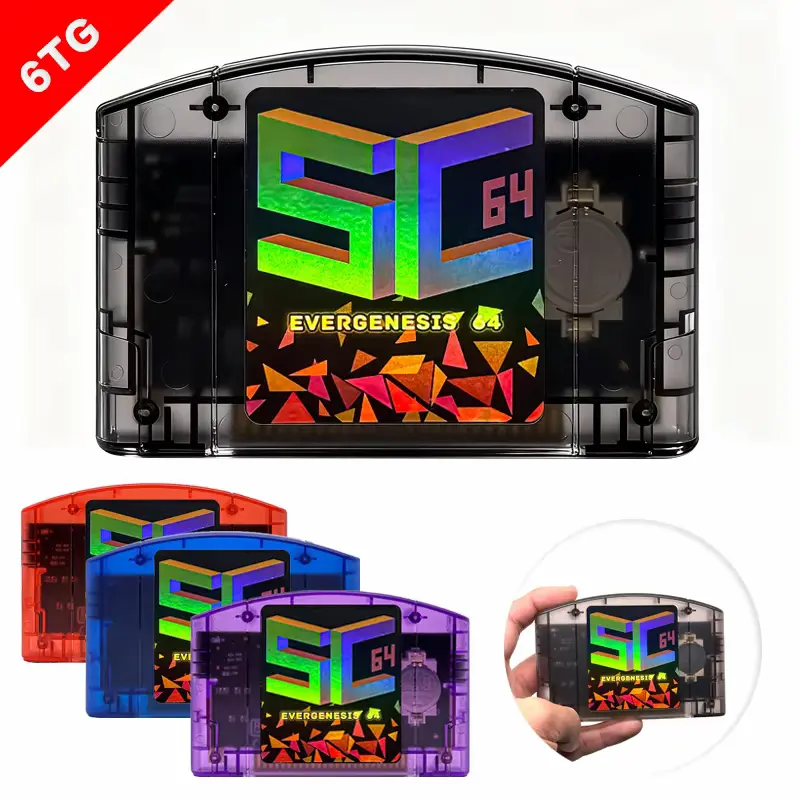
Multiple translucent color options displayed in this SC64 FlashCard N64 Review guide.
Electronics, Gaming & Accessories, PC Gaming Gear

SC64 FlashCard N64 Review 2026: Is It Worth Buying?

Affiliate Disclosure: This article contains affiliate links. If you purchase through a qualifying link, we may earn a commission at no additional cost to you. This review is based on the supplied product listing, visible specifications, product images, available customer feedback, comparison research, and practical buying considerations. We have not personally conducted hands-on testing of this SC64 FlashCard N64 Review. Quick Verdict: Is the SC64 FlashCard N64 Worth Buying? The SC64 FlashCard N64 is an open-source-style Nintendo 64 flashcart designed for retro gamers who want a more flexible way to access a large game library from compatible storage instead of carrying individual physical cartridges. The supplied AliExpress listing describes it as an Open Source SC64 FlashCard N64 5000-in-1 Game Cartridge with compatibility extending to Nintendo 64, 64DD, SNES, and Game Boy-related game formats. The selected configuration shown in the video includes a 32GB card, while the cartridge itself is available in several translucent shell colours, including Black, Purple, Blue, and Red. At the time of the supplied recording, the listing showed approximately 4.9/5 from 11 reviews and 105 total sales. The visible review panel also showed verified buyers reporting that the cartridge worked as described, arrived with good packaging, and included a game card in the package. The main attraction is not simply the “5000-in-1” number. The bigger benefit is having a flashcart platform that can organise and load a large library from removable storage while offering features associated with the broader SummerCart64/SC64 ecosystem. The official SummerCart64 project documentation describes features such as microSD storage, USB connectivity, automatic save handling, region switching, 64DD support, firmware updates, and an open-source design. However, there is an important distinction between the SC64 platform and the exact marketplace bundle you receive. Different sellers can ship different shells, storage cards, firmware versions, menus, and preloaded content. Therefore, buyers should verify the exact configuration before ordering. Our Rating: ⭐⭐⭐⭐½ 4.6/5 Best for: Nintendo 64 owners, retro gamers, homebrew enthusiasts, collectors, and users who want a large digital game library in one cartridge. Bottom line: The SC64 FlashCard N64 is an attractive option for retro gaming because it combines a compact cartridge format with large storage and advanced flashcard functionality. The 32GB bundle shown in the listing is particularly interesting, but buyers should verify the exact card, firmware, included accessories, and legally sourced game files before purchasing. SC64 FlashCard N64 Review: Specifications Specification Details Product Type N64 FlashCard / Flashcart Product Name Open Source SC64 FlashCard N64 Compatible Console Nintendo 64 Advertised Library Up to 5000-in-1 Selected Bundle Shown With 32GB Card Storage TF/MicroSD card Colors Shown Black, Purple, Blue, Red 64DD Compatibility Listed SNES Compatibility Listed Game Boy Compatibility Listed Brand Shown in Specifications RETROSY Accessory Type Listed as Leveless Controller USB Listing shows USB-related compatibility Origin Mainland China High-Concerned Chemicals None shown Visible Listing Rating 4.9/5 Visible Reviews 11 Visible Sales 105 total sales Note: Marketplace specifications can vary between sellers and configurations. The “5000-in-1” figure should be treated as a listing claim rather than a guarantee of 5,000 unique titles. Buyers should confirm the current bundle contents before ordering. What Is the SC64 FlashCard N64? The SC64 FlashCard N64 is a flashcart, which means it is designed to fit into a Nintendo 64 cartridge slot while loading compatible game files from removable storage. Instead of buying, carrying, and swapping a large collection of physical cartridges, a flashcart provides a menu to select compatible files. That makes the concept particularly attractive for retro gamers. The SC64 platform is based on the SummerCart64 open-source project, developed as a feature-rich N64 flashcart with support for game development, homebrew, storage management, save handling, and 64DD functionality. The marketplace version shown in the supplied video appears to package that broader SC64 concept into a consumer-friendly cartridge with a preconfigured storage card. 5000-in-1 Game Library: What Does It Actually Mean? The biggest marketing feature of this listing is the 5000-in-1 description. At first glance, that sounds like an enormous collection of games inside one cartridge. However, buyers should understand that a large “in-1” number does not necessarily mean 5,000 completely different games. Large retro collections can contain: The supplied listing also mentions compatibility beyond standard N64 titles. Therefore, the practical value is better described as a large preconfigured retro library rather than a guarantee of 5,000 unique Nintendo 64 games. This distinction is important because it gives buyers a more realistic expectation. 32GB Card: Why the Storage Matters The selected configuration shown in the supplied video was “With 32G Card.” A 32GB MicroSD/TF card provides considerable space for a large collection of retro game files. The official SummerCart64 documentation confirms that the platform uses removable microSD storage and supports much larger storage capacities than the 32GB bundle shown here. It also supports FAT32 and exFAT storage configurations. That means the 32GB card should be viewed as the included storage configuration, not the maximum storage capability of the underlying platform. This is useful because experienced users can potentially replace or upgrade the storage card later, depending on the specific hardware and menu/firmware configuration. SC64 FlashCard N64 Review: 64DD Support One of the most interesting features is the advertised 64DD compatibility. The Nintendo 64DD was a specialised disk-based expansion for the Nintendo 64, and compatible software is considerably less common than standard N64 cartridge games. The SummerCart64 project specifically lists 64DD hardware emulation as one of its major features. The project documentation states that compatible 64DD disk images can be accessed directly rather than requiring conventional cartridge conversion. That gives the SC64 platform an advantage over basic N64 flashcart clones. For retro enthusiasts interested in unusual N64 hardware and software, 64DD support can be one of the biggest reasons to consider this type of cartridge. Multi-System Support The listing also advertises support for: However, these platforms should not all be interpreted as having identical native hardware support. The main purpose of the cartridge is still Nintendo 64 flashcart functionality. Additional systems may be handled through supported software, menu functionality, or emulation

EPICJOY flash cartridge featured in a SummerCart 64 SC64 Review breakdown.
Electronics, Gaming & Accessories, PC Gaming Gear

SummerCart 64 SC64 Review 2026: Is It Worth Buying?

Affiliate Disclosure: This article contains affiliate links. If you purchase through a qualifying link, we may earn a commission at no additional cost to you. This review is based on published product specifications, available product information, visible customer feedback, comparison research, and practical buying considerations. We have not personally conducted hands-on testing of the SummerCart 64 SC64 Review. Quick Verdict: SummerCart 64 SC64 Review The EPICJOY SummerCart 64 SC64 is an N64 flashcart designed for users who want to load games and other supported software through a microSD card while using original Nintendo 64 hardware. The AliExpress listing shown in the supplied video promotes the cartridge with 5400+ pre-loaded games, a 32GB TF card, 64DD compatibility, emulator support, automatic save functionality, and the open-source SummerCart64 platform. The listing displayed a 4.9/5 rating from 1,062 reviews and more than 10,000 sold at the time of recording. That is a strong marketplace signal, although the rating itself does not replace independent testing. The underlying SummerCart64 project is more interesting than the marketplace marketing alone. Its official documentation describes fast microSD and USB I/O, support for multiple N64 save types, automatic save writeback, full 64DD hardware emulation, region support, real-time clock functionality, firmware updates, and an open-source design. Our Rating: ⭐⭐⭐⭐½ 4.6/5 The SC64 is a compelling choice for N64 enthusiasts who want a flexible flashcart with strong open-source features. The main things to consider are the exact seller, included SD-card contents, setup requirements, and the fact that marketplace claims about the number of pre-loaded games should not automatically be interpreted as 5,400 unique officially licensed games. SummerCart 64 SC64 Review: Specifications Feature Details Product Type N64 FlashCart / Game Card Product EPICJOY SummerCart 64 SC64 Compatible Console Nintendo 64 Platform SummerCart64 open-source ecosystem Selected Variant Shown Tra White 32GB / Tra Blue 32GB Included Storage 32GB TF/microSD card in shown bundle Marketplace Game Claim 5400+ pre-loaded games 64DD Support Yes Emulator Support NES, SNES/SFC, Game Boy, Game Boy Color and other supported systems Save Support Multiple N64 save types Save Writeback Automatic according to SummerCart64 documentation Region Support Automatic region switching USB USB Type-C on SummerCart64 hardware microSD Support Up to 2TB on the underlying SummerCart64 platform RTC Yes Firmware Updates Yes Open Source Yes Hands-On Testing Not conducted The exact contents of the marketplace bundle can vary by selected option. The supplied listing images show a cartridge, 32GB TF card, card reader, manual, and an additional gift/accessory in the displayed configuration. What Is the SummerCart 64 SC64? The SummerCart64 is an open-source flashcart platform designed around the Nintendo 64. Instead of using a traditional game cartridge containing only one game, a flashcart allows compatible software to be stored on removable storage and loaded through the original console. This makes the concept particularly interesting for retro gamers, developers, homebrew users, and people who want a more flexible way to manage an N64 library. The official SummerCart64 project describes the device as a platform created for N64 game development and testing. It has since expanded to include casual gaming and tinkering use cases. The EPICJOY listing takes that platform and packages it as a ready-to-buy cartridge bundle, with the marketplace listing adding a pre-loaded 32GB card and a large collection of advertised games. That combination makes it much easier for a buyer to understand why this type of product attracts retro-gaming enthusiasts. SummerCart 64 SC64 Review: Design and Cartridge Format The SC64 follows the basic form factor expected from an N64 cartridge. The supplied listing images show a compact cartridge shell with the SC64 branding on the front. The marketplace listing displays several shell colours, including white, blue, purple, black, and other configurations depending on the selected option. The cartridge itself is designed to fit directly into a compatible Nintendo 64 console. This is important because the main appeal of the SummerCart64 platform is that it works with original N64 hardware rather than requiring a separate modern emulator box. That can make it attractive to collectors who want to keep using their original console. However, buyers should distinguish between the SummerCart64 platform and the specific shell, SD card, and accessories supplied by an individual marketplace seller. The underlying project documentation specifically notes that buyers should contact the seller for hardware issues because third-party sellers are responsible for the hardware they distribute. 32GB TF Card and Storage Options The supplied listing shows a 32GB TF card in the selected package. For many buyers, this is useful because it means the cartridge can arrive with storage already included rather than requiring a separate microSD card. The listing also promotes the card as containing a large collection of pre-loaded games. However, buyers should be careful with the phrase 5400+ games. A marketplace claim that a card contains 5,400+ games should not automatically be interpreted as 5,400 unique, officially licensed Nintendo titles. Game files may include different regions, revisions, homebrew software, duplicate versions, hacks, translations, or emulated titles. The underlying SummerCart64 platform itself supports microSD cards up to 2TB, so the included 32GB card is a bundle configuration rather than the maximum storage capability of the platform. This is an important distinction when comparing different SC64 packages. SummerCart 64 SC64 and N64 Game Support One of the main reasons to consider this flashcart is its N64 compatibility. The official N64FlashcartMenu documentation says the menu supports SummerCart64 and can load known N64 games. It also provides features such as ROM information, save management, favourites, history, and automatic region-related functionality. This gives the SC64 more flexibility than a basic cartridge containing one fixed game. The menu can also display useful information about individual ROM files, including their required save type, CIC type, region information, expansion requirements, and other metadata. For experienced retro gamers, these features can make managing a larger library considerably easier. 64DD Support The Nintendo 64DD is one of the most interesting features of the SummerCart64 platform. The official SummerCart64 documentation states that the hardware provides complete 64DD hardware emulation. This means supported 64DD disk dumps

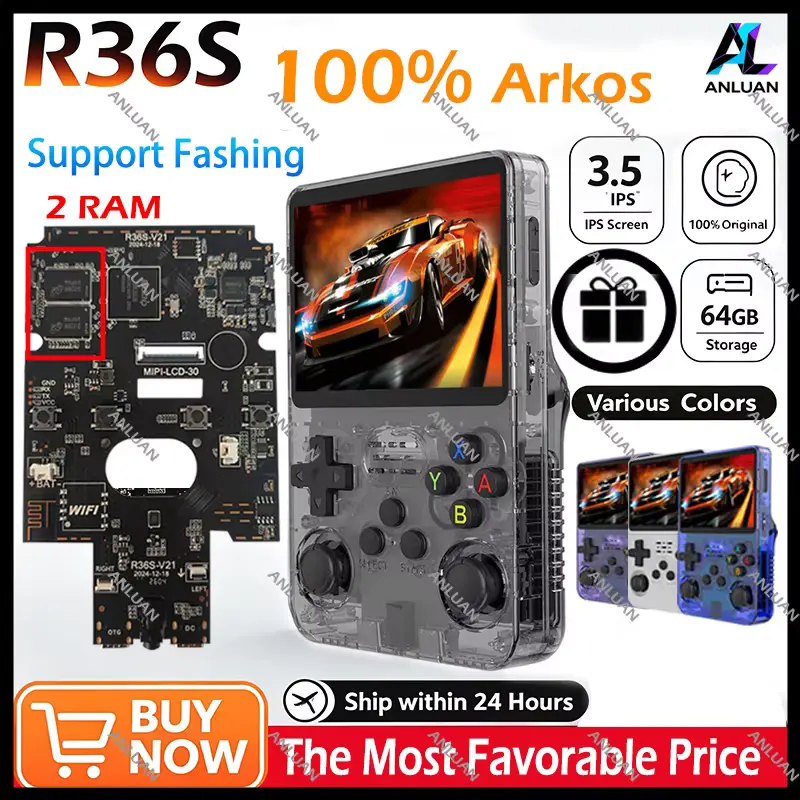
Complete R36S Retro Handheld Review showing original transparent console specs and color options.
Electronics, Gaming & Accessories, PC Gaming Gear

R36S Retro Handheld Review 2026: Is It Worth Buying?

Affiliate Disclosure: This article contains affiliate links. If you purchase through a qualifying link, we may earn a commission at no additional cost to you. This review is based on the supplied product listing, published specifications, available product information, visible customer feedback, comparison research, and practical buying considerations. We have not personally conducted hands-on testing of the R36S Retro Handheld Review. Quick Verdict: Is the R36S Retro Handheld Worth Buying? The R36S Retro Handheld is a compact Linux-based gaming console aimed at players who want a portable way to enjoy classic games. The supplied listing presents it with a 3.5-inch IPS display, 640×480 resolution, ArkOS, dual analog controls, multiple storage options, and a large advertised game library. The biggest attraction is its combination of a traditional vertical handheld design, removable storage, Linux-based gaming software, and support for many retro systems. However, buyers should treat marketplace claims such as “20,000 games” as listing information rather than a guarantee of 20,000 unique titles or identical compatibility across every game. Our Rating: ⭐⭐⭐⭐½ 4.5/5 Best for: Retro gamers, casual players, travel gaming, collectors, and buyers looking for an inexpensive handheld emulator. Bottom line: The R36S offers a lot of retro-gaming functionality in a small handheld package. Its 3.5-inch 640×480 IPS screen, dual analog sticks, ArkOS environment, and 64GB/128GB configurations make it interesting for classic gaming. Buyers should still verify the exact storage variant, firmware, game-card quality, and seller configuration before ordering. R36S Retro Handheld Review: Specifications Feature Details Product Type Retro handheld game console Model R36S Brand Shown in Listing ANLUAN Operating System Linux-based ArkOS Display 3.5-inch IPS Resolution 640 × 480 Storage Options Shown 64GB / 128GB Advertised Game Library 20,000 Controls D-pad, ABXY buttons, dual analog sticks Gaming Format Retro emulation Battery Included Languages Shown English, French, Spanish, Brazilian Portuguese, Korean, Italian Regional Version Global Version Package Included Origin Mainland China Connectivity Listing references wireless capability Hands-On Testing Not conducted Specifications can vary between R36S production batches and marketplace sellers. Independent R36S documentation commonly lists the Rockchip RK3326 quad-core processor, 1GB RAM, 3.5-inch 640×480 IPS display, dual microSD slots, USB-C connectivity, and Linux-based ArkOS or similar firmware. What Is the R36S Retro Handheld? The R36S is a vertical-style retro gaming handheld designed around the familiar layout of classic portable consoles. It combines a central display with a D-pad, four face buttons, Start and Select controls, dual analog sticks, and shoulder buttons. Unlike a modern Android gaming handheld, the R36S focuses heavily on emulation and classic gaming. The Linux-based software environment provides access to different emulator systems through a console-style interface. This approach makes the device attractive to users who want something simpler than a full Android handheld. You can pick up the console, browse the available systems, select a game, and start playing without dealing with the broader app ecosystem found on Android. The supplied AliExpress listing identifies the product as an R36S Retro Handheld Game Player with an open-source ArkOS system. It also shows 64GB and 128GB configurations and advertises a large collection of games. However, the phrase “20,000 games” deserves some caution. A large number on a marketplace listing does not automatically mean 20,000 unique games. Collections can include regional versions, duplicate files, revisions, homebrew titles, translations, hacks, and other variations. R36S Retro Handheld Review: Design and Controls The R36S uses a compact vertical design that immediately gives it a classic handheld appearance. The supplied listing shows the console in several colors, including black, purple, orange, white, lake blue, pink, red, and other configurations. This gives buyers more freedom to choose an appearance that matches their preference. The transparent and translucent-style versions are particularly distinctive because the internal components can become part of the visual design. The front layout follows a familiar retro configuration: The dual analog sticks are important because they give the R36S more flexibility than very basic retro handhelds designed only around D-pad controls. They can help with games that use analogue movement or camera controls, particularly in later-generation systems. The vertical design also keeps the device relatively compact. That makes it suitable for carrying in a bag, backpack, or larger pocket. However, buyers should remember that a compact plastic handheld cannot provide the same ergonomic experience as a larger premium gaming device. Hand size, button placement, and individual preferences will affect long-session comfort. 3.5-Inch IPS Display and 640×480 Resolution The R36S uses a 3.5-inch IPS display with 640×480 resolution, according to the supplied listing and independent R36S specifications. The 4:3-style resolution is particularly suitable for many classic gaming systems because a large portion of older games originally used display formats closer to this shape. Instead of stretching older games across a wide modern screen, the R36S provides a more traditional presentation. The IPS panel also gives the handheld a viewing advantage over very basic LCDs. IPS technology generally provides wider viewing angles, which can be useful when playing in different positions. The 640×480 resolution is not designed for modern high-resolution gaming. Its strength comes from matching the type of content the handheld targets. For pixel-art games, arcade titles, 8-bit systems, 16-bit systems, and many PS1-era games, this resolution can make sense. The display also keeps the device’s power and hardware requirements more reasonable than a modern 1080p or higher-resolution handheld. R36S Retro Handheld Review: Performance and ArkOS The R36S commonly uses the Rockchip RK3326 platform with a quad-core ARM Cortex-A35 CPU and Mali-G31-class graphics. Independent documentation also lists around 1GB of RAM on typical R36S hardware. This hardware places the R36S firmly in the budget retro-emulation category. That distinction matters. The console is not intended to compete with high-end Android gaming handhelds using modern Snapdragon processors. Instead, its hardware focuses on running older gaming platforms through emulation. ArkOS provides the software environment that makes this possible. The community-maintained ArkOS-R3XS project specifically includes R36S support, although that particular repository has since been archived. The R36S ecosystem also has community-developed firmware projects and compatibility work because different R36S batches can use slightly different hardware revisions. For

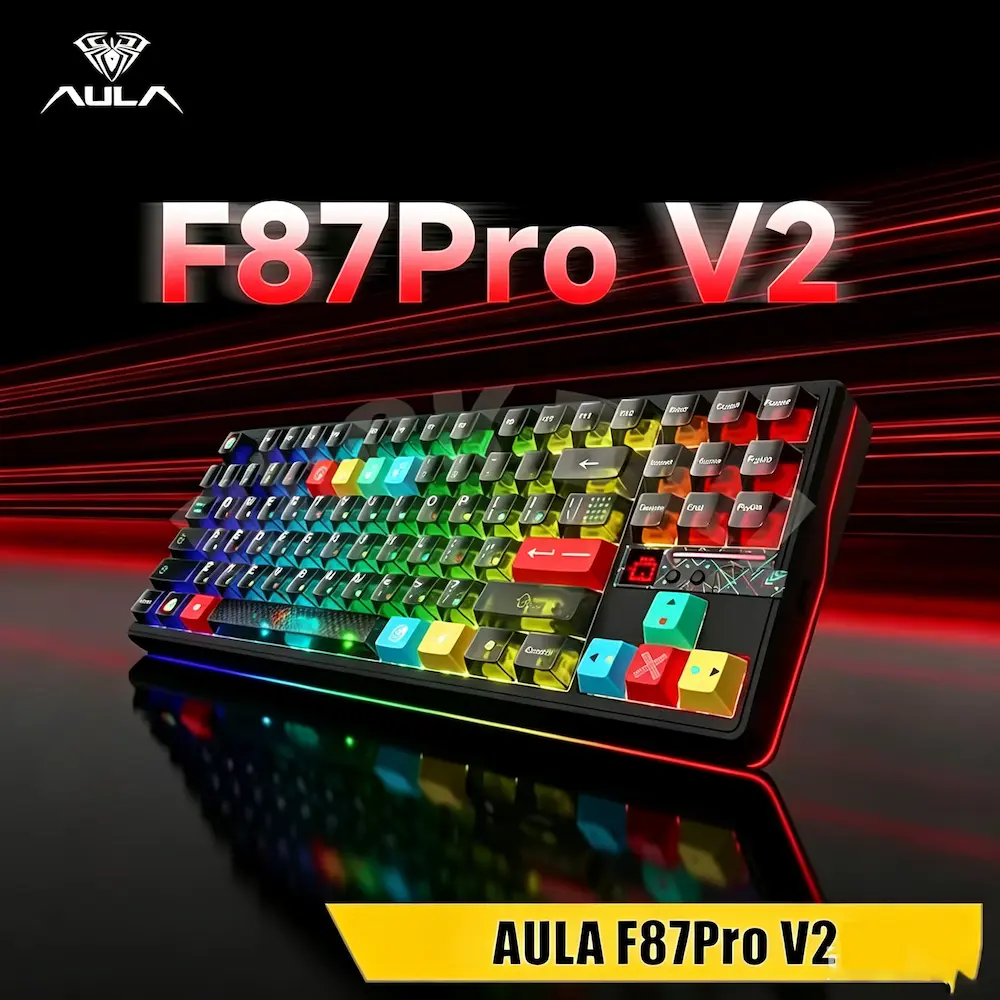
Front angle view of the AULA F87 Pro V2 mechanical gaming keyboard with vibrant RGB lighting.
Electronics, Gaming & Accessories, PC Gaming Gear

AULA F87 Pro V2 Review 2026: Is It Worth Buying?

Affiliate Disclosure: This article contains affiliate links. If you purchase through a qualifying link, we may earn a commission at no additional cost to you. This review is based on published product specifications, the supplied product listing, available product information, visible customer feedback, comparison research, and practical buying considerations. We have not personally conducted hands-on testing of the AULA F87 Pro V2. Quick Verdict: Is the AULA F87 Pro V2 Worth Buying? The AULA F87 Pro V2 is an 87-key TKL mechanical keyboard aimed at gamers, mechanical-keyboard enthusiasts, and everyday PC users who want a compact layout without giving up the function row and navigation keys. Its main attractions include tri-mode connectivity, hot-swappable mechanical switches, a gasket-mounted structure, RGB lighting, a large rechargeable battery, and an advertised high polling rate. AULA’s published specifications list Bluetooth, 2.4GHz wireless, and USB-C wired connections, along with an 87-key layout and 10,000mAh battery. The supplied AliExpress listing also shows multiple colors and switch configurations, including a Strawberry Mint option and a 12,000mAh configuration shown in one product image. Because marketplace variants can differ, buyers should check the exact configuration before ordering. Our Rating: ⭐⭐⭐⭐½ 4.5/5 Best for: PC gamers, mechanical-keyboard enthusiasts, wireless desktop setups, and users who want a customizable TKL keyboard. Bottom line: The AULA F87 Pro V2 combines a practical 87-key layout with enthusiast-focused features. Its hot-swap design, gasket structure, tri-mode connectivity, RGB lighting, and large battery make it more versatile than a basic gaming keyboard. The main things to check are the exact switch, battery, polling rate, color, and feature configuration offered by the seller. AULA F87 Pro V2 Specifications Feature Details Brand AULA Model F87 Pro V2 Keyboard Type Mechanical Layout TKL Number of Keys 87 Connectivity USB-C, 2.4GHz wireless, Bluetooth Polling Rate Up to 8,000Hz depending on configuration/mode Mounting Structure Gasket-mounted Switches Mechanical, variant-dependent Hot-Swappable Yes Backlighting RGB Battery Up to 10,000mAh on published configuration; some marketplace variants show different capacities Dimensions Approx. 362 × 138 × 42mm Weight About 1.09kg Compatibility Windows, macOS, iOS, Android Charging USB-C Keyboard Language Shown English Origin Mainland China Hands-On Testing Not conducted AULA’s published F87 Pro V2 specifications list 87 keys, a TKL layout, tri-mode connectivity, gasket mounting, hot-swap support, RGB lighting, and a 10,000mAh rechargeable battery. What Is the AULA F87 Pro V2? The AULA F87 Pro V2 is a wireless mechanical keyboard designed around the TKL or tenkeyless layout. A TKL keyboard removes the dedicated number pad found on a full-size keyboard. In return, it creates a narrower footprint while retaining the function row, arrow keys, and many navigation keys. That makes this format popular among PC gamers who want more desk space for their mouse without moving to a 60% keyboard. The F87 Pro V2 takes that basic layout and adds several enthusiast-oriented features. These include: The supplied listing describes the keyboard as a wireless triple-mode mechanical keyboard with Bluetooth, RGB backlighting, and gaming-focused features. AULA F87 Pro V2 Design and TKL Layout The 87-key TKL layout is one of the keyboard’s most practical features. A full-size keyboard takes up considerable horizontal desk space because of the number pad. The F87 Pro V2 removes that section while keeping the main typing area intact. This creates more room between the keyboard and mouse. That can benefit FPS players who use lower mouse sensitivity and need more space for wider mouse movements. The TKL format also remains practical for everyday work. You still get: As a result, you do not need to rely on multiple Fn-layer combinations for basic navigation tasks. AULA lists the keyboard at approximately 362 × 138 × 42mm and about 1.09kg. That makes it a substantial desktop keyboard rather than an ultra-light travel board. AULA F87 Pro V2 Build and Gasket Structure The F87 Pro V2 uses a gasket-mounted structure. Gasket mounting has become popular in enthusiast mechanical keyboards because it can provide a softer and more flexible typing feel than a rigid mounting design. Instead of attaching the plate in a completely rigid way, the structure uses flexible mounting material to provide some separation between the keyboard components. The final typing experience depends on several factors, though. These include: Therefore, the gasket structure should not be treated as a guarantee of one specific sound or typing feel. Instead, it is one part of the overall keyboard design. The F87 Pro V2 is clearly aimed at users who care about mechanical-keyboard construction rather than simply wanting a basic wireless keyboard. AULA F87 Pro V2 Mechanical Switches Switch selection can make a significant difference to the way a mechanical keyboard feels. The supplied listing shows several switch configurations, while AULA’s product page lists options including StarArrow, Strawberry Mint, X3, Meteor Ice Cream, and Greywood V4. These options allow buyers to choose a keyboard that better matches their preferred typing style. Linear switches generally provide a smooth keypress without a pronounced tactile bump. Tactile switches provide a noticeable change in resistance during the keypress. Clicky switches add an audible click mechanism. The exact switch available depends on the selected F87 Pro V2 configuration. This is important because two keyboards with the same model name can feel different if they use different switches. For gaming, many users prefer smooth linear switches because the consistent movement can feel predictable during repeated key presses. For typing, the choice becomes more personal. Some users prefer a smooth linear action, while others prefer tactile feedback that makes each keypress more noticeable. Hot-Swappable Switches and Customization One of the most useful enthusiast features is the keyboard’s hot-swap capability. A hot-swappable keyboard allows compatible mechanical switches to be removed and replaced without soldering. RTINGS explains that this design makes switch experimentation and replacement considerably easier than traditional soldered keyboards. That gives the AULA F87 Pro V2 a useful upgrade path. For example, you could start with the factory switches and later experiment with another compatible linear or tactile switch. You can also replace an individual faulty switch without necessarily replacing the entire keyboard. However, buyers

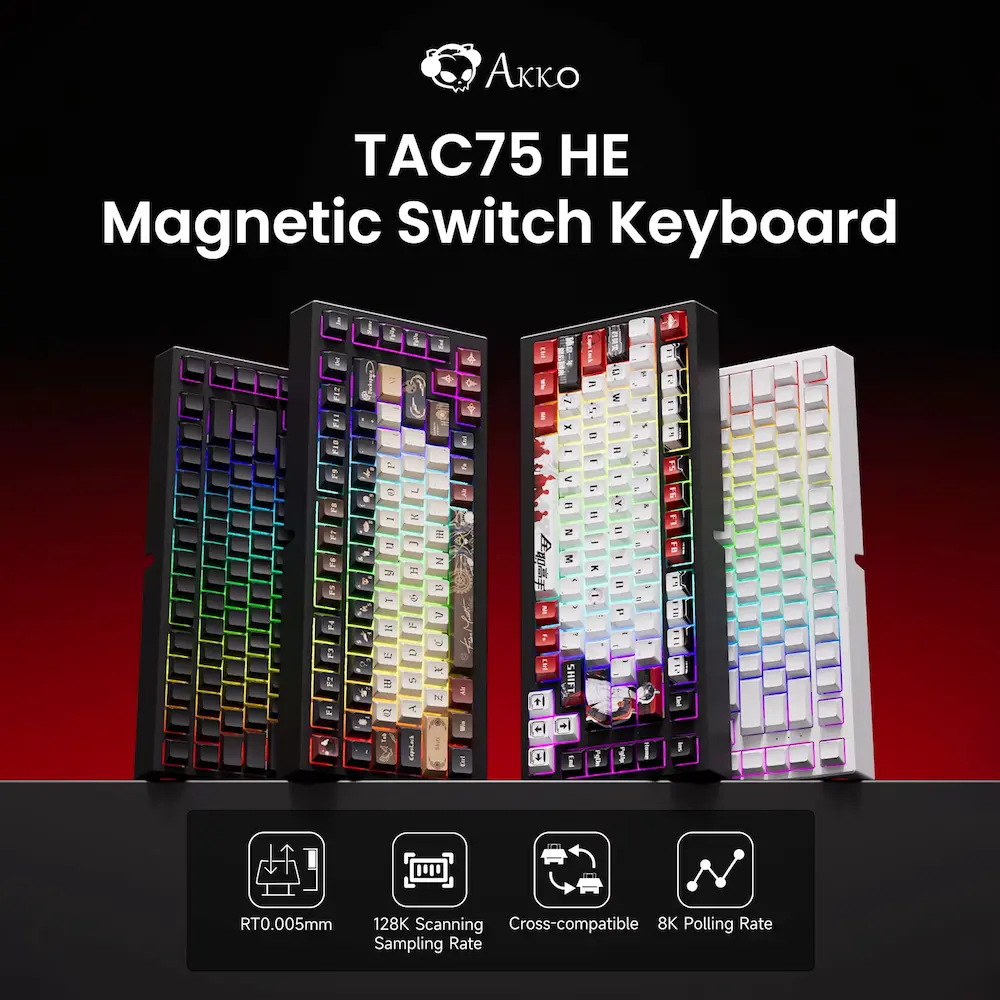
AKKO TAC75 HE Review showing different color variants and keycap designs.
Electronics, Gaming & Accessories, PC Gaming Gear

AKKO TAC75 HE Review 2026: Is It Worth Buying?

Affiliate Disclosure: This article contains affiliate links. If you purchase through a qualifying link, we may earn a commission at no additional cost to you. This review is based on published product specifications, available product information, visible customer feedback, comparison research, and practical buying considerations. We have not personally conducted hands-on testing of the AKKO TAC75 HE Review. Quick Verdict: AKKO TAC75 HE Review The AKKO TAC75 HE Review focuses on a 75% gaming keyboard built around magnetic switches, Rapid Trigger, adjustable actuation, RGB lighting, and a high-speed wired polling rate. The supplied AliExpress listing presents the TAC75 HE as a compact 75% keyboard with magnetic switches, a claimed 0.005mm Rapid Trigger setting, 8K polling, RGB lighting, PBT keycaps, and USB connectivity. The listing also shows multiple color and themed configurations. Current official Akko information confirms an 8K wired polling rate, 16K universal scan rate, 128KHz sampling rate, adjustable actuation from 0.1mm to 3.3mm, Rapid Trigger sensitivity from 0.005mm to 2mm, ARGB lighting, and support for Akko Hub customization. Akko also states that the keyboard does not support conventional mechanical switches and uses compatible N-pole magnetic switches instead. The supplied listing showed a 4.9/5 rating from 1,837 reviews and more than 10,000 sold at the time of the recording. A separate review screen showed 4.9 from 1,827 ratings, with positive feedback around functionality and responsiveness. These figures represent marketplace feedback at the time of capture and can change. The main attraction is the Hall Effect-style magnetic switch system. It gives this keyboard features such as adjustable actuation and Rapid Trigger that traditional mechanical keyboards generally do not provide. Our Rating: 4.6/5 ⭐⭐⭐⭐⭐ For PC gamers who want a compact keyboard with advanced magnetic input features, the TAC75 HE offers an interesting combination of specifications. However, buyers should understand that the keyboard is wired-only, and its magnetic switch compatibility differs from conventional mechanical hot-swap keyboards. AKKO TAC75 HE Review: Specifications Feature Details Brand AKKO Model TAC75 HE Keyboard Type Magnetic / Hall Effect-style gaming keyboard Layout 75% Key Count 83 keys according to supplied listing/manual Switch Technology Magnetic switches Rapid Trigger Yes Rapid Trigger Range 0.005mm–2mm Adjustable Actuation 0.1mm–3.3mm Polling Rate Up to 8,000Hz wired Universal Scan Rate 16KHz Sampling Rate 128KHz Connectivity Wired USB-C RGB ARGB / RGB backlighting Keycaps PBT Keycap Printing Double-shot Switch Compatibility Compatible magnetic switches; not conventional mechanical switches Software Akko Hub / supported Akko software Battery No battery Wireless No Layout Type 75% Origin Mainland China Hands-On Testing Not conducted The exact switch, color, and themed configuration can vary by listing. Buyers should check the selected variant before ordering. What Is the AKKO TAC75 HE Review? The AKKO TAC75 HE is a compact gaming keyboard designed for users who want magnetic-switch functionality without moving to a larger TKL or full-size layout. Its 75% format keeps the main alphanumeric area, function row, arrow keys, and additional navigation controls while reducing the keyboard’s overall footprint. That smaller footprint can benefit gamers who need more desk space for a mouse. The major difference from a conventional mechanical keyboard comes from the magnetic switch system. Instead of relying on a traditional metal-contact mechanism, Hall Effect keyboards use magnets and sensors to detect key movement. This approach allows manufacturers to offer adjustable actuation and dynamic reset features such as Rapid Trigger. The TAC75 HE combines this technology with an 8K wired polling rate and software-based customization. AKKO TAC75 HE Review: Design and 75% Layout The 75% layout is one of the keyboard’s most practical features. A traditional full-size keyboard includes a dedicated number pad, which increases width and takes up considerable desk space. A 75% keyboard removes that number pad while retaining more navigation functionality than many smaller 60% designs. For gaming, this can create additional room for mouse movement. That can matter in FPS games where players use lower mouse sensitivity and wider arm movements. The supplied product images show the TAC75 HE in several color configurations, including black and white designs as well as themed versions. The listing also shows variants such as Black 1–3, White 1–3, Lord of Mysteries 1–2, and Yexiu 1–2. Exact options can vary by seller and stock. The keyboard also uses PBT keycaps with side-printed legends on the standard official version. Akko describes these keycaps as durable while maintaining a minimalist appearance. A 75% keyboard does require some adjustment if you normally use a full-size board. However, for a gaming setup, the compact footprint can provide a useful balance between functionality and desk space. Magnetic Switches and Hall Effect Technology The magnetic switches are the central feature of the AKKO TAC75 HE. Hall Effect-style keyboards detect changes in a magnetic field as the switch moves. This lets the keyboard track key movement more dynamically than a conventional mechanical switch. That technology enables adjustable actuation. Instead of having one fixed point where a key registers, the user can configure how far the key needs to travel before the keyboard recognizes the input. Hall Effect switches can therefore provide more control over key behaviour than standard mechanical switches. For gaming, this can be particularly useful when you want shallow actuation for quick inputs or a deeper setting to reduce accidental presses. The official TAC75 HE specifications list adjustable actuation from 0.1mm to 3.3mm. Akko also states that Rapid Trigger sensitivity can reach 0.005mm under supported conditions. However, the 0.005mm figure should not be interpreted as a guarantee of identical real-world precision in every situation. Akko itself notes that achieving that level of precision at the upper portion of key travel depends on the testing environment and switch used. Rapid Trigger on the TAC75 HE Rapid Trigger is another major reason to consider this keyboard. With a traditional mechanical keyboard, the key normally needs to move back toward a fixed reset point before another press registers. Rapid Trigger changes this behaviour by dynamically detecting key movement. Akko explains that the TAC75 HE can reset a key after a very small upward movement based on the

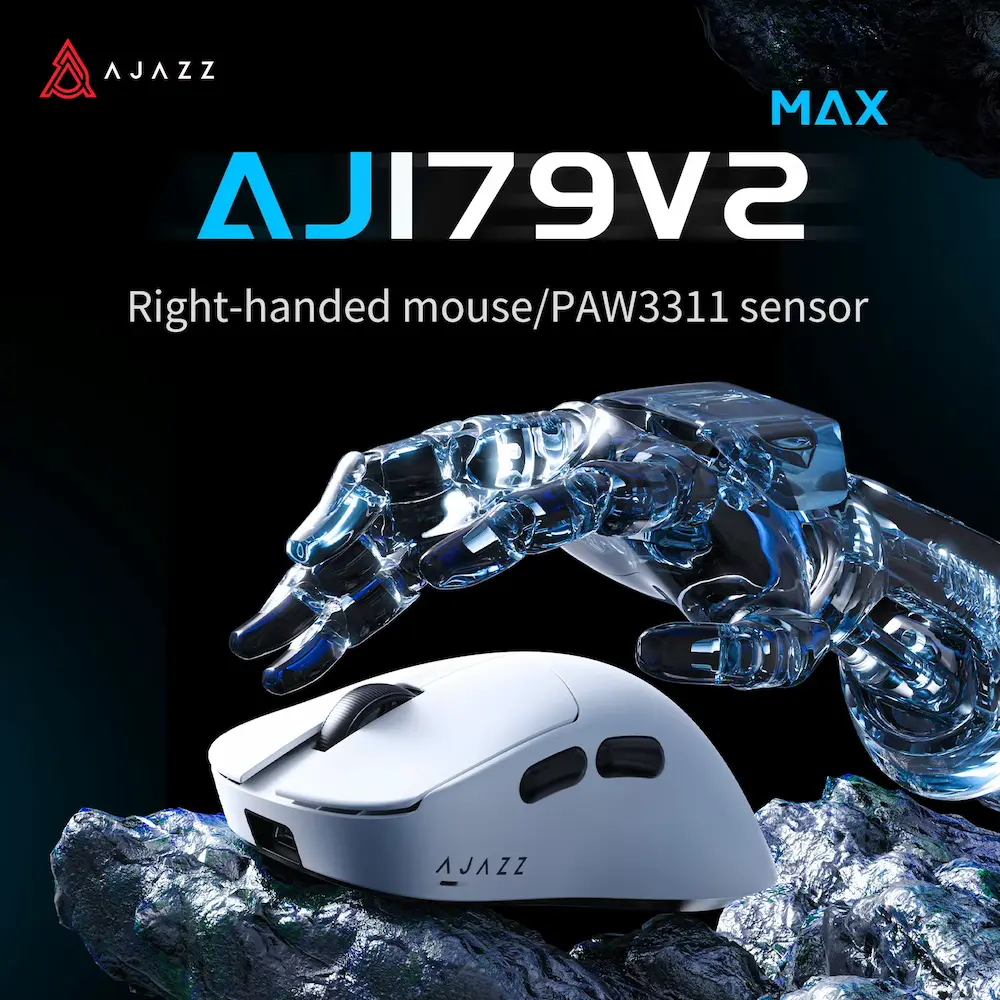
White gaming mouse featured in this AJAZZ AJ179 V2 Review showing its right-handed design and PAW3311 optical sensor.
Electronics, Gaming & Accessories, PC Gaming Gear

AJAZZ AJ179 V2 Review 2026: Is It Worth Buying?

Affiliate Disclosure: This article contains affiliate links. If you purchase through a qualifying link, we may earn a commission at no additional cost to you. This review is based on published product specifications, available product information, visible customer feedback, comparison research, and practical buying considerations. We have not personally conducted hands-on testing of the AJAZZ AJ179 V2 Review. Quick Verdict: AJAZZ AJ179 V2 Review The AJAZZ AJ179 V2 Review covers a lightweight right-handed gaming mouse designed around a compact ergonomic shape, PAW3311 optical sensor, tri-mode connectivity, Huano micro switches, and a rechargeable battery. The supplied AliExpress listing identifies the product as the AJAZZ AJ179 V2 MAX, with a 56g lightweight design, PAW3311 sensor, Huano micro switches, and 2.4GHz wireless, Bluetooth, and USB wired connectivity. The listing also displays several related AJ179 configurations, including AJ179 V2, AJ179 V2 MAX, AJ179P, and other variants. The selected variants can differ significantly. For example, the AJ179 V2 MAX uses an 800mAh battery and weighs approximately 56g, while the standard AJ179 V2 uses a 400mAh battery and weighs approximately 49g, according to the available product documentation. Both versions use the PAW3311 sensor and support up to 12,000 DPI through software. The marketplace recording showed a 4.8/5 rating from 15 reviews and 102 sold at the time of capture. The visible review panel also showed 4.8 from 15 ratings, with buyers mentioning attractive design, fast delivery, affordability, and satisfying performance. The main attraction is the combination of a lightweight shell, ergonomic right-handed shape, wireless connectivity, and a mainstream gaming sensor. Our Rating: 4.5/5 ⭐⭐⭐⭐⭐ For PC gamers who want a lightweight wireless mouse without moving to an extremely expensive flagship model, the AJ179 V2 series offers an interesting feature set. However, buyers should pay close attention to the exact variant because the AJ179 family contains several versions with different sensors, batteries, weights, and connectivity features. AJAZZ AJ179 V2 Review: Specifications Feature Details Brand AJAZZ Model AJ179 V2 / AJ179 V2 MAX Mouse Type Wireless gaming mouse Shape Right-handed ergonomic Sensor PixArt PAW3311 Maximum DPI Up to 12,000 DPI Tracking Speed Up to 300 IPS Acceleration Up to 35G Polling Rate Up to 1000Hz Connectivity 2.4GHz, Bluetooth, USB wired AJ179 V2 Battery 400mAh AJ179 V2 MAX Battery 800mAh AJ179 V2 Weight Approx. 49g AJ179 V2 MAX Weight Approx. 56g Dimensions Approx. 125 × 67 × 43mm Main Switches Huanuo micro switches AJ179 V2 Switch Rating Approx. 50 million clicks AJ179 V2 MAX Switch Rating Approx. 100 million clicks Scroll Encoder Approx. 1 million turns Connection Port USB-C Feet Teflon Shell ABS injection molding Software AJAZZ driver/software Compatible Systems Windows and Mac Hands-On Testing Not conducted Specifications can vary between AJ179 versions and marketplace configurations, so check the exact variant before ordering. What Is the AJAZZ AJ179 V2 Review? The AJAZZ AJ179 V2 is a lightweight gaming mouse designed for right-handed users. Its shape focuses on ergonomic support rather than a completely symmetrical design. The mouse combines that shape with a relatively low weight, wireless connectivity, a PAW3311 optical sensor, and Huano micro switches. The AJ179 V2 family is slightly confusing because marketplace listings can group several models under the same product page. The supplied listing includes the AJ179 V2 MAX as one of the highlighted configurations, while other selectable versions include AJ179 V2 and AJ179P models. That means buyers should not assume that every AJ179 shown on the product page has identical specifications. The AJ179 V2 MAX is the heavier 56g version with an 800mAh battery, while the standard AJ179 V2 weighs around 49g and uses a 400mAh battery. This review therefore focuses on the AJ179 V2 family while clearly separating the major differences between the V2 and V2 MAX. AJAZZ AJ179 V2 Review: Design and Ergonomics The mouse uses a right-handed ergonomic shape. That design can provide a more natural position for the hand than a symmetrical mouse, particularly for users who prefer palm or claw-style grips. The available documentation lists dimensions of approximately 125 × 67 × 43mm for the AJ179 V2 and V2 MAX. The relatively large length combined with the right-handed shape makes the mouse more interesting for medium-to-large hands than for users who prefer very compact mice. However, hand comfort depends heavily on individual hand size and grip style. A mouse that feels comfortable for one person can feel too tall, too long, or too narrow for another. The AJ179 V2 also has two side buttons, giving gamers additional controls without making the mouse overly complex. The supplied product images show a clean shell with a traditional gaming-mouse layout. The design avoids the aggressive styling found on some gaming peripherals, which means it can also fit into a more understated desktop setup. Lightweight Gaming Design Weight is one of the most noticeable specifications of the AJ179 V2 family. The standard AJ179 V2 weighs approximately 49g, while the V2 MAX weighs approximately 56g. Both are relatively lightweight compared with many traditional wireless gaming mice. A lower weight can make large mouse movements easier, especially in FPS games where players frequently lift and reposition the mouse. It can also reduce the physical effort required during long gaming sessions. However, lighter does not automatically mean better. Some users prefer a heavier mouse because it provides a more planted feeling on the mousepad. The right choice depends on personal preference, sensitivity settings, and grip style. The 49g standard V2 is the more weight-focused option, while the 56g V2 MAX adds a larger battery. PAW3311 Sensor The AJAZZ AJ179 V2 uses the PixArt PAW3311 optical sensor. Available product documentation lists a maximum software-adjustable DPI of up to 12,000 DPI, along with up to 300 IPS tracking speed and 35G acceleration. These specifications place the sensor firmly in the gaming-mouse category. For normal PC gaming, 12,000 DPI provides considerably more range than most players will actually need. Many competitive FPS players use much lower sensitivity settings. Therefore, the maximum DPI number should not be treated as the main indicator of mouse quality. Tracking consistency, shape, weight, click

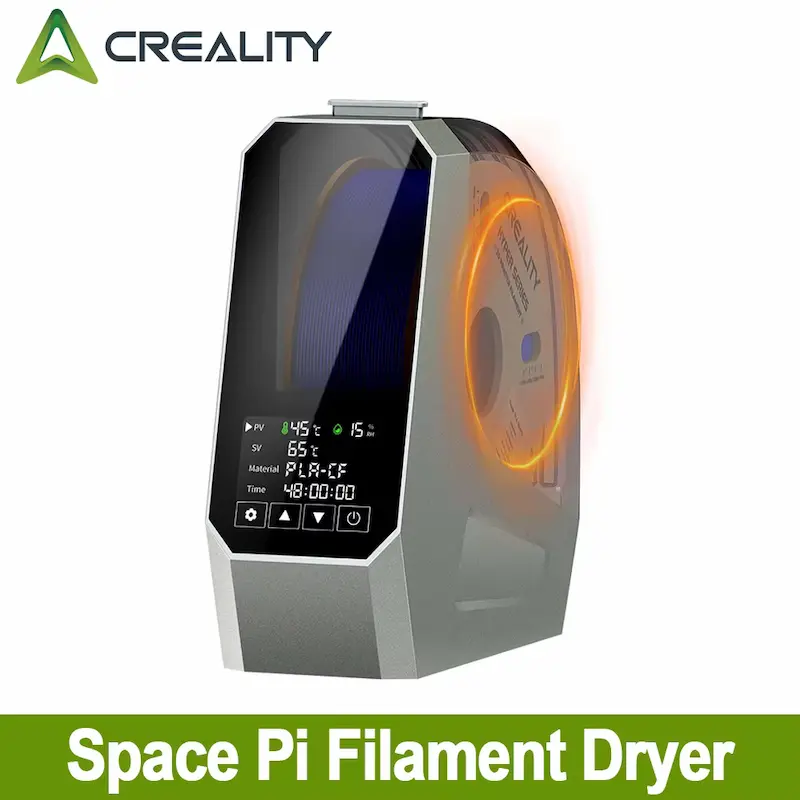
Front view of 3D printing filament dryer box featured in Creality Space Pi Review.
Electronics, Travel Gear

Creality Space Pi Review 2026: Is It Worth Buying?

Affiliate Disclosure: This article contains affiliate links. If you purchase through a qualifying link, we may earn a commission at no additional cost to you. This review is based on published product specifications, available product information, visible customer feedback, comparison research, and practical buying considerations. We have not personally conducted hands-on testing of the Creality Space Pi Review Filament Dryer. Quick Verdict: Creality Space Pi Review The Creality Space Pi Review covers a compact filament dryer designed to remove moisture from 3D printing filament before or during printing. It uses adjustable heating from 45°C to 70°C, 360° hot-air circulation, real-time temperature and humidity monitoring, and drying-time settings up to 48 hours. The supplied AliExpress listing shows the Space Pi as a single-spool filament dryer with US and EU plug configurations. The listing also highlights compatibility with common 3D printer filaments and features a compact desktop design. At the time of the supplied recording, the marketplace listing showed 4.7/5 from 99 reviews, 1,000+ sales, and 800+ cross-platform sales. Visible customer feedback included comments about effective filament drying, reduced stringing, good packaging, straightforward operation, and acceptable noise levels. The main purpose of a filament dryer is simple: moisture can negatively affect printing performance, especially with more hygroscopic materials. Prusa notes that many FFF printing materials absorb moisture from the environment and that wet filament can contribute to problems such as stringing, poor layer adhesion, bubbling, and other print-quality issues. The Space Pi does not replace the need to follow the filament manufacturer’s recommended drying temperature. Instead, it provides a controlled heating environment within its 45–70°C range. Our Rating: 4.6/5 ⭐⭐⭐⭐⭐ For 3D printing users who regularly work with moisture-sensitive filament, the Space Pi offers a practical single-spool drying solution. Its biggest limitations are the one-spool capacity and maximum 70°C temperature, which may not suit some higher-temperature engineering materials. Creality Space Pi Review: Specifications Feature Details Brand Creality Product Space Pi Filament Dryer Product Type Filament drying box Spool Capacity 1 spool Temperature Range 45–70°C Drying Time 1–48 hours Heating 360° PTC hot-air heating Power 145W Humidity Monitoring Yes Temperature Monitoring Yes Filament Presets One-key settings for 12 filament types Filament Diameter 1.75mm / 2.85mm Printing Through Dryer Supported through filament feed design Size Approx. 31 × 30 × 13cm according to listing Weight Approx. 1.72kg according to listing Plug Options US / EU and other regional configurations Spool Capacity Single spool Origin Mainland China Hands-On Testing Not conducted Creality’s current SpacePi comparison lists the original SpacePi with a 45–70°C range, 1–48-hour timing, one-spool capacity, single heating chamber and 145W power consumption. What Is the Creality Space Pi Review Filament Dryer? The Creality Space Pi is a dedicated heated box for drying 3D printer filament. Filament absorbs moisture from the surrounding environment at different rates depending on its material. Some materials tolerate humidity better than others, while highly hygroscopic materials can require more careful drying and storage. Instead of placing filament in an improvised oven, a dedicated dryer gives the user a controlled temperature range specifically intended for filament. The Space Pi combines heating, fan-assisted circulation, humidity monitoring, and timed operation inside one compact unit. Its single-spool design makes it more suitable for individual users or smaller 3D printing setups than larger multi-spool drying systems. The product is particularly relevant for people who notice issues such as stringing, bubbling, inconsistent extrusion, or changes in print quality after filament has been exposed to humid air. However, drying cannot solve every printing problem. Incorrect nozzle temperature, poor bed adhesion, unsuitable retraction settings, mechanical problems, and incorrect filament storage can also affect print quality. Creality Space Pi Review: Drying Temperature: 45–70°C The adjustable temperature range is one of the most important features. The Space Pi operates from 45°C to 70°C, allowing users to select different temperatures for different filament types. This range covers many commonly used materials. For example, PLA generally requires a lower drying temperature than materials such as TPU, ASA, or certain nylon-based filaments. However, users should not simply select the highest available temperature. Every filament manufacturer can provide its own recommended drying temperature and duration. The spool material also matters because some plastic spools can deform at higher temperatures. The safest approach is to check the filament manufacturer’s drying instructions before starting a cycle. Filament Drying Temperatures Different filaments need different drying conditions. Prusa’s filament-drying guidance provides material-specific examples, including around 45°C for PLA, 55°C for PETG, 60°C for TPU, 70°C for some carbon-fibre-filled materials, and higher temperatures for certain engineering filaments. This makes the Space Pi’s 45–70°C range practical for many common materials, but not every filament. For example, some advanced materials require temperatures above 70°C for effective drying. Therefore, buyers who mainly print with high-temperature engineering polymers should check their material requirements before choosing this dryer. The Space Pi is better suited to users whose filament drying needs fall within its temperature range. 360° Hot-Air Heating Creality uses 360° PTC hot-air heating in the Space Pi. The design circulates heated air around the filament spool rather than relying on a simple static heat source. Creality describes the heating system as 360° hot-air heating intended to provide more even drying. Uniform airflow matters because the spool contains a large amount of filament wound around itself. If heat reaches only one section, the drying process may be less consistent. The circulating-air approach is therefore a sensible design for a compact filament dryer. However, actual drying performance depends on the filament material, starting moisture level, temperature, drying time, spool design, and surrounding conditions. We have not independently measured temperature uniformity inside the Space Pi. Real-Time Temperature and Humidity Monitoring Another useful feature is the built-in monitoring system. The Space Pi provides real-time temperature and humidity information while the drying cycle runs. Creality lists real-time humidity and temperature monitoring among the product’s main features. This gives the user more information than a basic heated box with only a temperature dial. Humidity information can also help users understand how the drying environment changes during a

A comprehensive Lenovo Smart Glasses Review highlighting real-time AI translation, voice control, and 8K imaging capabilities.
Electronics, Seasonal / Gift Ideas, Travel Gear

Lenovo Smart Glasses Review 2026: Is It Worth Buying?

Affiliate Disclosure: This article contains affiliate links. If you purchase through a qualifying link, we may earn a commission at no additional cost to you. This review is based on published product specifications, available product information, visible customer feedback, comparison research, and practical buying considerations. We have not personally conducted hands-on testing of the Lenovo Smart Glasses Review. The Lenovo Smart Glasses Review looks at a multifunction wearable that combines camera recording, Bluetooth audio, voice assistance, translation features, touch controls, and smart-display positioning in a glasses-style design. The supplied AliExpress listing shows the black and transparent variants and advertises an 8K camera, 4K high-definition support, AI-powered voice assistance, dual-display and MR holographic technology, Bluetooth connectivity, 256GB built-in memory, and 6GB RAM. Because several specifications come directly from the marketplace listing, buyers should verify the exact configuration and current specifications before ordering. This review is based on the supplied product listing, visible specifications, customer feedback, comparison research, and practical buying considerations. We have not personally conducted hands-on testing of the Lenovo Smart Glasses. Quick Verdict: Are the Lenovo Smart Glasses Review Worth Buying? The Lenovo Smart Glasses target shoppers who want several wearable functions in one device rather than a conventional pair of Bluetooth glasses. The listing combines a camera, voice assistant, translation, Bluetooth connectivity, touch control, audio playback, and smart-display claims. That combination could make the glasses interesting for travellers, content creators, commuters, and technology enthusiasts. The camera is one of the biggest selling points. However, the listing uses 8K camera language while also describing 4K high-definition support, so buyers should confirm the actual recording resolution for the exact variant before purchasing. The same caution applies to memory and Bluetooth specifications. The supplied listing advertises 256GB built-in memory and Bluetooth 4.2, while individual customer feedback shown in the listing mentions Bluetooth 5.3. That difference makes checking the selected configuration particularly important. Our Rating: ⭐⭐⭐⭐☆ 4.3/5 The glasses offer an ambitious combination of camera, audio, translation, and AI-oriented features. Their main weakness is specification uncertainty, especially when marketplace descriptions combine multiple smart-glasses features or variants. Lenovo Smart Glasses Review: Specifications Feature Listing Information Brand Lenovo Product Type AI smart camera glasses Camera 8K listed High-Definition Support 4K listed Camera Number Single lens listed Field of View 120° Projector 12mm listed Memory 256GB listed RAM / Memory Capacity 6GB listed in AI overview Bluetooth Bluetooth 4.2 listed Display Dual display listed MR Holographic Display Yes, according to listing Voice Assistant Yes AI Translation Listed Touch Control Yes Weight Approximately 0.080kg listed Package Dimensions Approximately 30 × 20 × 10cm listed GPS No High-Concern Chemicals None listed Origin Mainland China Variants Shown Black and Transparent Important: Marketplace specifications can vary between product variants. Confirm the exact camera, storage, Bluetooth version, display functionality, battery and app compatibility shown for the selected configuration before ordering. What Are the Lenovo Smart Glasses Review? The Lenovo Smart Glasses are wearable glasses that combine several electronic functions inside a conventional-looking frame. Instead of carrying a separate camera, Bluetooth headset and phone for every small task, the concept aims to move some of those functions onto the glasses. The supplied listing highlights hands-free photography and video recording, voice commands, Bluetooth connectivity, translation and immersive-display features. That makes the product particularly relevant to people who want wearable technology for travel or content creation. At the same time, smart glasses depend heavily on software, smartphone compatibility and the exact hardware configuration. Buyers should therefore look beyond the marketing title and check the specifications for the selected version. Camera and 8K Recording Claims The camera is arguably the most interesting part of these glasses. The marketplace listing describes an 8K camera and separately mentions 4K high-definition support. The specification section also identifies the camera as 8K. However, camera resolution terminology on marketplace listings can sometimes refer to sensor resolution, image processing, or an advertised maximum rather than the actual video recording resolution. For that reason, this review does not treat the 8K wording as proof that every recording mode produces native 8K video. The listing’s 4K support provides a more useful reference point, but buyers should still check the current product description for the exact recording modes, frame rates, file formats, and storage requirements. For casual travel photos, short clips and hands-free content creation, the camera concept could be useful. For professional video production, however, buyers should compare the actual recording specifications with a dedicated camera or action camera before relying on these glasses as their primary camera. Hands-Free Photography and Video Recording One advantage of a camera built into glasses is the first-person perspective. Instead of holding a smartphone in front of you, you can potentially capture moments from the same viewpoint as your eyes. This could be useful for: The customer feedback shown in the supplied listing supports several of these use cases. One buyer described using the glasses for hands-free cooking content, while another mentioned using them while hiking. Those comments represent individual customer experiences rather than independently verified performance. The concept itself is straightforward: wearing the glasses keeps both hands available while the camera captures what you see. AI Voice Assistant and Touch Controls The listing also promotes an AI-powered voice assistant. Voice control can make sense for a wearable device because reaching for a smartphone can interrupt the activity you are performing. The glasses are advertised as supporting hands-free interaction, while the touch interface provides another way to control functions. This combination could be useful when taking a photo, starting a recording, controlling music, or interacting with supported assistant functions. However, AI features often depend on software, internet access, language support, smartphone compatibility, and the companion application. Therefore, buyers should confirm which AI functions actually work in their country and with their specific Android or iOS device. AI Translation for Travel Translation is one of the more interesting features for international travellers. The supplied customer feedback includes several positive comments about translation. One buyer specifically described using the glasses during a trip to Japan and said

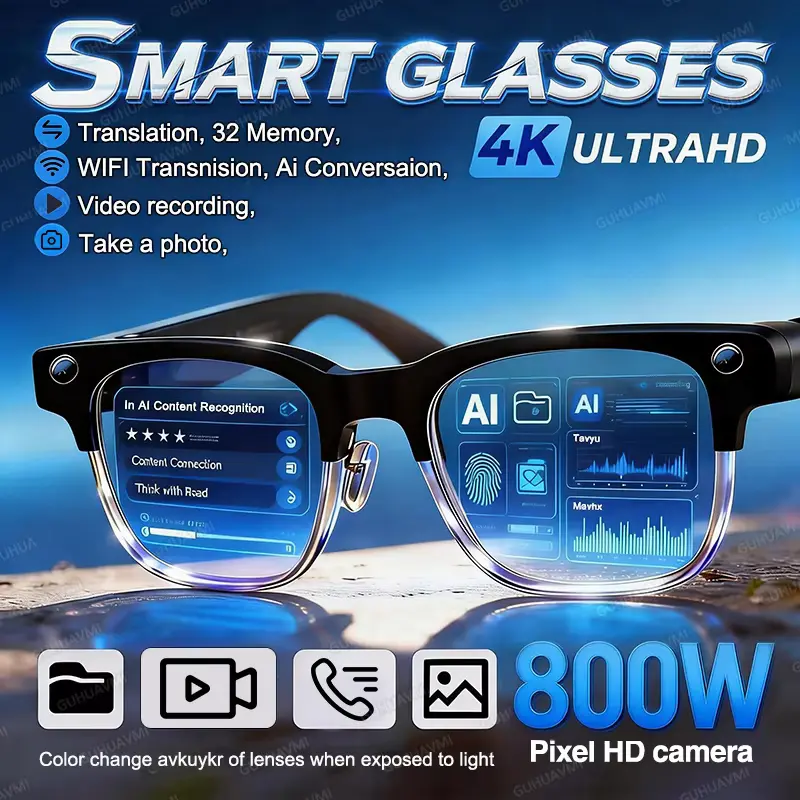
4K Ultra HD 800W camera features highlighted in this AI Smart Glasses Review.
Electronics, Seasonal / Gift Ideas, Travel Gear

W630 Smart Glasses Review 2026: Is It Worth Buying?

Affiliate Disclosure: This article contains affiliate links. If you purchase through a qualifying link, we may earn a commission at no additional cost to you. This review is based on published product specifications, available product information, visible customer feedback, comparison research, and practical buying considerations. We have not personally conducted hands-on testing of the W630 Smart Glasses Review. W630 Smart Glasses Review: Quick Verdict The W630 Smart Glasses combine a built-in camera, Bluetooth audio, AI-assisted features, voice translation, calling, recording, and interchangeable lens options in a conventional glasses-style frame. The AliExpress listing reviewed here identifies the model as W630 and promotes an 800W-pixel camera, 4K support, Bluetooth 5.3, AI functions, and a 290mAh battery. The biggest attraction is the number of features packed into one wearable device. You can use the glasses for hands-free photos and videos, calls, music, voice assistance, translation, and AI-powered interaction. However, buyers should pay close attention to the exact variant and specifications because W630 listings from different sellers can show different camera, storage, battery, and recording claims. Our research-based rating: 4.2/5 Best for: Travel, hands-free photography, casual calls, AI features, and wearable-tech experimentation. Main concern: Specification consistency varies between W630 listings, so buyers should verify the exact configuration before ordering. W630 Smart Glasses Review: Specifications Specification Details Model W630 Product Type AI Smart Camera Glasses Camera 800W Pixel / Dual Lens listed High-Definition Support 4K listed Bluetooth Bluetooth 5.3 Battery 290mAh listed RAM 4GB listed ROM 4GB listed App AI Buds Connection Wi-Fi, 5G/4G, Bluetooth-compatible Functions Camera, video, audio, calling, AI assistant, translation Auto Focus Yes OIS Yes Gesture Recognition No G-Sensor No GPS No Frame Shape Rectangle Lens Options Sunglasses, clear/eyeglass, blue-light, change-color options Operating System Android & iOS compatibility listed Certification CE, FCC, EAC listed Origin Mainland China Note: The marketplace listing contains some inconsistent entries. For example, the battery appears as both 280 and 290mAh in different specification fields, while W630 documentation found online also varies by seller and version. Buyers should therefore confirm the exact variant and specification sheet before purchase. What Are the W630 Smart Glasses Review? The W630 is designed to combine ordinary eyewear with several smart-device functions. Instead of carrying a separate camera, Bluetooth headset, and voice assistant, the glasses place these functions directly into the frame. The model reviewed here uses a rectangular glasses design with a camera integrated into the frame. The listing also shows several lens configurations, including sunglasses, clear eyeglass-style lenses, blue-light options, and color-changing lenses. This makes the product more versatile than a simple pair of Bluetooth audio glasses. Depending on the selected configuration, buyers can use it for outdoor activities, travel, photography, calls, music, and AI-assisted tasks. The W630 is also part of a broader family of similarly named smart glasses. Online W630 documentation shows that specifications can differ between versions, including camera resolution, storage, battery life, lens type, and wireless features. 800W Pixel Camera and 4K Video Support The camera is one of the main reasons to consider these smart glasses. The AliExpress listing describes an 800W Pixel Dual Lens Camera and also lists 4K high-definition support. The specification section identifies the camera as a dual-lens system and lists autofocus and OIS. For everyday use, the camera’s biggest advantage is not necessarily replacing a dedicated camera or smartphone. Instead, it provides a hands-free way to capture a first-person view. That can be useful when walking, travelling, cycling, attending an event, preparing food, or creating casual social-media content. You do not have to take your phone out every time you want to capture a quick moment. However, the “800W pixel” and “4K” wording should be interpreted carefully. The marketplace listing uses these terms, while other W630 documentation describes different combinations such as 8MP cameras, interpolated higher-resolution photos, and 1080p video. Therefore, buyers should not automatically assume that every W630 configuration records native 4K video or produces 8MP/32MP results in the same way. Hands-Free Photography Hands-free photography is where the design makes the most practical sense. Instead of holding a phone, you can capture scenes from your point of view. This can be particularly convenient during travel, outdoor activities, shopping, cooking, or other situations where both hands are occupied. One buyer in the reviewed listing reported using the glasses for photos and videos and praised their convenience. Another buyer mentioned using them as part of a daily routine and highlighted the convenience of photochromic lenses. These are customer experiences rather than independently verified performance results, so they should be treated as user feedback rather than proof of camera quality. AI Assistant, Recognition, and Voice Features The W630 listing also promotes several AI-related functions. These include: The appeal is straightforward. Instead of reaching for a phone whenever you need information, the glasses are designed to let you interact through voice. Some W630 documentation describes voice wake-up and AI interaction through companion software, while other documentation identifies AI models and translation support. The actual AI experience can depend heavily on the companion application, smartphone connection, internet access, supported languages, and the exact W630 firmware or variant. For that reason, it is better to view AI functionality as a useful convenience feature rather than treating the glasses as a completely independent AI computer. Real-Time Translation for Travel Translation is another feature that makes the W630 interesting for international travellers. The listing promotes AI translation and supports multiple languages through its software ecosystem. Other W630 documentation also describes multilingual translation functions. In practical situations, this could help with: However, translation accuracy depends on the software and the quality of the internet connection or AI service. It should not be treated as a guaranteed substitute for a professional interpreter. If translation is your primary reason for buying, check the current AI Buds app language support and whether the languages you need are supported before ordering. Bluetooth 5.3 and Built-In Audio The W630 specification page lists Bluetooth 5.3, while the product description promotes built-in audio for music and calls. The glasses are therefore designed to work as a

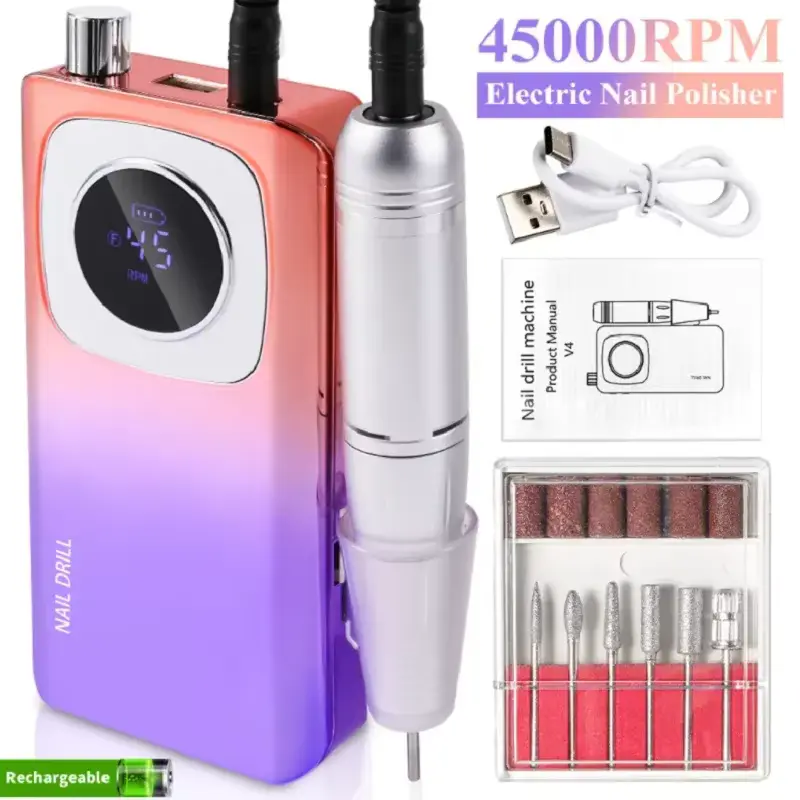
Professional 45000RPM Electric Nail Drill set with drill bits and charging cable.
Cosmetics, Electronics, Travel Gear

45000RPM Nail Drill Review 2026: Is It Worth Buying?

Affiliate Disclosure: This article contains affiliate links. If you purchase through a qualifying link, we may earn a commission at no additional cost to you. This review is based on published product specifications, available product information, visible customer feedback, comparison research, and practical buying considerations. We have not personally conducted hands-on testing of this 45000RPM Nail Drill Review. Quick Verdict: 45000RPM Nail Drill Review The 45000RPM Nail Drill is a rechargeable electric manicure machine designed for nail shaping, polishing, acrylic and gel nail work, and other detailed nail-care tasks. The AliExpress listing reviewed here highlights a maximum speed of 45,000 RPM, a cordless rechargeable design, an LCD, forward and reverse rotation, a pause function, and a selection of nail-drill accessories. The combination of high maximum speed and portable operation makes this type of nail drill interesting for both home users and people who regularly perform manicure or nail-art work. The listing also shows several color options, including Pink, White, Purple, and V4-style configurations. At the same time, 45,000 RPM is a maximum speed rather than a speed you need for every task. Nail drilling requires control and an appropriate bit, so the useful part of the product is its adjustable operation rather than simply the headline RPM number. Our research-based rating: ⭐ 4.5/5 The product offers a strong feature set for a portable electric nail drill, but buyers should choose the correct bit, start at a low speed, and follow safe operating practices. 45000RPM Nail Drill Review: Specifications Specification Details Product Type Rechargeable Electric Nail Drill Machine Maximum Speed Up to 45,000 RPM Display LCD digital display Operation Cordless / rechargeable Charging USB Rotation Forward and reverse Pause Function Yes Main Uses Nail shaping, grinding, polishing, acrylic and gel nail work Dimensions 155 × 75 × 25 mm Body Material Plastic listed Colors Pink, White, Purple, V4 and other listing variants Accessories Nail drill bits and related accessories Certifications Listed CE, FCC, RoHS Power Source Built-in rechargeable battery Customer Rating at Capture 4.8/5 Reviews at Capture 64 Sold at Capture 500+ Hands-On Testing Not conducted Note: The exact accessories, color, and configuration can vary depending on the selected option. Check the specific variant before ordering. What Is the 45000RPM Nail Drill Review? The 45000RPM Nail Drill Review is a portable electric nail file and manicure machine designed to make nail shaping and surface work easier than using a traditional manual file. Instead of relying entirely on hand movement, the electric handpiece uses a rotating bit to perform tasks such as smoothing, shaping, polishing, and removing certain nail-product layers. The product listing describes it as a professional rechargeable nail drill suitable for acrylic and gel nails. It also promotes a cordless design, making the unit easier to move around a workstation or carry between locations. One of the most noticeable features is the digital display. Rather than operating the machine without knowing its current setting, users can see the displayed speed and other operating information. This combination of portability, speed control, and multiple accessories makes the drill suitable for a wide range of manicure-related tasks. 45,000 RPM Speed and Adjustable Nail Control The headline feature is the 45,000 RPM maximum speed. RPM means revolutions per minute, so a 45,000 RPM setting represents a very high rotational speed. However, maximum speed does not automatically mean better results. Different nail-care tasks require different levels of control. A beginner working around the natural nail should generally prioritize precision and gentle operation rather than immediately selecting the highest available setting. The advantage of a high-speed machine is that it provides a wide operating range. You can select a lower setting when working carefully and increase the speed when the task and selected bit require it. The product listing specifically promotes the drill for: The exact suitable speed depends on the bit, material, technique, and user’s experience. Therefore, the 45,000 RPM specification should be viewed as a maximum capability, not as the recommended setting for every manicure. LCD Display and Speed Monitoring The built-in LCD is another useful feature. A digital screen can make the drill easier to monitor because users can see the selected speed rather than relying only on the feel or sound of the motor. The listing images show the display presenting a numerical speed value, with the product information also describing indicators for operating status. For beginners, this can make the learning process more structured. You can start with a low setting and gradually adjust it as you become more comfortable with the tool. The display also fits the overall design of the machine. Instead of looking like a basic electric file with a single switch, the unit has a more dedicated control-box layout. Forward and Reverse Rotation The 45000RPM Nail Drill also supports forward and reverse rotation. This is useful because nail technicians and experienced users may prefer different rotation directions depending on which hand they are using, the position of the nail, and the direction of the filing movement. A reverse function can also make the machine more adaptable when working from different angles. The product listing shows separate controls for changing direction, while customer feedback also mentions the availability of multiple modes. However, users should avoid changing direction carelessly while the bit is rotating at high speed. Follow the manufacturer’s operating instructions and use the appropriate procedure for switching modes. Pause Button and Everyday Convenience The machine includes a pause function, which provides another useful control during nail work. A pause button can be convenient when you need to stop the rotation temporarily without completely shutting down the device. For example, you may want to pause while: This is a small feature, but it can make a difference during longer manicure sessions. Cordless Rechargeable Design The cordless design is one of the strongest practical features of this nail drill. Traditional desktop nail drills often require the user to remain near a power outlet. A rechargeable model gives more freedom around the workstation. The listing describes the device as

Scroll to Top